


Blog
VINSA 1060 Plus Graphics Drawing Tablet: Take Your Digital Creativity Further

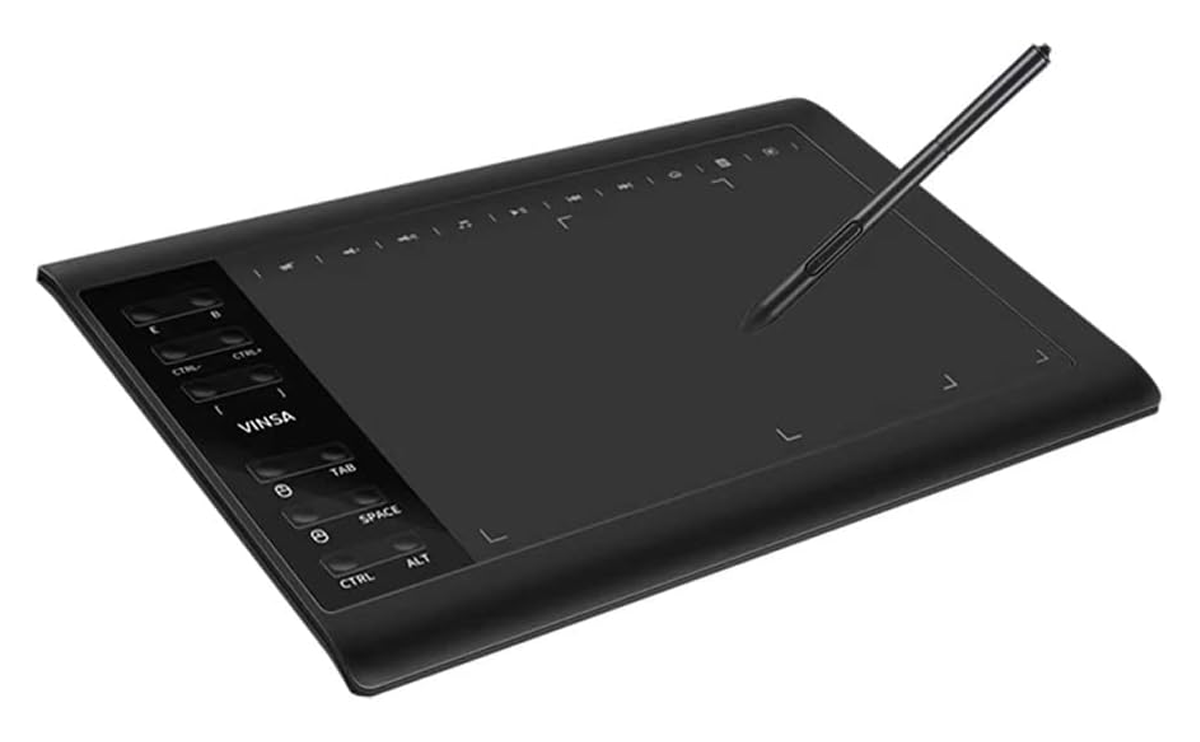
If you’re looking for a practical way to bring your ideas from imagination to screen, the VINSA 1060 Plus Graphics Drawing Tablet offers a creative workspace built for digital drawing, illustration, design and editing. With its spacious drawing surface and responsive pen control, it gives artists and creators a more natural way to sketch, draw and refine their work digitally. Whether you’re a professional designer, digital artist, student or beginner exploring creative software, the tablet provides the precision and flexibility needed to turn creative ideas into polished digital artwork.
Battery-Free Stylus for Effortless Digital Drawing
The battery-free stylus makes digital drawing more convenient by eliminating the need for charging or replacing batteries. It is designed to provide a natural pen-like experience, allowing you to sketch, write, illustrate and edit with greater freedom and control. Since the stylus draws its power from the tablet, you can focus on your creative work without worrying about the pen running out of battery in the middle of a project. This makes it especially practical for artists, designers and students who use their drawing tablet for extended periods.
The stylus is designed to give you precise control over every stroke, making it easier to create clean lines, detailed illustrations and controlled edits. Its pressure-sensitive input allows you to vary the thickness and intensity of your strokes naturally by adjusting how firmly you draw, giving your artwork a more expressive and pen-like feel. This makes it useful for everything from delicate sketching and shading to bold strokes and detailed retouching.

Versatile Uses for Work, Creativity and Everyday Tasks
The VINSA 1060 Plus Graphics Drawing Tablet is designed to do much more than digital drawing, making it a versatile tool for a wide range of creative and professional activities. It can be used for note-taking and handwriting, allowing you to write naturally on your computer, while artists can use it for digital drawing, illustration, sketching and animation with greater precision and control. For photographers and content creators, it can support photo editing and retouching, making detailed adjustments more intuitive than using a traditional mouse.
It can also serve as a mouse replacement for everyday computer navigation, while teachers can use it for online teaching, annotations and interactive lessons. Other practical applications include creating electronic signatures for documents, making it useful for digital paperwork and business tasks, as well as OSU! gaming, where precise stylus movements can provide a more responsive playing experience.

You can also use it for graphic design and branding, such as creating logos, social media graphics, posters and marketing materials, as well as 3D modelling and digital sculpting where precise cursor control is valuable. It is also useful for calligraphy and digital handwriting practice, architectural and technical sketching, storyboarding, comic and manga creation, UI/UX design, video editing and masking, and online collaboration or presentations where you need to write or annotate directly on your computer screen.
This range of applications makes the tablet suitable for creative professionals, students, educators, content creators and anyone who wants a more precise alternative to a conventional mouse.
Beyond its wide range of applications, a graphic tablet can make everyday computer work feel more natural and controlled by allowing you to interact with your projects using a pen rather than relying entirely on a mouse.
Versatile Uses for Work, Creativity and Everyday Tasks
The battery-free stylus gives you the freedom to create without worrying about charging or replacing batteries. Since it draws power directly from the tablet through electromagnetic technology, it is always ready to use whenever you need it. The pen responds naturally to your movements, allowing you to draw, sketch, write, shade and make precise adjustments with greater control. Its lightweight, cordless design also makes it comfortable to hold during extended creative sessions, while eliminating the need for charging cables or interruptions caused by a low battery.
Designed for precise and controlled input, the stylus gives you a more natural way to interact with your artwork compared with using a conventional mouse. Its pen-shaped design allows you to make delicate strokes, controlled curves and detailed movements with greater ease, making it suitable for both broad creative work and fine adjustments. You can vary the way you move and position the pen to achieve different drawing effects, while the responsive tip helps translate your hand movements accurately onto the digital canvas.


0920 9V High-Quality Power Adapter for Safe and Reliable Everyday Power Supply
Power your devices with confidence using this versatile Power Supply Adapter. Built with safety features such as overload, overheat, and short-circuit protection, it delivers stable and efficient power while helping to protect your connected devices. Its lightweight design makes it easy to carry and store.
Create Without Limits
Ready to take your digital creativity to the next level? Visit our page to thecosmicelectronics.com explore the VINSA 1060 Plus Graphics Drawing Tablet, discover its features and see how it can fit into your creative workflow. Whether you are a professional designer, digital artist, student or beginner, this tablet gives you the tools to bring your ideas to life with greater precision and control.
Whether you are turning ideas into stunning illustrations, designing your next project or simply exploring the world of digital art, the VINSA 1060 Plus is ready to become part of your creative setup. Give your ideas the space, precision and control they deserve, and discover everything this versatile drawing tablet has to offer. Visit our page today and take the first step toward creating without limits.
Versatile Uses for Work, Creativity and Everyday Tasks
With 8192 levels of pressure sensitivity, the stylus is designed to capture subtle changes in how lightly or firmly you press on the tablet surface. This allows you to create lines that can naturally vary in thickness and intensity, giving your strokes more depth and control. Lighter pressure can produce finer, softer marks, while firmer pressure can create bolder and stronger strokes, making the drawing experience feel more responsive and closer to working with traditional art tools. This level of sensitivity is especially useful for sketching, shading, digital painting, lettering and detailed illustration where precise pressure control can make a noticeable difference.
The stylus is also well suited to users who want greater freedom in the way they create and edit. Its responsive pen input allows you to make controlled strokes, quick movements and detailed marks without the limitations of a traditional mouse. Whether you are outlining a design, adding fine details, creating smooth curves or building up layers of shading, the pen gives you a direct and intuitive way to work on the tablet surface. This makes it easier to translate hand movements into digital artwork while maintaining a comfortable and familiar drawing experience.

The tablet features a 5080 LPI resolution, providing the stylus with a highly detailed working surface for accurate cursor positioning and precise pen movements. This high resolution allows the tablet to detect even small movements of the stylus, helping you create cleaner lines, smoother curves and more controlled details. It is particularly valuable when working on intricate illustrations, fine sketches, lettering or designs that require careful placement. With greater movement accuracy across the active area, the tablet gives you more control when translating hand movements into detailed digital work.
STYLISH APPEARANCE

The stylus features a sleek and stylish appearance that gives the tablet a modern, professional look. Its streamlined shape is designed to sit comfortably in the hand while maintaining a clean and sophisticated finish. The pen’s simple yet refined design makes it look at home alongside a professional workstation, creative setup or study desk.
Beyond its functionality, its attractive appearance adds to the overall premium feel of the graphic tablet, making it a practical tool that also looks great as part of your creative setup.
Its polished exterior also complements the tablet’s overall design, giving the stylus a neat and contemporary appearance. The refined finish makes it look professional while keeping its design simple and easy to pair with any creative workspace.
10 × 6 INCH ACTIVE AREA
The 10 × 6-inch active area provides a spacious canvas for drawing, sketching and editing, giving you plenty of room to move the stylus naturally without feeling restricted. The generous working surface is especially useful for larger illustrations and detailed projects, while still offering a practical size for use on a desk. It gives your hand enough space to make smooth strokes, broad movements and precise adjustments comfortably.
The tablet comes equipped with 12 customizable shortcut keys and 10 additional shortcut keys, giving you quick access to frequently used functions while you work. These dedicated keys can help reduce the need to constantly switch between the tablet and keyboard, allowing you to keep your focus on the creative process. You can assign commonly used commands such as undo, redo, zoom, brush selection, eraser and other software functions to make your workflow faster and more convenient. This makes the tablet especially practical for designers, illustrators and digital artists who regularly use multiple tools and commands.


