


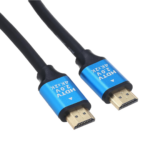
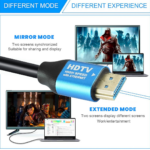
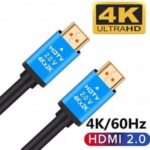


10m Premium High-Speed HDMI Cable with 4K Ultra HD Support for TVs and Projectors
₵160.00
Experience stunning 4K Ultra HD video and high-quality digital audio with this 10M Premium High-Speed HDMI Cable. Designed for reliable performance, it provides stable signal transmission for TVs, monitors, projectors, gaming consoles, laptops, and other HDMI-enabled devices.
50 in stock
🔹Key Product Features
- 4K Ultra HD Support: Delivers crystal-clear picture quality with support for resolutions up to 4K UHD for an immersive viewing experience.
- High-Speed Data Transmission: Supports fast and reliable bandwidth for smooth video, audio, and data transfer without lag or interruptions.
- 10-Meter Extended Length: Extra-long 10m cable provides flexible connectivity for TVs, projectors, gaming consoles, and home theater setups.
- Premium Audio Performance: Transmits high-quality digital audio and supports advanced surround sound formats for enhanced entertainment.
- HDR & 3D Compatibility: Supports HDR and 3D content for richer colors, deeper contrast, and a more lifelike viewing experience.
- Gold-Plated Connectors: Corrosion-resistant connectors ensure stable signal transmission and long-lasting durability.
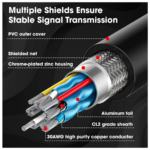
- Durable Shielded Construction: Premium shielding helps reduce signal interference and maintains consistent performance over long distances.
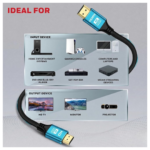
- Wide Device Compatibility: Compatible with HDTVs, monitors, projectors, gaming consoles, Blu-ray players, streaming devices, laptops, and other HDMI-enabled devices.
10m Premium High-Speed HDMI Cable with 4K Ultra HD, HDR and Digital Audio
The 10m Premium High-Speed HDMI Cable is designed to connect compatible televisions, monitors, projectors, gaming consoles, laptops, Blu-ray players, streaming devices, and other HDMI-enabled equipment for digital audio and video transmission. With support for resolutions up to 4K Ultra HD, HDR and 3D content, gold-plated connectors, shielded construction, and an extended 10-metre length, this black HDMI cable is suitable for home entertainment, gaming, office presentations, and professional audiovisual setups.
For customers looking for a 10m HDMI cable in Ghana, this cable provides greater flexibility when connecting devices positioned farther apart. COSMIC ELECTRONICS supplies electronics and accessories for individual customers, businesses, schools, churches, technicians, and organisations seeking practical connectivity solutions.
Product Overview
An HDMI cable transfers digital video and audio signals between compatible electronic devices. HDMI stands for High-Definition Multimedia Interface, a connection standard widely used by televisions, monitors, computers, projectors, gaming consoles, and media players.
This 10-metre HDMI male-to-male cable is designed for users who need a longer physical connection between a video source and a display. It supports compatible HD, Full HD, and 4K Ultra HD video, alongside digital audio transmission.
The cable also supports HDR and 3D content when the source equipment, display, and content are compatible. Its gold-plated connectors and shielded construction are intended to support reliable connectivity, while the extended length offers greater flexibility for installations in rooms, offices, meeting spaces, and entertainment areas.
Who Is This HDMI Cable For?
This cable can serve a range of users and applications.
- Home users: Connect televisions to compatible media players, decoders, computers, and gaming consoles.
- Gamers: Connect compatible consoles or computers to HDMI-enabled TVs and monitors.
- Office workers: Display laptop or desktop computer content on a television or projector.
- Schools and churches: Connect presentation equipment to projectors and large displays.
- Businesses: Set up digital displays, meeting-room screens, and audiovisual equipment.
- Technicians: Use it for compatible equipment installations, replacements, and troubleshooting.
- Event and AV teams: Connect suitable video sources to displays where a longer cable route is needed.
Before buying, confirm that the source device and display use compatible HDMI connections and support the video features required for your setup.
Key Features and Customer Benefits
1. 4K Ultra HD Resolution Support
The cable supports resolutions up to 4K Ultra HD. A typical 4K UHD resolution is 3840 x 2160 pixels, offering more image detail than Full HD when the source and display both support 4K.
This can be useful for compatible 4K televisions, monitors, projectors, streaming devices, and gaming systems. The actual resolution depends on the connected equipment, source content, settings, and cable installation.
Customer benefit: Connect compatible 4K equipment for high-resolution video playback, presentations, and entertainment.
2. Extended 10-Metre Cable Length
The 10-metre length is useful when the source device and display are positioned far apart. For example, a laptop may be placed at a presenter’s desk while the projector is positioned across a room.
The extra length can also help when a television is wall-mounted or when entertainment equipment is arranged on a separate shelf or cabinet.
Customer benefit: Provides more flexibility for device placement than a short HDMI cable.
Because longer cable runs can be more demanding, ensure the cable route is suitable for the intended resolution and equipment. Avoid stretching the cable tightly or bending it sharply around corners.
3. Gold-Plated Connectors
Gold-plated connectors help resist corrosion at the contact surfaces and support reliable electrical contact when properly maintained.
Connector quality matters because loose, dirty, or damaged contacts can interfere with the connection. Gold plating does not automatically improve image quality beyond what a properly functioning digital connection can deliver.
Customer benefit: The connector finish is designed to support dependable contact and help resist corrosion during normal use.
4. Shielded Cable Construction
The cable features shielded construction intended to help reduce signal interference. Shielding is useful because electronic equipment and nearby cables can contribute to electrical interference in some environments.
Actual performance also depends on the cable design, installation, length, and the requirements of the connected devices.
Customer benefit: The shielded construction is designed to support consistent signal transmission in suitable installations.
5. Digital Audio Transmission
HDMI carries compatible digital audio and video through a single connection. This reduces the need for separate audio and video cables when the connected equipment supports HDMI audio.
The cable can be used with compatible televisions, monitors with audio support, projectors, media players, and audiovisual receivers.
Customer benefit: Simplifies the connection between compatible source devices and displays or audio equipment.
6. HDR Compatibility
HDR stands for High Dynamic Range. Compatible HDR content and equipment can display a wider range of brightness and colour detail than supported standard dynamic range content.
The product specifications identify HDR compatibility. However, HDR performance requires a compatible source, display, content, and supported connection settings.
Customer benefit: Suitable for compatible entertainment setups that use HDR content.
7. 3D Video Compatibility
The cable is specified to support 3D content. To watch 3D video, the source device, content, display, and any required accessories must support the relevant 3D format.
The cable alone does not convert ordinary video into 3D.
Customer benefit: Can be used in compatible 3D audiovisual setups.
8. Wide Device Compatibility
The cable is intended for a range of devices with standard HDMI ports, including:
- HDTVs and 4K televisions
- Computer monitors
- Laptops and desktop computers
- Projectors
- Gaming consoles
- Blu-ray players
- Streaming devices
- Home entertainment systems
- Other HDMI-enabled equipment
Compatibility depends on the actual ports and supported features of the devices being connected.
9. Plug-and-Play Installation
A standard HDMI connection normally requires no separate driver installation. Users can connect the cable, select the appropriate input on the display, and adjust device settings if necessary.
Customer benefit: Straightforward setup for compatible equipment without complicated installation procedures.
Technical Specifications
Specification Details
Product type HDMI Cable
Cable length 10 meters
Color Black
Connector type HDMI male to HDMI male
Resolution support Up to 4K Ultra HD
Video support 4K, Full HD and HD
Audio support Digital audio transmission
Bandwidth High-Speed HDMI; exact bandwidth not specified
HDR compatibility Supported as specified, subject to device compatibility
3D compatibility Supported as specified, subject to device compatibility
Connector finish Gold-plated
Construction Shielded cable construction
Installation Plug and play
Applications Home entertainment, gaming, office and professional setups
The product specifications do not state an exact HDMI version or numerical bandwidth. If your setup requires a particular refresh rate, HDR format, or other advanced feature, confirm compatibility before purchasing.
Practical Applications in Ghana
Home Entertainment
Households in Accra, Tema, Kumasi, Takoradi, Cape Coast, Tamale, and other parts of Ghana can use a 10m HDMI cable to connect compatible entertainment devices.
Possible applications include connecting a computer to a television, a media player to a display, or a gaming console to a TV. The longer length can help when devices are placed on different sides of a room.
For wall-mounted televisions, measure the route from the source device to the HDMI input and allow enough length for safe cable management.
Gaming Setups
Gamers can use the cable to connect compatible gaming consoles or computers to an HDMI-enabled television or monitor. It may be useful when the console or computer is placed away from the screen.
Before buying for a particular game or console, check the required resolution, refresh rate, HDR features, and the capabilities of the display. The product’s 4K support does not by itself guarantee every 4K gaming mode or refresh rate.
Offices and Meeting Rooms
Businesses can connect laptops or desktop computers to projectors and large-screen televisions for presentations, demonstrations, and meetings.
The 10m length may be useful in rooms where the presenter and display are separated. For permanent installation, plan the cable route carefully and avoid placing the cable where it may be crushed or create a trip hazard.
Schools, Churches and Training Centres
Educational institutions and churches can use the cable to connect compatible computers or media players to projectors and large displays.
Applications include lessons, presentations, training sessions, announcements, and video playback. Institutions setting up multiple rooms should check the required lengths, device ports, display specifications, and number of cables before ordering.
Retail and Commercial Displays
Retail shops, showrooms, offices, and hospitality businesses can use HDMI connections to display promotional videos, product demonstrations, and other digital content.
The cable can be useful when the media player or computer is positioned away from the display. Ensure the installation distance and cable specification suit the intended signal requirements.
Professional Audiovisual Setups
AV technicians can use the cable for compatible installations that connect source equipment to televisions, monitors, projectors, or other HDMI-enabled devices.
For demanding installations with a long cable route, high resolution, or specialised display requirements, verify the cable’s performance against the equipment specifications. If a standard cable cannot meet the required signal conditions, a suitable active HDMI cable or another supported transmission solution may be necessary.
How to Connect the 10m HDMI Cable
Follow these steps for a typical connection.
- Check both devices: Confirm that the source and display have compatible HDMI ports.
- Locate the HDMI output: Find the output port on the laptop, computer, console, media player, or other source device.
- Locate the HDMI input: Find the input port on the television, monitor, projector, or compatible receiver.
- Connect the cable: Insert the HDMI connectors carefully. Do not force a connector into a port.
- Select the input: Use the display’s source menu to select the HDMI input being used.
- Check the signal: Confirm that the picture and sound work as expected.
- Adjust settings: If necessary, change the source device’s output resolution, display settings, or audio output.
For a permanent installation, route the cable neatly and protect it from crushing, pulling, and sharp bends.
How to Choose the Right HDMI Cable
Check the Connector Type
This product uses standard HDMI male-to-male connectors. It is not a VGA-to-HDMI converter, DisplayPort-to-HDMI adapter, USB-C-to-HDMI adapter, or mini-HDMI cable.
If your laptop has only USB-C, DisplayPort, VGA, or mini-HDMI, you may need a compatible adapter or a different cable. For USB-C, confirm that the device supports video output through that port.
Select the Correct Length
A 10m HDMI cable is useful when a source device and display are separated by a considerable distance. It may be suitable for meeting rooms, presentation setups, and entertainment systems where a shorter cable would not reach.
However, longer cable runs can be more demanding than short connections. Measure the installation route and confirm that the cable is suitable for the required video format.
Match the Cable to Your Display Requirements
Consider whether you need HD, Full HD, 4K, HDR, 3D, or a specific refresh rate. Check the source device and display specifications rather than relying on the cable description alone.
If you need a specific advanced feature, confirm that the complete connection supports it before placing your order.
Care, Handling and Troubleshooting
Cable Care
To help maintain the cable:
- Hold the connector body when plugging in or unplugging it.
- Avoid pulling the cable by the wire.
- Keep connectors clean and dry.
- Avoid sharp bends, crushing, and excessive tension.
- Keep the cable away from doors, moving furniture, and heavy equipment.
- Do not force the connectors into incompatible ports.
- Store the cable in a loose coil when not in use.
The product is not specified as waterproof or outdoor-rated, so do not assume that it is suitable for exposure to rain or other outdoor conditions.
Common Problems
No picture: Check that the devices are powered on, the connectors are secure, and the correct HDMI input is selected.
Picture quality or resolution is lower than expected: Check the source output settings and the display’s supported resolution and video modes
No sound: Check the source device’s audio output, the display volume, and any receiver settings.
Intermittent connection: Inspect the cable for damage, tight bends, loose connectors, or crushing. Testing with another compatible cable can help isolate the issue.
Cable does not fit: Confirm whether the device uses standard HDMI, mini-HDMI, micro-HDMI, USB-C, VGA, or DisplayPort.
Bulk Supply and Procurement Support
Businesses and institutions purchasing HDMI cables in larger quantities should plan around the requirements of the installation. Important considerations include cable length, device compatibility, resolution requirements, installation routes, quantity, and delivery location.
COSMIC ELECTRONICS welcomes enquiries from offices, schools, churches, technicians, retailers, and other buyers looking for HDMI cables for individual installations or broader projects.
For a bulk enquiry, prepare the following details:
- Number of cables required
- Required length for each connection
- Types of source devices and displays
- Required resolution and any specific video features
- Whether the setup is temporary or permanent
- Delivery location and intended installation date
Providing this information helps buyers select products that match their needs and reduces the risk of ordering an unsuitable cable.
Why Buy from COSMIC ELECTRONICS?
COSMIC ELECTRONICS is a Ghanaian electronics supplier serving individual customers, businesses, institutions, and technology users across Ghana through online and physical store channels.
Customers can enquire about this 10m HDMI cable and other electronics accessories for home entertainment, gaming, office use, and compatible audiovisual installations.
When purchasing from COSMIC ELECTRONICS, customers can enquire about:
Product advice: Guidance on cable length, connector compatibility, and intended use.
Competitive pricing: Information on product pricing and applicable bulk enquiries.
Bulk supply support: Enquiries for businesses, institutions, technicians, and multi-room setups.
Nationwide delivery across Ghana: Delivery options for customers in Accra and other parts of the country.
After-sales assistance: Help with product-related questions and basic compatibility guidance.
Online and physical store options: Convenient ways to enquire about product availability.
Before ordering, confirm the connector type, cable length, and required video features to ensure the product matches your equipment.
Frequently Asked Questions
1. What is a 10m HDMI cable used for?
A 10m HDMI cable connects compatible devices such as televisions, laptops, computers, projectors, gaming consoles, Blu-ray players, and streaming devices for digital audio and video transmission.
2. Does this cable support 4K Ultra HD?
Yes. The product specifications state support for resolutions up to 4K Ultra HD. Actual performance depends on the source, display, content, settings, and complete connection.
3. Can I use this cable with my television?
Yes, if the television and the source device have compatible HDMI ports. It can connect a TV to suitable computers, media players, consoles, and other HDMI-enabled devices.
4. Is the cable suitable for projectors?
Yes. It can connect compatible laptops, computers, and media players to HDMI-enabled projectors. Confirm that the cable route and required video format are suitable for the installation.
5. What is the benefit of a 10-metre cable?
The length gives you more flexibility when the source and display are far apart, such as in a meeting room, presentation setup, or home entertainment system.
6. What do gold-plated connectors do?
Gold plating helps resist corrosion at the contact surfaces and supports reliable electrical contact. It does not guarantee better picture quality than a properly functioning digital connection.
7. Does the cable support HDR?
HDR compatibility is included in the product specifications. To use HDR, the source device, display, content, and connection settings must also support the relevant HDR format.
8. Can I use it for gaming?
Yes, with compatible gaming consoles or computers and HDMI-enabled displays. Check the resolution, refresh rate, and other requirements of your specific gaming setup.
9. Does this cable carry sound and picture together?
Yes. HDMI can transmit compatible digital audio and video through a single connection.
10. Do I need drivers to use the cable?
A standard HDMI connection normally does not require separate driver installation. You may need to select the correct input or adjust the source device’s display and audio settings.
11. Can I use this cable with a USB-C laptop?
Only if you use a suitable compatible adapter and the laptop supports video output through USB-C. This product itself has standard HDMI male-to-male connectors.
12. Where can I buy a 10m HDMI cable in Ghana?
Contact COSMIC ELECTRONICS to enquire about the 10m Premium High-Speed HDMI Cable, pricing, compatibility, bulk supply, and nationwide delivery across Ghana.
Quick Summary
- Product: 10m Premium High-Speed HDMI Cable
- Length: 10 metres
- Colour: Black
- Connectors: HDMI male-to-male
- Resolution: Up to 4K Ultra HD
- Video support: 4K, Full HD and HD
- Audio: Digital audio transmission
- Features: HDR and 3D compatibility, gold-plated connectors, shielded construction, and plug-and-play installation
- Applications: Home entertainment, gaming, offices, projectors, and professional audiovisual setups
- Supplier: COSMIC ELECTRONICS, Ghana
- Availability: Enquire about product advice, competitive pricing, bulk supply, after-sales assistance, and nationwide delivery across Ghana.
| Product Type | HDMI Cable |
|---|---|
| Cable Length | 10 Meters |
| Connector Type | HDMI Male to HDMI Male |
| Resolution Support | Up to 4K Ultra HD |
| Video Support | 4K, Full HD, HD |
| Audio Support | Digital Audio Transmission |
| Bandwidth | High-Speed HDMI |
| Installation | Plug and Pla |
| Color | Black |
| Application | Home Entertainment, Gaming, Office, Professional Setup |


IT'S ALL ABOUT YOU
At COSMIC ELECTRONICS, we strive to process and dispatch orders as quickly as possible. While some orders may be shipped on the same day they are placed, processing times can vary depending on product availability, order volume, and delivery location. Please allow 2–3 business days for order processing before shipment.
IMPORTANT DELIVERY INFORMATION
- Fast Order Processing: Orders are processed and dispatched as quickly as possible, typically within 2–3 business days. A confirmation email will be sent shortly after your order is placed.
- Nationwide Delivery Across Ghana: We deliver to selected regions and cities across Ghana. Please check our delivery options to confirm availability in your location.
- Delivery & Collection Requirements: All deliveries require a signature upon receipt. Orders are not processed or shipped on Sundays, although you may place orders online at any time. If you do not receive your confirmation email, please check your Spam or Junk Mail folder.
For enquiries regarding delivery times, order status, or the lead time of a specific item, please contact COSMIC ELECTRONICS on +233 54 724 0128. Our team will be happy to assist you with any questions before or after your purchase.
Related products


Generic High-Speed 4-Port Mini USB 2.0 Hub for Laptop and Desktop Computers, Black
Expand your connectivity with this high-speed 4-Port USB 2.0 hub designed for laptops and desktop computers. It supports plug and plays installation, hot swapping, and wide compatibility with Windows, Mac, Linux, and Raspberry Pi systems. Compact and lightweight with built-in over-current protection, it ensures safe and reliable performance for everyday USB devices.


Lanjue L600 USB Gamepad Controller | Wired Joystick with Ergonomic Design for Smooth and Responsive PC Gaming
Charges your gaming setup with ergonomic design and reliable wired USB connectivity for seamless plug-and-play gaming on compatible PCs and laptops. Features responsive multi-button layout and directional controls for precise gameplay across genres, with lightweight, comfortable grip for extended sessions.


Slim Pro LED USB Charging Dock – Premium Stand for PS4 Controllers with Fast & Convenient Charging
The Stand for PS4 Slim/Pro Controller keeps your controllers charged and ready for action with a sleek, durable design. It securely holds and powers two PS4 controllers at the same time for uninterrupted gameplay. Perfect for gamers, it combines convenience, style, and reliable charging in one compact stand.


Soulion Tracer 30 USB Gaming Headset with Virtual 7.1 Surround Sound and RGB Lighting for PC
The Soulion Tracer 30 is a professional USB gaming headset featuring powerful 50mm speakers with virtual 7.1 surround sound for immersive gameplay on Windows PCs.Its noise-cancelling microphone delivers clear voice communication, while vibrant RGB rainbow lighting adds a bold gaming atmosphere.With a wide 20Hz–20KHz frequency range, it produces rich bass, clear highs, and precise audio detail for competitive gaming.


T-WOLF G510 Professional Gaming Mouse – 6 Programmable Buttons, RGB LED Lighting, 3200 DPI, and 20 Million Click Lifespan
The T-WOLF G510 Gaming Mouse in sleek black features 6 responsive buttons and adjustable DPI settings from 800 to 3200 for precise control. With a 1.35-meter USB cable, it ensures a stable and lag-free connection for gaming or everyday use. Designed for comfort and performance, this wired mouse is perfect for both casual and professional gamers.


Reviews
There are no reviews yet.