


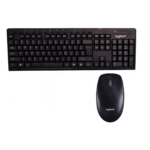


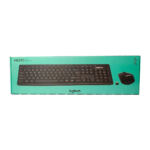


Logitech MK290 Wireless Keyboard and Mouse Combo with Reliable Wireless Performance Black
₵190.00
The Logitech MK290 Wireless Keyboard and Mouse Combo is designed to deliver comfort, durability, and convenience for everyday computing. With dedicated media controls and a familiar full-size layout, it helps you work faster and enjoy seamless control. Its reliable wireless connection and quiet keys make it perfect for both home and office use.
50 in stock
🔹Key Product Features
- One-Touch Media Controls: Quick access to music, volume, internet, and more
- Wireless Convenience: Stable and reliable connection without cable clutter
- Low-Profile Keys: Quiet and smooth typing experience
- Full-Size Layout: Includes QWERTY keys, F-keys, and number pad
- Spill-Resistant Design: Protects against accidental liquid spills
- Durable Keys: Built to handle millions of keystrokes
- Adjustable Tilt Legs: Provides a comfortable typing angle
- High-Precision Mouse: Smooth optical tracking for accurate control
- Plug and Play: Easy setup with USB receiver, no software needed
Logitech MK290 Wireless Keyboard and Mouse Combo Reliable Wireless Control for Home and Office Computing in Ghana
The Logitech MK290 Wireless Keyboard and Mouse Combo is a black wireless computer keyboard and optical mouse set designed for comfortable, convenient everyday computing. Featuring a full-size QWERTY keyboard with a number pad, dedicated one-touch media controls, quiet low-profile keys, and a high-precision optical mouse, it provides practical input control for home users, office workers, students, businesses, and professionals in Ghana.
With its USB nano receiver, plug-and-play setup, spill-resistant keyboard design, adjustable tilt legs, and durable keys, the Logitech MK290 offers a convenient alternative to traditional wired keyboard and mouse combinations.
Product Overview
A dependable keyboard and mouse are essential computer accessories for anyone who regularly works with a desktop computer, laptop, or compatible computing device. Whether you are preparing documents, entering figures, browsing the internet, responding to emails, managing business records, or navigating applications, having comfortable input devices can make everyday tasks easier.
The Logitech MK290 Wireless Keyboard and Mouse Combo brings two essential computer accessories together in one package. It includes a full-size wireless keyboard and an optical mouse, allowing users to type and navigate without the inconvenience of separate wired connections.
The keyboard features a familiar QWERTY layout, function keys, a dedicated number pad, and one-touch media controls. Its low-profile keys are designed to provide a quiet and smooth typing experience, while the adjustable tilt legs allow users to choose a comfortable typing angle.
The accompanying optical mouse provides smooth tracking and accurate cursor control for everyday computer navigation.
For customers looking for a Logitech wireless keyboard and mouse combo in Ghana, the MK290 is a practical option for home computing, office productivity, administrative work, and general desktop use.
What Is the Logitech MK290 Wireless Keyboard and Mouse Combo?
The Logitech MK290 is a wireless computer accessory set consisting of a keyboard and an optical mouse. Both devices are designed to provide convenient computer input through a USB nano receiver.
Instead of connecting each device through a separate cable, the wireless setup helps reduce cable clutter around the workstation.
The keyboard is designed around a full-size layout, meaning users have access to the familiar keys required for everyday typing, including:
- Standard QWERTY typing keys
- Function keys
- Dedicated number pad
- One-touch media controls
- Additional keyboard controls for everyday computing
The optical mouse complements the keyboard by providing cursor movement and selection through optical tracking.
Together, the two devices offer an integrated input solution for compatible computer setups.
Who Is This Product For?
The Logitech MK290 Wireless Keyboard and Mouse Combo is suitable for different categories of computer users.
Home Users
For home users, the combination provides a convenient way to operate a desktop computer or compatible device. It can support everyday activities such as browsing, typing, online communication, document preparation, and entertainment.
Office Workers and Administrators
Office professionals who regularly prepare reports, manage spreadsheets, enter information, and communicate through email can benefit from the full-size keyboard layout and dedicated number pad.
Students and Educational Institutions
Students can use the keyboard and mouse for assignments, research, presentations, typing exercises, and general computer-based learning.
Schools, training centers, and educational institutions can also consider the combo when equipping computer workstations.
Businesses and Commercial Offices
Businesses that use desktop computers for administration, accounting, customer service, inventory management, and general office operations can use the MK290 as a practical keyboard and mouse solution.
Professionals and Everyday Computer Users
Anyone who needs a keyboard and mouse for regular computer interaction can benefit from having both accessories supplied together.
Key Features of the Logitech MK290 Wireless Keyboard and Mouse Combo
1. Reliable Wireless Connectivity
What it is: The Logitech MK290 uses a wireless connection through a USB nano receiver.
Why it matters: Wireless peripherals help reduce the number of cables around a computer workstation. This can make desk arrangements easier to manage and provide greater flexibility when positioning the keyboard and mouse.
Customer benefit: Users can operate their computer without having to connect a separate keyboard cable and mouse cable.
2. One-Touch Media Controls
What it is: The keyboard includes dedicated media controls for quick access to functions such as music, volume, internet, and more.
Why it matters: Frequently used controls are easier to access when they are available directly from the keyboard.
Customer benefit: Users can manage supported media and other designated functions conveniently without relying entirely on navigating through on-screen menus.
3. Quiet, Low-Profile Keys
What it is: The keyboard features low-profile keys designed to deliver a quiet and smooth typing experience.
Why it matters: Keyboard noise can become distracting in shared environments, particularly offices, study areas, and workstations used by several people.
Customer benefit: The quieter typing experience makes the keyboard suitable for everyday office and home environments.
4. Full-Size QWERTY Layout
What it is: The keyboard features a full-size layout with standard QWERTY keys, function keys, and a dedicated number pad.
Why it matters: A familiar keyboard arrangement helps users work with the same general typing layout used on conventional desktop keyboards.
Customer benefit: Users can type documents, prepare reports, enter figures, and perform everyday computer tasks without adjusting to a compact keyboard layout.
5. Spill-Resistant Design
What it is: The keyboard features a spill-resistant design intended to provide protection against accidental liquid spills.
Why it matters: Drinks and other liquids can accidentally come into contact with computer accessories, especially on busy desks.
Customer benefit: The spill-resistant construction provides an additional practical consideration for everyday workstation use.
The keyboard should not be treated as waterproof or deliberately exposed to liquids. Users should still keep drinks away from their computer equipment and clean accidental spills carefully.
6. Durable Keys
What it is: The keyboard keys are designed to withstand millions of keystrokes.
Why it matters: Regular computer users may press the same keys thousands of times during normal typing, data entry, and office activities.
Customer benefit: The durable key design supports repeated everyday use in home and workplace environments.
7. Adjustable Tilt Legs
What it is: The keyboard includes adjustable tilt legs that allow users to change its typing angle.
Why it matters: Different users have different workstation arrangements and typing preferences.
Customer benefit: Users can adjust the keyboard position to find a more comfortable working angle.
8. High-Precision Optical Mouse
What it is: The combo includes an optical mouse designed for smooth tracking and accurate cursor control.
Why it matters: A mouse is essential for selecting items, navigating applications, opening files, browsing websites, and interacting with computer interfaces.
Customer benefit: The included mouse provides a convenient pointing device for everyday computer tasks without requiring a separate purchase.
9. USB Nano Receiver and Plug-and-Play Setup
What it is: The keyboard and mouse combo uses a USB nano receiver and is designed for straightforward setup without requiring additional software.
Why it matters: Users generally want computer accessories that are easy to connect and prepare for use.
Customer benefit: The plug-and-play design helps simplify installation. Connect the receiver to a suitable USB port and follow the device’s setup instructions.
Performance Benefits for Everyday Computing
The Logitech MK290 combines practical keyboard features with convenient mouse control to support common computer activities.
More Convenient Typing
The full-size layout gives users access to standard typing keys, function keys, and a number pad. This is useful when preparing documents, entering figures, and working with spreadsheets.
Simplified Media Access
Dedicated one-touch media controls make selected functions easier to access directly from the keyboard.
Reduced Cable Clutter
The wireless arrangement helps keep the workstation less crowded by reducing the need for separate keyboard and mouse cables.
Comfortable Everyday Use
Low-profile keys, a quiet typing experience, and adjustable tilt legs provide useful features for people who spend time working at a computer.
Convenient Computer Navigation
The included optical mouse supports cursor movement and everyday navigation, giving users a complete input combination.
Design, Construction and Durability
The Logitech MK290 comes in black and features a slim, ergonomic design.
Its keyboard is designed for regular typing, with low-profile keys, a full-size layout, and adjustable tilt legs. The spill-resistant design offers an additional level of practical protection against accidental liquid spills.
The durable keys are designed to handle millions of keystrokes, making the keyboard suitable for repeated everyday use.
The optical mouse completes the set with a design intended for smooth computer navigation.
As with other computer accessories, appropriate handling and maintenance are important. Avoid dropping the devices, exposing them to excessive moisture, or allowing dirt and debris to accumulate around the keys.
Applications of the Logitech MK290 in Ghana
The Logitech MK290 Wireless Keyboard and Mouse Combo can support a wide range of everyday computing requirements across Ghana.
Home and Personal Computing
For households with desktop computers or compatible computing devices, the combo can support:
- Internet browsing
- Online communication
- Document preparation
- Personal record keeping
- Media navigation
- General computer operation
Offices and Administrative Workplaces
Businesses in Accra, Tema, Kumasi, Takoradi, and other parts of Ghana can use the keyboard and mouse combo for everyday office operations.
Suitable activities include:
- Preparing business documents
- Entering customer information
- Managing spreadsheets
- Processing invoices
- Handling correspondence
- Navigating business applications
Schools and Training Centers
Educational institutions can consider the combo for computer laboratories, administrative offices, libraries, and training workstations.
Its familiar keyboard layout is useful for students learning typing, document preparation, and general computer operation.
Retail and Business Operations
Retail businesses and commercial offices often depend on computers for administrative and customer-related activities.
The MK290 can serve as an input accessory for compatible desktop workstations used for records, reports, browsing, and general office tasks.
Corporate and Institutional Workstations
Companies, organisations, and institutions that equip multiple computer workstations may consider the Logitech MK290 for their keyboard and mouse requirements.
For bulk purchases, the required quantity and intended computer setup should be established before procurement.
Technical Specifications
Specification Details
Brand Logitech
Model MK290
Product Type Wireless Keyboard and Mouse Combo
Color Black
Keyboard Layout Full-size QWERTY with F-keys and number pad
Mouse Type Optical
Connectivity USB Nano Receiver
Design Slim and ergonomic
Keyboard Keys Low-profile, quiet and durable
Media Controls One-touch media controls
Keyboard Protection Spill-resistant design
Adjustable Position Adjustable tilt legs
Setup Plug and play
Intended Usage Home, office and everyday computing
Important Buyer Considerations Before Purchasing
Before buying a Logitech MK290 keyboard and mouse combo in Ghana, consider the following points.
1. Check USB Port Availability
The combo uses a USB nano receiver. Confirm that the intended computer or compatible device has a suitable USB port.
2. Confirm Device Compatibility
Check that the operating system and device support the receiver and the keyboard and mouse functions you intend to use.
The supplied product information does not specify a complete list of supported operating systems or devices, so compatibility should be confirmed for specialised setups.
3. Consider Your Keyboard Layout Requirements
The MK290 features a full-size QWERTY keyboard with function keys and a number pad. This is useful for customers who prefer a conventional desktop keyboard arrangement.
4. Understand the Spill-Resistant Design
Spill resistance does not mean the keyboard is waterproof. Keep liquids away from the keyboard and avoid deliberately testing its resistance.
5. Check the Intended Application
For everyday typing, browsing, administrative work, and general computer navigation, the MK290 provides the essential keyboard and mouse combination.
For specialised gaming, programming, or professional workflows, consider whether additional features are required.
Common Mistakes to Avoid When Buying a Wireless Keyboard and Mouse
Customers sometimes overlook important details when selecting computer keyboards and mice.
Avoid these common mistakes:
- Ignoring connectivity: The MK290 uses a USB nano receiver, so check the a323vailability of a suitable USB port.
- Assuming every wireless keyboard uses Bluetooth: This model is specified with a USB nano receiver. Do not assume that it connects directly through Bluetooth.
- Ignoring keyboard layout: Check whether you need a full-size keyboard with a dedicated number pad.
- Assuming spill-resistant means waterproof: Spill-resistant construction does not make the keyboard suitable for immersion or deliberate liquid exposure.
- Overlooking device compatibility: Confirm compatibility before purchasing for a specialised computer or device.
- Choosing only by appearance: Consider the keyboard layout, connection method, media controls, mouse type, and intended application.
Best Practices for Using and Maintaining the Logitech MK290
Proper handling helps keep your keyboard and mouse in good working condition.
- Connect the USB nano receiver to a suitable USB port.
- Follow the device’s setup instructions before beginning use.
- Place the keyboard on a stable, flat workstation.
- Adjust the tilt legs to suit your preferred typing angle.
- Use the optical mouse on a suitable surface for consistent tracking.
- Keep food, liquids, and excessive dust away from the keyboard and mouse.
- Clean the keyboard and mouse carefully using appropriate computer-accessory cleaning methods.
- Avoid pulling, twisting, or forcing the receiver.
- Store the devices safely when they are not in use for extended periods.
Frequently Asked Questions
1. What is the Logitech MK290 Wireless Keyboard and Mouse Combo?
The Logitech MK290 is a wireless computer accessory set consisting of a full-size keyboard and an optical mouse. It uses a USB nano receiver and is designed for home, office, and everyday computing.
2. Does the Logitech MK290 come with a mouse?
Yes. The package is a keyboard and mouse combo, so it includes both a wireless keyboard and an optical mouse.
3. Does the Logitech MK290 use a USB receiver?
Yes. The specified connectivity is through a USB nano receiver.
4. Is the Logitech MK290 keyboard full-size?
Yes. It features a full-size QWERTY layout with function keys and a dedicated number pad.
5. Does the Logitech MK290 have media controls?
Yes. It includes one-touch media controls that provide quick access to functions such as music, volume, internet, and more.
6. Is the Logitech MK290 keyboard quiet?
The keyboard features low-profile keys designed to provide a quiet and smooth typing experience.
7. Is the Logitech MK290 waterproof?
The keyboard is described as spill-resistant, not waterproof. It should not be immersed in water or deliberately exposed to liquids.
8. Does the Logitech MK290 require additional software?
The supplied product details describe it as plug and play, with setup through the USB receiver and no additional software required.
9. Can I use the Logitech MK290 for office work?
Yes. Its full-size keyboard layout, number pad, media controls, and optical mouse make it suitable for everyday office activities such as typing, data entry, document preparation, and computer navigation.
10. Is the Logitech MK290 suitable for students?
Yes. Students can use it for assignments, research, typing practice, online learning activities, and general computer use, provided their device is compatible.
11. Can businesses purchase the Logitech MK290 in bulk in Ghana?
Businesses, schools, offices, and institutions can enquire about bulk supply through COSMIC ELECTRONICS. Availability and quantities should be confirmed before placing an order.
12. Where can I buy the Logitech MK290 Wireless Keyboard and Mouse Combo in Ghana?
You can enquire about the Logitech MK290 Wireless Keyboard and Mouse Combo from COSMIC ELECTRONICS. Customers can explore online ordering or visit the physical store for product enquiries and purchasing assistance.
Why Buy the Logitech MK290 from COSMIC ELECTRONICS?
Choosing the right computer accessories involves more than identifying a product. Customers also need a supplier who can provide relevant product information and purchasing support.
COSMIC ELECTRONICS serves individual customers, businesses, institutions, and commercial buyers across Ghana with electronics, computer accessories, networking equipment, and specialized technology products.
When purchasing the Logitech MK290 Wireless Keyboard and Mouse Combo from COSMIC ELECTRONICS, customers can benefit from:
Genuine Products: Access to genuine product sourcing and supply, subject to product availability.
Nationwide Delivery Across Ghana: Delivery arrangements for customers in Accra and other parts of the country.
Expert Product Advice: Assistance with understanding product features, connectivity, and intended applications.
Competitive Pricing: Practical purchasing options for individual customers and business buyers.
Bulk Supply Support: Enquiries for multiple units intended for offices, schools, organizations, and institutional workstations.
After-Sales Assistance: Support with product-related enquiries after purchase.
COSMIC ELECTRONICS is committed to helping customers identify suitable electronics and computer accessories for their everyday, commercial, and institutional requirements.
Availability and Procurement Support in Ghana
The Logitech MK290 Wireless Keyboard and Mouse Combo is relevant to customers looking for a wireless computer keyboard and mouse in Ghana.
COSMIC ELECTRONICS supports different purchasing requirements, including:
Retail Purchase: Individual customers looking for a wireless keyboard and mouse combo for home or personal computing.
Business Orders: Offices and companies equipping desktop workstations.
Bulk Orders: Organisations requiring multiple keyboard and mouse combinations.
Institutional Supply: Schools, training centres, and other institutions purchasing computer accessories.
Corporate Procurement: Businesses sourcing computer peripherals for administrative and operational departments.
Product Consultation: Assistance with understanding the product’s features and checking suitability for the intended computer setup
.
Customers can enquire about availability, quantity requirements, pricing, and delivery arrangements through COSMIC ELECTRONICS.
Online ordering and physical store purchasing options provide convenient ways to access computer accessories and related electronics.
Final Thoughts
The Logitech MK290 Wireless Keyboard and Mouse Combo is a practical computer accessory set for users who want a full-size keyboard and optical mouse with wireless connectivity.
Its one-touch media controls, quiet low-profile keys, spill-resistant keyboard design, durable keys, adjustable tilt legs, and USB nano receiver make it suitable for everyday home, office, educational, and business computing.
For individuals, offices, schools, and organisations searching for a Logitech MK290 wireless keyboard and mouse combo in Ghana, COSMIC ELECTRONICS provides a point of contact for product enquiries, purchasing assistance, and bulk supply requests.
Quick Summary
Product: Logitech MK290 Wireless Keyboard and Mouse Combo
Brand and Model: Logitech MK290
Colour: Black
Keyboard: Full-size QWERTY layout with function keys and number pad
Mouse: Optical mouse for smooth tracking and accurate control
Connectivity: Wireless connection through USB nano receiver
Main Benefits: One-touch media controls, quiet low-profile keys, spill-resistant design, durable keys, and adjustable tilt legs
Primary Applications: Home computing, office work, education, administration, and everyday computer use
Availability: Enquire with COSMIC ELECTRONICS in Ghana for online and physical store purchasing options
Bulk Supply: Enquiries supported for businesses, schools, offices, and institutions
Why Buy from COSMIC ELECTRONICS: Product advice, competitive pricing, nationwide delivery, bulk supply support, and after-sales assistance
| Brand | Logitech |
|---|---|
| Model | MK290 |
| Color | Black |
| Type | Wireless Keyboard and Mouse Combo |
| Keyboard Layout | Full-size with F-keys and number pad |
| Mouse Type | Optical |
| Connectivity | USB Nano Receiver |
| Design | Slim and ergonomic |
| Usage | Home, office, and everyday computing |



IT'S ALL ABOUT YOU
At COSMIC ELECTRONICS, we strive to process and dispatch orders as quickly as possible. While some orders may be shipped on the same day they are placed, processing times can vary depending on product availability, order volume, and delivery location. Please allow 2–3 business days for order processing before shipment.
IMPORTANT DELIVERY INFORMATION
- Fast Order Processing: Orders are processed and dispatched as quickly as possible, typically within 2–3 business days. A confirmation email will be sent shortly after your order is placed.
- Nationwide Delivery Across Ghana: We deliver to selected regions and cities across Ghana. Please check our delivery options to confirm availability in your location.
- Delivery & Collection Requirements: All deliveries require a signature upon receipt. Orders are not processed or shipped on Sundays, although you may place orders online at any time. If you do not receive your confirmation email, please check your Spam or Junk Mail folder.
For enquiries regarding delivery times, order status, or the lead time of a specific item, please contact COSMIC ELECTRONICS on +233 54 724 0128. Our team will be happy to assist you with any questions before or after your purchase.
Related products


360° Rotating Foldable Mobile Phone Stand – Fully Adjustable Desktop Holder for Smartphones and Tablets Including iPhone 17/16/15 Pro, XR/XS Max/X Plus, iPad, Samsung (K69-Yellow)
The Collapsible Mobile Holder is a foldable, portable stand with a 360° rotating base and adjustable height and angle for comfortable viewing. Made with a sturdy aluminum alloy and non-slip silicone pads, it securely holds smartphones and tablets from 4–8 inches, including iPhone, Samsung, and iPad, and allows charging without removing the case.


9T T13 Power Bank 50,000mAh 22.5W Fast Charging Power Bank
This power bank offers 23W two-way fast charging in a durable plastic body with built-in cables, digital display, and LED flashlight for daily convenience. Certified by RoHS, CE, and FCC, it ensures safe and reliable performance on the go. Its compact design makes it perfect for travel, work, or emergency use.


Car Phone Holder Bracket with Suction Cup – 360° Rotating Windshield Mount for Secure Mobile Navigation and Hands-Free Use
The Car Suction Cup Phone Holder is a practical and reliable mounting solution designed for universal smartphone compatibility. Made from durable ABS combined with soft silicone, it offers strong support while protecting your device from scratches and slips. Finished in a sleek black color, it blends neatly with any car interior and provides stable hands-free phone use for navigation and calls.


CH-01 Universal Phone Holder for Bikes and Motorcycles – Adjustable Mount for Smartphones of All Sizes
This universal bike and motorcycle phone holder allows you to control your phone conveniently while riding without blocking your view or taking up much space on your bike. It features 360° rotation to adjust to different viewing angles and four-claw locking to hold your phone securely. The holder is adjustable, easy to install and remove, and is compatible with most smartphones ranging from 3.5 to 6.5 inches, making it a versatile and practical accessory for riders.


KM901 Wireless Keyboard and Mouse Combo – 2.4G 78-Key Mini Portable Office Set
Compact 78-key wireless keyboard and mouse combo designed for portability, comfort, and everyday office or entertainment use. Features stable 2.4GHz wireless connectivity with plug-and-play USB receiver for quick and easy setup without drivers. Ergonomic design with smooth keycaps and comfortable mouse grip ensures efficient and fatigue-free usage.


Metal Soldering Iron Stand & Wire Holder – Stable Square Base for Electronics Work
This metal soldering iron holder is designed for pencil-style soldering irons, featuring dual coiled springs that protect both users and workpieces from burns and damage. Its heavy-duty metal base ensures stability and prevents movement during use, while the fully enclosed design provides a safe resting place for the iron between tasks. Ideal for hobbyists, electricians, and anyone working with solder or small, detailed projects.


Reviews
There are no reviews yet.