


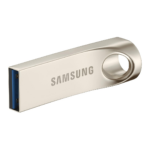

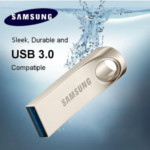

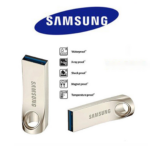


Samsung 128GB USB 3.0 Metal Pen Drive Large Capacity Portable Flash Storage Device
₵150.00
Take more of your digital world with you using the Samsung 128GB USB 3.0 Pen Drive. Featuring a durable waterproof metal body and fast transfer performance, it offers dependable storage wherever life takes you. Perfect for large file collections and everyday backups.
50 in stock
🔹Key Product Features
- 128GB Massive Storage: Ideal for storing extensive video libraries, high-resolution photos, music collections, and backups.
- Fast USB 3.0 Technology: Enjoy efficient file transfers and smooth access to stored content.
- Durable Metal Construction: Designed to withstand daily handling while maintaining a premium appearance.
- Slim & Lightweight Design: Easy to carry without adding bulk to your pocket or bag.
- Waterproof Protection: Helps safeguard important files against accidental water exposure.
- Instant Plug & Play Access: Connect and start using immediately without software installation.
- Excellent for Backup Storage: A practical solution for personal, business, and educational files
Samsung 128GB USB 3.0 Metal Pen Drive Portable Flash Storage for Fast File Transfers and Everyday Backups in Ghana
The Samsung 128GB USB 3.0 Metal Pen Drive is a portable flash storage device designed to store, transfer and back up digital files. With 128GB capacity, USB 3.0 connectivity, transfer speeds of up to 139MB/s and a slim metal body, it is suitable for students, professionals, businesses and everyday computer users who need convenient portable storage.
Whether you want to keep documents, photos, videos, music collections or business files, this 128GB pendrive provides a practical way to carry digital information between compatible devices. Its waterproof protection, lightweight design and plug-and-play operation make it a useful storage accessory for home, office, school and business environments.
Product Overview: Samsung 128GB USB 3.0 Metal Pen Drive
A pen drive, also called a pendrive, USB flash drive or USB stick, is a portable storage device that connects to a computer through a USB port.
The Samsung 128GB USB 3.0 Metal Pen Drive provides 128GB of storage capacity for keeping digital files in one compact device. Its USB 3.0 interface supports efficient file transfers, with a stated transfer speed of up to 139MB/s.
The metal construction provides a durable exterior for everyday handling, while the slim and lightweight design makes the device convenient to carry in a pocket, laptop bag or storage pouch.
Who Is This 128GB Pendrive For?
This portable flash drive is suitable for:
- Students: Storing assignments, presentations, research documents and educational materials.
- Office professionals: Carrying reports, spreadsheets, presentations and work documents.
- Business owners: Keeping copies of business records, marketing materials and important files.
- Teachers and lecturers: Transporting lesson notes, presentations and educational resources.
- Photographers: Keeping copies of selected photos and image files.
- Content creators: Moving supported video, audio and project files between compatible computers.
- Home users: Storing personal documents, photographs, music and other digital files.
- IT technicians: Transferring software installers, diagnostic utilities and other supported files.
- Institutions: Distributing digital documents and educational resources where USB storage is appropriate.
Key Features and Benefits of the Samsung 128GB Pendrive
1. 128GB Storage Capacity
The pen drive provides 128GB of storage space for digital files.
This capacity is useful for customers who need more room than smaller USB flash drives offer.
You can use it to store different types of files, including:
- Documents and PDF files.
- Word processing documents.
- Excel spreadsheets.
- PowerPoint presentations.
- Photographs and image collections.
- Music files.
- Videos.
- Business records.
- Educational materials.
- Compatible software installers.
- Personal backups.
Why it matters: Having portable storage makes it easier to carry important digital information without depending entirely on a computer’s internal storage.
Customer benefits:
- Convenient storage for different file types.
- Room for larger collections of documents and media.
- Useful for personal and professional files.
- Practical for moving information between compatible computers.
- Suitable for everyday file backup tasks.
The amount of usable space displayed by a computer may be lower than the advertised 128GB because storage devices and operating systems may calculate capacity differently.
2. USB 3.0 Technology
The pen drive uses a USB 3.0 interface designed to support efficient data transfers.
USB 3.0 is useful when copying larger files or moving multiple documents between compatible devices.
Why it matters: Transferring large videos, image collections and folders can take time, especially when using slower storage interfaces.
A USB 3.0 connection can help make these tasks more efficient when the computer and USB port also support compatible USB 3.0 performance.
Customer benefits:
- USB 3.0 interface.
- Efficient file transfer capability.
- Convenient movement of large files.
- Suitable for everyday data transfer.
- Backward compatibility may be available with supported USB ports, although transfer performance will depend on the connection.
For the best available transfer performance, connect the pen drive to a compatible USB 3.0 port.
3. Transfer Speed of Up to 139MB/s
The supplied product specifications state a transfer speed of up to 139MB/s.
This provides a useful performance reference for customers who regularly transfer documents, videos, photographs and other digital content.
Why it matters: File transfer speed affects how long you wait when copying information between storage devices.
A higher potential transfer rate can make moving larger collections of files more convenient.
Customer benefits:
- Stated transfer speed of up to 139MB/s.
- Useful for transferring supported large files.
- Convenient for moving work and educational materials.
- Helps reduce waiting time under suitable conditions.
Actual transfer speeds can vary depending on the computer, USB port, file sizes, file types, operating system and other hardware conditions. The stated maximum should not be treated as a guaranteed speed for every transfer.
4. Durable Metal Construction
The pen drive features a metal body designed for everyday handling.
Its metal exterior gives the device a solid construction and a slim, modern appearance.
Why it matters: Portable storage devices are frequently connected, disconnected and carried between different locations. A durable exterior is useful for an accessory that is handled regularly.
Customer benefits:
- Metal construction.
- Designed for regular handling
- Slim portable appearance.
- Convenient for carrying with other computer accessories.
- Suitable for everyday personal and professional storage tasks.
The exact metal type and thickness are not specified.
5. Waterproof Protection
The product description identifies waterproof protection as a feature intended to help safeguard stored files against accidental water exposure.
This can provide additional peace of mind when carrying the pen drive between locations.
Why it matters: Portable storage devices may be exposed to everyday environmental risks while being transported or stored.
Customer benefits:
Waterproof protection as described.
Intended to help protect against accidental water exposure.
Useful for customers who carry storage devices regularly.
Adds a protective feature to the portable storage design.
No IP rating, immersion depth or water-resistance test details have been provided. Do not assume that the pen drive can be submerged or used underwater. Keep it dry and avoid deliberate exposure to liquids.
6. Slim and Lightweight Portable Design
The pen drive features a slim and lightweight design that makes it convenient to carry.
You can keep it in a pocket, laptop bag, backpack or suitable accessory pouch.
Why it matters: Storage devices are most useful when they are easy to transport and access.
A compact pen drive can accompany your laptop or other compatible computer equipment without adding significant bulk.
Customer benefits:
- Slim design.
- Lightweight construction.
- Easy to carry.
- Convenient storage when not in use.
- Suitable for home, office, school and travel.
7. Plug-and-Play Access
The product is described as supporting instant plug-and-play access without requiring software installation.
For supported computers, this allows users to connect the pen drive and access its storage through the operating system.
Why it matters: Customers do not want complicated setup procedures when they simply need to copy or retrieve files.
Customer benefits:
Convenient USB connection.
No additional software installation specified.
Straightforward file access on supported systems.
Useful for everyday transfers and backups.
The computer may still need to recognise or mount the storage device correctly. Some workplace computers may also restrict the use of external USB storage devices.
8. Compatibility with Windows, Mac OS and Linux
The supplied specifications identify Windows, Mac OS and Linux compatibility.
This makes the pen drive relevant to users working with different computer operating systems.
Why it matters: Students, businesses and professionals may use different computers and operating systems.
A compatible USB flash drive makes it easier to transfer files between supported systems.
Customer benefits:
- Windows compatibility.
- Mac OS compatibility.
- Linux compatibility.
- Useful for mixed-computer environments.
- Convenient for transferring supported files between compatible devices.
File-system formatting can affect compatibility. If you intend to use the pen drive across multiple operating systems, check the existing format and choose a suitable file system for your requirements.
Technical Specifications
Specification Details
Brand Samsung
Product Name Samsung 128GB USB 3.0 Metal Pen Drive
Product Type USB Flash Drive / Pendrive
Storage Capacity 128GB
Interface USB 3.0
Transfer Speed Up to 139MB/s
Material Metal
Design Slim and Portable
Weight Lightweight; exact weight not specified
Water Protection Waterproof protection as described
Plug and Play Yes, as specified
Software Installation Not required according to the supplied description
Compatibility Windows, Mac OS and Linux
Primary Applications File Storage, File Transfer and Backup
What Can You Store on a 128GB Pendrive?
A 128GB pendrive can hold different types of digital information, depending on file sizes and the amount of available storage.
1. Documents and Office Files
Store everyday work and personal documents such as:
- Word documents.
- PDF files.
- Excel spreadsheets.
- PowerPoint presentations.
- Business reports.
- Invoices and records.
- Educational notes.
2. Photos and Images
Keep copies of photographs, graphics, scanned documents and other image files.
This can be useful for photographers, students, designers and business owners who need to transfer image collections between computers.
3. Videos and Audio Files
The storage capacity can be used for supported video and music files.
The number of files that can fit depends on their resolution, format, bitrate and individual file sizes.
4. Business and Educational Materials
Businesses and educational institutions can use USB flash drives to carry presentations, training documents, reports and other digital resources.
5.Personal Backups
A pen drive can provide an additional copy of selected important files.
For important information, however, do not rely on a single USB flash drive as the only backup location. Maintain additional copies on another storage device or suitable backup system.
Practical Applications of the Samsung 128GB Pendrive in Ghana
1. Student and Educational Use
Students in schools, colleges and universities can use a 128GB pendrive to carry digital learning materials.
Possible uses include:
- Assignments.
- Research documents.
- Lecture notes.
- Presentation slides.
- Educational videos.
- Project files.
It can also help students move supported files between home computers, school computers and personal laptops.
2. Office and Business Use
Businesses can use portable flash storage to move documents between compatible computers.
Examples include:
- Reports.
- Business presentations.
- Spreadsheets.
- Digital forms.
- Marketing materials.
- Administrative documents.
Organizations should follow their own information security policies when storing confidential business data on portable USB devices.
3. Photography and Creative Work
Photographers and designers may use a pen drive to transfer selected images, graphics and project files.
It can be useful when delivering digital materials to clients or moving files between compatible computers.
For large professional projects, consider maintaining additional copies on higher-capacity external storage.
4. Personal Home Storage
Home users can keep personal documents, photographs, music and other files in one portable location.
This can be useful when moving information between family computers or keeping an additional copy of selected files.
5. IT and Technical Work
IT technicians may use USB flash drives to transfer supported utilities, software installers, documentation and diagnostic files.
Any software or installer should be obtained from a trusted source and checked before use.
5.Institutional and Corporate Use
Businesses, schools and institutions can enquire about bulk storage requirements for distributing approved digital resources.
Before using USB storage for sensitive information, organizations should consider access controls, encryption and their internal data-handling policies.
How to Use the Samsung 128GB USB 3.0 Pen Drive
The pen drive is described as plug-and-play, so supported computers can generally access it without additional software installation.
Follow these basic steps:
Step 1: Locate a Compatible USB Port
Find an available USB port on your computer.
For the best available USB 3.0 performance, use a compatible USB 3.0 port.
Step 2: Connect the Pen Drive
Insert the pen drive carefully into the USB port.
Avoid forcing the connector if it does not fit correctly.
Step 3: Open the Storage Device
On a recognized Windows computer, open File Explorer and locate the USB drive.
On a Mac, check Finder for the connected storage device.
On Linux, use the file manager or supported system tools to access the drive.
Step 4: Transfer Your Files
Copy or move the required documents, photographs, videos and other supported files.
Allow transfers to complete before disconnecting the device.
Step 5: Safely Eject the Pen Drive
Use the operating system’s eject or safely remove function before unplugging the device.
This helps reduce the risk of interrupting an active write operation.
How to Choose the Best Pendrive in Ghana
When comparing the best pendrives, consider your storage requirements, connection type, transfer speed, construction and compatibility.
1. Choose the Right Storage Capacity
Different storage capacities are suitable for different needs.
Capacity Common Uses
16GB Basic document storage
32GB Documents, presentations and selected media
64GB Larger document and media collections
128GB Larger file collections, videos, photos and backups
256GB and Above More extensive storage requirements
The Samsung 128GB pen drive is a practical option for customers who need more portable storage space for everyday files and backups.
2. Check the USB Interface
USB 3.0 supports faster data transfer than older USB 2.0 interfaces under suitable conditions.
Check the computer’s USB port as well, because the connection can affect actual performance.
3. Consider the Construction
The Samsung 128GB model features a metal body.
Customers who carry their storage devices regularly may appreciate its slim construction and metal exterior.
4. Check Transfer Speed
This model has a stated transfer speed of up to 139MB/s.
If you frequently transfer large videos or image collections, consider the stated speed alongside the performance of your computer and USB port.
5. Consider Water Protection
The product description identifies waterproof protection against accidental water exposure.
However, no formal water-resistance rating is supplied. Avoid deliberate exposure to water.
6. Confirm Operating System Compatibility
The specified compatibility includes Windows, Mac OS and Linux.
If you intend to use the drive across different systems, check its file-system format and the requirements of the computers involved.
Common Pendrive Buying Mistakes to Avoid
1. Buying Too Little Storage
A small-capacity pen drive may become inconvenient when you need to store large videos, image collections or multiple backups.
Consider your current and future storage requirements before purchasing.
2. Ignoring Transfer Speed
Storage capacity and transfer speed are different specifications.
A pen drive may offer sufficient capacity but take longer to transfer large files.
Check the interface and stated transfer speed.
3. Assuming Maximum Speed Is Guaranteed
The stated speed of up to 139MB/s is a maximum figure supplied for this product.
Actual results depend on the computer, USB port, file sizes and other conditions.
4. Ignoring Compatibility
Check whether the pen drive works with your operating system and whether the device has a compatible USB port.
- Treating Waterproof Protection as Permission to Submerge It
The product is described as having waterproof protection, but no immersion rating has been supplied.
Do not deliberately expose the pen drive to water.
6. Keeping Only One Copy of Important Files
A USB flash drive is convenient, but it should not be the only storage location for important information.
Maintain another copy of valuable files on a separate storage device or suitable backup system.
Best Practices for Maintaining Your Pendrive
Proper handling can help keep a USB flash drive usable.
- Safely eject the pen drive before disconnecting it.
- Avoid removing it while files are being copied.
- Keep the connector clean and dry.
- Avoid dropping or crushing the device.
- Store it in a suitable place when not in use.
- Keep it away from excessive heat.
- Scan files from untrusted sources before opening them.
- Maintain additional copies of important data.
- Avoid repeatedly formatting the drive without first backing up its contents.
Why Buy from COSMIC ELECTRONICS?
COSMIC ELECTRONICS is a Ghanaian supplier of electronics, computer accessories, networking equipment, drones, professional audio solutions, smart devices and specialised technology products.
The business serves individual customers, students, businesses, technicians, institutions and commercial buyers.
When purchasing a Samsung 128GB pendrive, customers can contact COSMIC ELECTRONICS for:
- Product enquiries: Ask about the 128GB USB 3.0 metal pen drive.
- Product information: Confirm available specifications and product details.
- Purchasing support: Enquire about online and offline purchasing options.
- Bulk supply: Discuss storage requirements for schools, offices and businesses.
- Product sourcing: Enquire about other USB flash drives and computer accessories.
- Delivery information: Confirm delivery arrangements across Ghana.
- After-sales assistance: Obtain support with product-related enquiries.
Online and Offline Purchasing
Customers can enquire through the COSMIC ELECTRONICS online store or contact the business about available offline purchasing arrangements.
Businesses, institutions and organisations can also discuss bulk requirements where applicable.
Frequently Asked Questions About the Samsung 128GB Pendrive
1. How much storage does the Samsung pendrive have?
It has 128GB of storage capacity for documents, photos, videos, music and other supported files.
2. What USB interface does this pendrive use?
It uses a USB 3.0 interface for efficient data transfers.
3. What is the transfer speed of the Samsung 128GB pen drive?
The supplied specifications state a transfer speed of up to 139MB/s. Actual performance depends on the computer, USB port and other transfer conditions.
4. Is the Samsung 128GB pendrive waterproof?
The product description identifies waterproof protection against accidental water exposure. However, no formal IP rating or immersion specification has been provided.
5. Is the pen drive made of metal?
Yes. The supplied specifications identify metal as the construction material.
6. Does the Samsung 128GB pendrive work with Windows?
Yes. Windows is listed among its compatible operating systems.
7. Can I use this pendrive with a Mac?
Mac OS compatibility is included in the supplied specifications.
8. Does the pen drive support Linux?
Yes. Linux is also listed among the compatible operating systems.
9. Does it require software installation?
The product is described as plug-and-play and does not require additional software installation for supported use.
10. What can I store on a 128GB pendrive?
You can store documents, photographs, videos, music, presentations, business files, educational materials and other supported digital content.
11. Is this pendrive suitable for backups?
Yes. The product is described as suitable for personal, business and educational file backups. For important information, maintain additional copies on separate storage.
12. Where can I buy a Samsung 128GB pendrive in Ghana?
You can contact COSMIC ELECTRONICS to enquire about the current price, availability and delivery arrangements.
Quick Summary
✔ Product: Samsung 128GB USB 3.0 Metal Pen Drive
✔ Main Keyword: PENDRIVES
✔ Common Name: 128GB Pendrive / USB Flash Drive
✔ Brand: Samsung
✔ Storage Capacity: 128GB
✔ Interface: USB 3.0
✔ Transfer Speed: Up to 139MB/s
✔ Material: Metal
✔ Design: Slim and Portable
✔ Water Protection: Waterproof Protection as Described
✔ Operation: Plug and Play
✔ Software Installation: Not Required According to the Supplied Description
✔ Compatibility: Windows, Mac OS and Linux
✔ Primary Uses: File Storage, File Transfer and Backup
✔ Ideal Users: Students, Professionals, Businesses, Home Users, Photographers and Institutions
✔ Supplier: COSMIC ELECTRONICS
✔ Market: Ghana
✔ Purchasing Options: Online and Offline Enquiries
✔ Supply: Retail and Bulk Enquiries
✔ Delivery: Nationwide Delivery Enquiries Across Ghana
| Brand | Samsung |
|---|---|
| Capacity | 128GB |
| Interface | USB 3.0 |
| Transfer Speed | Up to 139MB/s |
| Material | Metal |
| Color | Color |
| Design | Slim Portable |
| Compatibility | Windows, Mac OS, Linux |


IT'S ALL ABOUT YOU
At COSMIC ELECTRONICS, we strive to process and dispatch orders as quickly as possible. While some orders may be shipped on the same day they are placed, processing times can vary depending on product availability, order volume, and delivery location. Please allow 2–3 business days for order processing before shipment.
IMPORTANT DELIVERY INFORMATION
- Fast Order Processing: Orders are processed and dispatched as quickly as possible, typically within 2–3 business days. A confirmation email will be sent shortly after your order is placed.
- Nationwide Delivery Across Ghana: We deliver to selected regions and cities across Ghana. Please check our delivery options to confirm availability in your location.
- Delivery & Collection Requirements: All deliveries require a signature upon receipt. Orders are not processed or shipped on Sundays, although you may place orders online at any time. If you do not receive your confirmation email, please check your Spam or Junk Mail folder.
For enquiries regarding delivery times, order status, or the lead time of a specific item, please contact COSMIC ELECTRONICS on +233 54 724 0128. Our team will be happy to assist you with any questions before or after your purchase.
Related products


Samsung 128GB USB 3.0 Plastic Flash Drive with Protective Cover
The Samsung 128GB USB 3.0 Flash Drive delivers exceptional storage capacity, dependable performance, and premium durability in a compact design. With high-speed USB 3.0 connectivity and advanced multi-layer protection, it offers a secure and efficient solution for storing, transferring, and backing up your most important files at home, in the office, or while traveling.


Reviews
There are no reviews yet.