


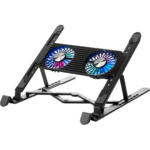
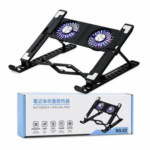



X3 Laptop Cooling Pad with Dual 14cm Fans and Adjustable Stand
₵130.00
The X3 Laptop Cooling Pad features dual 14cm cooling fans and 7 adjustable fan-speed levels to provide efficient airflow and help reduce heat buildup during extended laptop use. Its adjustable height and viewing angle offer a more comfortable and ergonomic setup for work, study, browsing, gaming, and entertainment. With USB power, LED fan lighting, stable laptop support, and a lightweight portable design, it is a practical cooling solution for most laptops and notebooks.
50 in stock
🔹Key Product Features
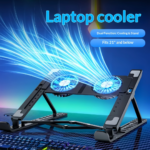
- Dual 14cm Cooling Fans: Equipped with two large 14cm cooling fans that provide effective airflow to help dissipate heat from your laptop during extended use.
- Quiet Cooling Operation: Designed to provide efficient cooling while maintaining low operating noise, making it suitable for work, study, gaming, and other activities.
- 7 Adjustable Fan Speed Levels: Offers seven fan speed settings, allowing you to adjust the cooling intensity according to your laptop's temperature and usage needs.
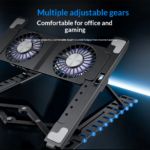
- Adjustable Height and Viewing Angle: Features an adjustable stand design that allows you to change the height and viewing angle for a more comfortable and ergonomic viewing position.
- LED Fan Lighting: Built in LED lighting adds an attractive visual effect to the cooling fans, making the stand especially suitable for gaming setups and modern workstations.
- USB Powered: Powered conveniently through USB, allowing you to connect it directly to your laptop or another compatible USB power source without requiring a separate power adapter.
- Wide Laptop Compatibility: Suitable for use with most laptops and notebooks, providing a versatile cooling solution for different laptop sizes and everyday computing needs.
- Lightweight and Portable: Its lightweight construction makes it easy to carry between home, office, school, or other locations whenever additional laptop cooling is needed.
- Stable Laptop Support: Provides a firm and stable platform that helps keep your laptop securely positioned while you work, watch videos, browse the internet, or play games.
- Ideal for Gaming and Heavy Laptop Use: Designed to provide additional airflow during demanding activities such as gaming, video editing, multitasking, and other workloads that can cause laptops to generate more heat.
X3 Laptop Cooling Pad with Dual 14cm Fans and Adjustable Stand
Product Overview
The X3 Laptop Cooling Pad is a USB-powered laptop cooler and adjustable notebook stand designed to provide additional airflow, help reduce heat buildup, and improve comfort during extended computer use. Featuring two large 14cm cooling fans, seven adjustable fan-speed levels, LED fan lighting, and an adjustable height and viewing angle, it is a practical cooling solution for students, professionals, gamers, content creators, and everyday laptop users in Ghana.
Whether you are working on office documents, attending online classes, browsing the internet, editing videos, or playing games, the X3 Laptop Cooling Pad helps provide additional airflow around your laptop while allowing you to position your screen at a more comfortable viewing angle.
For customers looking to buy a laptop cooler in Ghana, COSMIC ELECTRONICS offers a practical solution for everyday computing, gaming setups, home offices, and workstations.
What Is the X3 Laptop Cooling Pad?
A laptop cooling pad is an accessory designed to support a laptop while providing additional airflow to help dissipate heat. Many cooling pads use built-in fans to move air around the laptop’s underside, where heat can accumulate during demanding tasks.
The X3 Laptop Cooling Pad combines a dual-fan cooling system with an adjustable notebook stand. This means it serves two purposes: providing additional cooling airflow and helping users achieve a more comfortable laptop viewing position.
Unlike a basic laptop stand that only elevates the computer, the X3 includes powered cooling fans, adjustable fan speeds, and LED lighting.
Its lightweight, portable design also makes it convenient for users who move between home, school, the office, and other work locations
Key Features of the X3 Laptop Cooling Pad
Dual 14cm Cooling Fans
The X3 features two large 14cm cooling fans designed to provide effective airflow around the laptop.
Laptops can generate considerable heat during activities such as gaming, video editing, multitasking, and running demanding software. The dual-fan arrangement helps move air around the laptop to assist heat dissipation.
]Benefits include: Additional airflow during extended laptop use.
- Support for everyday computing and demanding workloads.
- A practical cooling accessory for compatible laptops and notebooks.
- A dual-fan design for users who want more than a basic passive stand.
Actual cooling results depend on the laptop’s ventilation design, internal cooling system, workload, and surrounding environment.
Seven Adjustable Fan-Speed Levels
The X3 Laptop Cooling Pad provides seven fan-speed levels, allowing users to adjust cooling intensity according to their needs.
For light activities such as reading documents or browsing websites, a lower fan setting may be sufficient. When performing demanding tasks such as gaming or video editing, a higher setting can provide increased airflow.
Adjustable fan speeds allow users to choose a suitable balance between airflow and operating noise.
This feature is particularly useful for people who use their laptops for different activities throughout the day.
Quiet Cooling Operation
The cooling pad is designed to provide efficient airflow while maintaining low operating noise.
This makes it suitable for environments where concentration matters, including offices, study areas, bedrooms, and shared workspaces.
Although the fans are designed for quiet operation, actual noise levels can vary depending on the selected speed and surrounding conditions.
Adjustable Height and Viewing Angle
The adjustable stand allows users to change the laptop’s height and viewing angle to suit their desk setup.
A suitable viewing position can make it more comfortable to read documents, attend virtual meetings, watch videos, or work on extended assignments.
The adjustable design is useful for:
- Students attending online classes.
- Professionals working with spreadsheets and documents.
- Gamers who want a more comfortable screen position.
- Home users browsing or watching entertainment.
- People setting up a dedicated workstation.
For prolonged typing, users should ensure the laptop remains stable and consider an external keyboard and mouse if the elevated position is uncomfortable.
LED Fan Lighting
The X3 includes built-in LED fan lighting that adds a visual effect to the cooling fans.
This feature is particularly appealing to users who want a more attractive gaming desk, computer workstation, or entertainment setup.
The LED lighting combines practical cooling functionality with a modern appearance, making the cooling pad suitable for gaming and everyday computing environments.
USB-Powered Operation
The X3 Laptop Cooling Pad uses USB power, allowing it to connect to a compatible laptop or another suitable USB power source.
This makes setup convenient because a separate power adapter is not required when using an appropriate USB connection.
Its USB-powered design is useful for portable workstations, offices, student desks, and gaming setups.
Before connecting the cooling pad, check that the available USB port or power source is suitable for the device.
Wide Laptop Compatibility
The X3 is designed for use with most laptops and notebooks.
Its general-purpose design makes it a potential option for students, office workers, business owners, and gamers using compatible portable computers.
However, compatibility should be confirmed by checking the physical dimensions of the laptop against the cooling pad’s usable support area. The exact supported laptop size range is not specified in the supplied product details.
Lightweight and Portable Design
The lightweight construction makes the X3 easy to carry between different locations.
It is useful for people who work from home on some days and from an office or school on others.
The portable design also makes it practical for students, travelling professionals, and users who want additional airflow without installing a permanent desktop cooling solution.
Stable Laptop Support
The X3 provides a stable platform intended to help keep a compatible laptop securely positioned during use.
A stable support surface is important when typing, browsing, watching videos, or playing games.
Users should place the cooling pad on a flat, stable surface, position the laptop correctly, and ensure that the adjustable stand is properly secured before use.
Designed for Gaming and Heavy Laptop Use
Demanding workloads can increase laptop temperatures because the processor, graphics hardware, and other internal components generate heat.
The X3’s dual 14cm fans and seven adjustable speed levels provide additional airflow that may help manage heat during activities such as:
- Computer gaming.
- Video editing.
- Graphic design.
- Multitasking.
- Online meetings.
- Long working or study sessions.
- Streaming and entertainment.
The cooling pad supplements the laptop’s internal cooling system; it does not replace the need for proper internal ventilation or servicing when a laptop has a hardware cooling problem.
How Does a Laptop Cooling Pad Work?
A laptop cooling pad uses fans to move air around the underside of a laptop. Depending on the design of the laptop and cooling pad, this additional airflow can help dissipate heat from areas where warm air accumulates.
The X3 uses two 14cm fans to provide additional airflow, with seven speed settings to adjust the cooling intensity.
Its adjustable stand also raises the laptop from the desk, potentially creating more space around the underside for air circulation.
Does a Laptop Cooler Actually Work?
Laptop coolers can be effective in certain conditions, but results vary.
Their effectiveness depends on factors such as:
- The laptop’s air intake and exhaust locations.
- The position of the cooling pad’s fans relative to those vents.
- The laptop’s internal fan condition.
- The intensity and duration of the workload.
- The cleanliness of the laptop’s ventilation openings.
- The temperature of the surrounding environment.
The X3 provides additional airflow, but it should not be assumed to deliver a particular temperature reduction without testing the specific laptop.
If a laptop overheats because its internal fans are faulty, its vents are blocked, or its cooling system requires maintenance, a cooling pad alone may not resolve the problem.
Benefits of Using the X3 Laptop Cooler and Stand
Helps Manage Heat During Extended Use
Additional airflow may help reduce heat buildup around a laptop during long working sessions.
This is useful for people who spend several hours using productivity software, browsing, studying, or playing games.
Supports a More Comfortable Viewing Position
The adjustable height and viewing angle allow users to position the screen more conveniently.
A suitable screen position can help reduce the need to bend the neck excessively when viewing the display.
Offers Adjustable Cooling Control
Seven fan-speed levels allow users to adapt the airflow to their current workload instead of relying on a single fixed fan setting.
Improves Desk Organisation and Appearance
The integrated stand and LED fan lighting can complement modern computer desks and gaming setups.
Provides Convenient USB Power
USB power simplifies setup and makes the cooling pad practical for locations where a compatible USB power source is available.
Supports Multiple Computing Activities
The cooling pad is suitable for a range of activities, from everyday browsing and office work to gaming and video editing.
Who Should Buy the X3 Laptop Cooling Pad?
Students and Learners
Students using laptops for assignments, research, online lessons, and examination preparation can benefit from a cooling accessory during extended study sessions.
The adjustable stand also helps create a more comfortable viewing position at a study desk.
Office Workers and Business Professionals
Professionals who use laptops for email, spreadsheets, presentations, video conferencing, and business applications may appreciate the additional airflow and adjustable stand.
The portable design is convenient for employees who move between offices, meeting rooms, and home workstations.
Gamers
Gaming can place sustained demands on a laptop’s processor and graphics hardware.
The X3’s dual fans, adjustable fan speeds, and LED lighting make it suitable for users who want an additional cooling accessory for a gaming setup.
It is important to remember that the cooling pad cannot guarantee higher frame rates or eliminate thermal throttling on every laptop.
Content Creators and Designers
People working with video editing, image editing, graphic design, and other demanding applications may find additional airflow useful during extended workloads.
The adjustable viewing angle can also help make the screen more comfortable to use during long creative sessions.
Home Users
For browsing, online shopping, streaming, video calls, and general computer use, the X3 provides a convenient combination of laptop support and active cooling.
Businesses and Institutions
Companies, training centres, schools, universities, and other organisations that use laptops for daily operations may consider cooling pads as workstation accessories.
COSMIC ELECTRONICS can support enquiries about individual purchases and bulk supply requirements, subject to product availability.
Applications in Ghana
The X3 Laptop Cooling Pad is suitable for several everyday computing environments across Ghana.
Home Offices in Accra and Other Cities
People working remotely or operating home businesses can use the cooling pad to support their laptops during extended work sessions.
Its USB-powered operation is convenient for a desk setup with a compatible laptop or USB power source.
Schools, Colleges, and Universities
Students and educators using laptops for research, assignments, presentations, and online learning can benefit from the adjustable stand and additional airflow.
For institutions purchasing multiple units, confirming laptop compatibility and the required quantity before ordering helps simplify procurement.
Gaming Setups
Gamers can use the X3 as an accessory for a compatible gaming laptop.
The LED fan lighting provides a visual enhancement, while the adjustable fan-speed settings allow users to select a suitable cooling level.
Offices and Commercial Workplaces
Businesses using laptops for administration, accounting, customer service, sales, and general office work may find the cooling pad useful for workstation setups.
Its portable design also suits staff members who move between different working locations.
Content Creation and Digital Work
Designers, video editors, and other digital professionals can use the cooling pad to provide additional airflow during demanding computer tasks.
The actual benefit depends on the laptop’s cooling system and the way its vents align with the cooling pad.
Technical Specifications
Specification Details
Product name X3 Laptop Cooling Pad
Product type Laptop cooler and adjustable notebook stand
Colour Black
Fan size 14cm
Number of fans 2
Fan speed levels 7 adjustable levels
Power source USB
Lighting LED fan lighting
Height adjustment Yes
Compatibility Most laptops and notebooks
Design Lightweight and portable
Cooling operation Designed for low-noise operation
Main applications Work, study, browsing, gaming, and entertainment
Supplier COSMIC ELECTRONICS
Market Ghana
The supplied specifications do not state the exact supported laptop dimensions, fan rotation speed, noise level in decibels, USB cable length, physical dimensions, weight, or power consumption. Buyers who require these details for a specific setup should confirm them before purchasing.
How to Choose the Right Laptop Cooler in Ghana
When comparing laptop coolers, consider more than the number of fans or the appearance of the product.
1. Check Laptop Compatibility
Confirm that the cooling pad can accommodate your laptop’s physical dimensions and provide stable support.
A cooling pad that is too small may not support the laptop securely.
2. Consider Fan Size and Arrangement
The X3 features two 14cm fans. Larger fans and multiple fans can provide useful airflow, but their effectiveness also depends on fan speed, placement, and compatibility with the laptop’s ventilation system.
3. Look for Adjustable Fan Speeds
Adjustable fan speeds are useful when your workload changes throughout the day.
The X3 offers seven settings to let users adjust cooling intensity.
4. Consider Ergonomics
A cooling pad with height and angle adjustment can be more versatile than a fixed-height cooling accessory.
Choose a position that allows comfortable screen viewing and stable laptop placement.
5. Check the Power Connection
The X3 is USB powered, which simplifies everyday use.
Make sure your chosen power source has a suitable USB connection.
6. Match the Product to Your Budget
Customers searching for affordable laptop coolers in Ghana should compare the cooling features, adjustability, compatibility, construction, and convenience offered by each option.
The cheapest product may not provide the combination of features required for your setup, while an expensive model is not necessarily the best fit for every user.
X3 Laptop Cooling Pad Compared With Other Options
Laptop Cooling Pad Versus Basic Laptop Stand
A basic laptop stand raises the laptop to improve its position but does not necessarily include powered fans.
The X3 combines an adjustable stand with two cooling fans, seven speed levels, and LED fan lighting.
Choose a basic stand if elevation is your only requirement. Consider the X3 if you also want additional airflow.
Laptop Cooling Pad Versus a Single-Fan Cooler
A single-fan cooler uses one fan to move air, while the X3 features two 14cm fans.
The dual-fan design provides two airflow sources, although the actual cooling performance depends on the laptop and the placement of its vents.
Laptop Cooling Pad Versus Internal Laptop Servicing
A cooling pad is an external accessory. Internal servicing addresses problems such as clogged ventilation pathways, damaged fans, or degraded thermal interface materials.
If a laptop becomes unusually hot, shuts down unexpectedly, or produces abnormal fan noise, investigate the underlying problem rather than relying exclusively on an external cooler.
How to Use the X3 Laptop Cooling Pad
Follow these practical steps to set up the cooling pad.
- Place the cooling pad on a flat, stable desk or workstation.
- Adjust the stand to a suitable height and viewing angle.
- Position your compatible laptop securely on the support surface.
- Connect the cooling pad to a suitable USB power source.
- Select an appropriate fan-speed level for your activity.
- Check that the fans have unobstructed airflow.
- Use the laptop normally while keeping its own ventilation openings clear.
For gaming or other demanding activities, a higher fan-speed setting may be useful. For light tasks, a lower setting may provide sufficient additional airflow.
Maintenance and Care
Proper care helps keep a laptop cooling pad functioning as intended.
Keep the Fans Clean
Dust can accumulate around fan blades and ventilation openings. Disconnect the cooling pad from its USB power source before cleaning it.
Use a soft brush or another suitable cleaning method to remove accessible dust without damaging the fans.
Avoid Blocking Airflow
Do not place the cooling pad on soft surfaces that can obstruct ventilation or make the stand unstable.
A hard, flat surface is generally preferable.
Handle the Adjustable Stand Carefully
Adjust the height and angle gently. Avoid forcing the adjustment mechanism beyond its intended range.
Store It Properly
When transporting the cooling pad, protect it from impact, moisture, and excessive pressure that could damage the fans or stand.
Inspect the USB Connection
Check the cable and connection periodically for visible damage. Stop using the device if its cable or connector becomes damaged.
The supplied product information does not specify water resistance or a particular environmental protection rating, so the cooling pad should be kept away from liquids.
Common Laptop Cooling Mistakes to Avoid
Buying without checking dimensions: Confirm that your laptop fits securely on the cooling pad.
Ignoring the laptop’s own vents: Align the setup sensibly and keep all ventilation openings clear.
Expecting guaranteed temperature reductions: Cooling results depend on the laptop, its workload, and the airflow arrangement.
Using a cooling pad to mask a hardware fault: Persistent overheating may require professional inspection or internal servicing.
Choosing fan speed without considering noise: Use a suitable setting for your working environment and cooling needs.
Ignoring ergonomics: An elevated laptop may be more comfortable for viewing, but an external keyboard and mouse can help when prolonged typing at an elevated angle is inconvenient.
Frequently Asked Questions
1. What is the X3 Laptop Cooling Pad used for?
The X3 is used to provide additional airflow around a laptop while supporting it on an adjustable stand. It is suitable for work, study, browsing, gaming, and entertainment.
2. How many fans does the X3 Laptop Cooler have?
The X3 features two 14cm cooling fans designed to help dissipate heat during extended laptop use.
3. Can I adjust the fan speed?
Yes. The X3 provides seven adjustable fan-speed levels so you can choose a suitable cooling setting for different activities.
4. Is the X3 Laptop Cooling Pad USB powered?
Yes. It uses USB power and can connect to a compatible laptop or another suitable USB power source.
5. Does the X3 have LED lighting?
Yes. It includes LED fan lighting that adds a visual effect to gaming setups and workstations.
6. Can I use this laptop cooler for gaming?
Yes. The X3 is designed for gaming and other demanding laptop activities. Its dual fans provide additional airflow, while the adjustable stand and LED lighting complement a gaming setup.
Actual cooling performance varies by laptop and workload.
7. Is the X3 compatible with all laptops?
The product is described as suitable for most laptops and notebooks. However, universal compatibility is not guaranteed, so check the laptop’s dimensions and the cooling pad’s support area before purchasing.
8. Are laptop coolers effective?
Laptop coolers can help manage heat by providing additional airflow, but their effectiveness depends on the laptop’s ventilation design, fan placement, workload, and condition.
The X3 can supplement the laptop’s built-in cooling system but cannot guarantee a specific temperature reduction.
9. Can I use the X3 for office work and online classes?
Yes. Its adjustable stand, USB-powered fans, and portable design make it suitable for office work, online learning, document editing, and everyday browsing.
10. How should I maintain the X3 Laptop Cooling Pad?
Keep the fans clean, avoid obstructing airflow, handle the adjustable stand carefully, and inspect the USB connection periodically. Disconnect the device from power before cleaning it.
11. Where can I buy a laptop cooler in Ghana?
You can contact COSMIC ELECTRONICS to enquire about the X3 Laptop Cooling Pad, current availability, pricing, and ordering options. Customers can enquire about online orders and available physical-store purchasing options.
12. Can businesses order laptop cooling pads in bulk?
Businesses, schools, offices, and other institutions can enquire with COSMIC ELECTRONICS about bulk purchasing and supply requirements. Availability, quantities, and pricing should be confirmed before placing an order.
Why Buy the X3 Laptop Cooling Pad from COSMIC ELECTRONICS?
COSMIC ELECTRONICS supplies electronics, computer accessories, networking equipment, and technology products to individuals and organisations across Ghana.
When enquiring about the X3 Laptop Cooling Pad, customers can seek assistance with product suitability, compatibility, and purchasing requirements.
Key reasons to enquire with COSMIC ELECTRONICS include:
- Genuine product supply: Product identity and specifications should be confirmed before purchase.
- Nationwide delivery: Delivery options are available across Ghana, subject to service coverage and order arrangements.
- Expert product advice: Get assistance identifying whether the cooling pad suits your laptop and intended use.
- Bulk supply support: Enquire about quantities for offices, schools, businesses, and institutions.
- After-sales assistance: Seek support for product-related questions after purchase.
- Competitive pricing: Request current pricing before placing your order.
- Online and physical-store options: Enquire about available ordering and purchasing arrangements.
COSMIC ELECTRONICS aims to serve as a trusted electronics supplier and sourcing partner for customers seeking practical technology accessories in Ghana.
Availability and Ordering in Ghana
If you are searching for an X3 Laptop Cooling Pad for sale in Ghana, contact COSMIC ELECTRONICS to confirm availability and current pricing before ordering.
The product may suit individual customers setting up a home workstation as well as businesses purchasing accessories for staff laptops.
For bulk or institutional enquiries, provide the required quantity and intended laptop models so compatibility and supply arrangements can be discussed.
Nationwide delivery options may be available depending on the destination and delivery arrangements.
Quick Summary
The X3 Laptop Cooling Pad is a lightweight, USB-powered laptop cooler and adjustable notebook stand designed to provide additional airflow and a more flexible viewing position.
- Product: X3 Laptop Cooling Pad.
- Cooling system: Two 14cm fans.
- Fan control: Seven adjustable speed levels.
- Ergonomics: Adjustable height and viewing angle.
- Lighting: LED fan lighting.
- Power: USB.
- Colour: Black.
- Compatibility: Most laptops and notebooks, subject to size and fit.
- Best suited for: Work, study, browsing, gaming, and extended laptop use.
- Availability: Enquire with COSMIC ELECTRONICS in Ghana.
- Supply options: Individual purchases and enquiries for bulk or institutional supply.
For customers looking for a laptop cooler and stand in Ghana, the X3 combines dual-fan airflow, adjustable cooling control, LED lighting, and a portable design in one practical laptop accessory.
| Color | Black |
|---|---|
| Fan Size | 14cm |
| Number of Fans | 2 |
| Fan Speed Levels | 7 |
| Power Source | USB |
| Lighting | LED |
| Height Adjustment | Yes |
| Compatibility | Most Laptops and Notebooks |
| Design | Lightweight and Portable |


IT'S ALL ABOUT YOU
At COSMIC ELECTRONICS, we strive to process and dispatch orders as quickly as possible. While some orders may be shipped on the same day they are placed, processing times can vary depending on product availability, order volume, and delivery location. Please allow 2–3 business days for order processing before shipment.
IMPORTANT DELIVERY INFORMATION
- Fast Order Processing: Orders are processed and dispatched as quickly as possible, typically within 2–3 business days. A confirmation email will be sent shortly after your order is placed.
- Nationwide Delivery Across Ghana: We deliver to selected regions and cities across Ghana. Please check our delivery options to confirm availability in your location.
- Delivery & Collection Requirements: All deliveries require a signature upon receipt. Orders are not processed or shipped on Sundays, although you may place orders online at any time. If you do not receive your confirmation email, please check your Spam or Junk Mail folder.
For enquiries regarding delivery times, order status, or the lead time of a specific item, please contact COSMIC ELECTRONICS on +233 54 724 0128. Our team will be happy to assist you with any questions before or after your purchase.
Related products


4K HDMI Splitter 1×2 – Distribute One HDMI Source to Two Displays, Supports Dual Monitor Duplication and Mirroring, HDMI 2.0b, 60Hz, Full HD 1080P, 3D, 18.5Gbps, Compatible with Xbox, PS4, Blu-Ray Player, and HDTV – Black
The 4K HDMI Splitter 1 in 2 out mirrors a single HDMI source to two screens simultaneously, supporting Full HD 1080P, 3D, and 4K × 2K resolutions. It amplifies and splits HDMI signals without any loss of audio or image quality, providing stable and clear output on both displays. Compact and USB-powered, it is plug-and-play, compatible with TVs, monitors, projectors, gaming consoles, and Blu-Ray players.


Foldable Adjustable Laptop Stand with Anti-Slip Silicone Pads for 10 17″ Laptops
The 10-Level Adjustable Folding Laptop Stand allows height and angle customization for 10–17-inch laptops, improving ergonomics and posture. Foldable, lightweight, and portable with a storage bag, making it ideal for home, office, or travel use. Anti-slip design and open hollow structure provide stability, ventilation, and heat dissipation to protect your device during use.


HDMI Splitter 1×4 – 1 Input to 4 Outputs, Supports Full HD 1080p, 4K & 3D, Compatible with Xbox, PS3/PS4, Roku, Blu-ray Player and HDTV (Includes High-Speed HDMI Cable) – Black
The HDMI Splitter 1x4 allows you to distribute one HDMI signal to four displays simultaneously with stable and clear output. It supports 4K x 2K@30Hz, 1080P, and 3D resolution for sharp, high-definition video performance. Designed for easy plug-and-play use, it is compatible with gaming consoles, Blu-ray players, PCs, and HDTVs.


Lanjue L600 USB Gamepad Controller | Wired Joystick with Ergonomic Design for Smooth and Responsive PC Gaming
Charges your gaming setup with ergonomic design and reliable wired USB connectivity for seamless plug-and-play gaming on compatible PCs and laptops. Features responsive multi-button layout and directional controls for precise gameplay across genres, with lightweight, comfortable grip for extended sessions.


Slim Pro LED USB Charging Dock – Premium Stand for PS4 Controllers with Fast & Convenient Charging
The Stand for PS4 Slim/Pro Controller keeps your controllers charged and ready for action with a sleek, durable design. It securely holds and powers two PS4 controllers at the same time for uninterrupted gameplay. Perfect for gamers, it combines convenience, style, and reliable charging in one compact stand.


Wireless 2.4GHz Keyboard & Mouse Combo – Ultra-Thin Slim Design with USB/Bluetooth Receiver for PC, Tablet, and Android TV
The Money Plus 2.4GHz wireless keyboard and mouse set is ideal for PCs, laptops, desktops, and gaming setups running Windows. Its soft-touch keyboard and compact optical mouse provide comfort and precision for typing, gaming, emailing, and chatting. With a mini-USB Bluetooth dongle and Smart Link auto-connect, you can set up and use the keyboard and mouse quickly, even up to 10 meters away, keeping your workspace clutter-free.


Reviews
There are no reviews yet.