


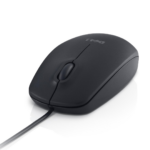
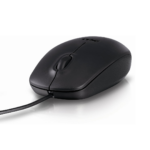
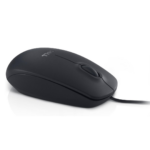
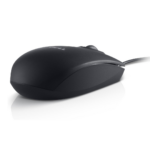


Dell MS111 Wired USB Optical Mouse 1000 DPI Precision Tracking for Smooth Everyday Computer Use
₵50.00
Enjoy smooth and precise control with the Dell MS111 wired mouse, designed for reliable everyday performance. Its optical tracking and 1000 DPI resolution ensure accurate cursor movement for work, browsing, and office tasks. With USB plug-and-play connectivity and an ambidextrous design, it offers easy setup and comfortable use for all users.
52 in stock
🔹Key Product Features
- Connectivity Technology: Wired – Ensures a stable and consistent connection for reliable everyday use.
- Interface: USB – 4 Pin USB Type A for quick plug and play connectivity.
- Movement Detection Technology: Optical LED – Provides smooth and accurate cursor tracking on various surfaces.
- Buttons Qty: 3 – Includes left click, right click, and scroll wheel for easy navigation.
- Movement Resolution: 1000 DPI – Delivers precise and responsive cursor control for daily tasks.
- Cable Length: 1800mm ±50mm – Offers flexible positioning for comfortable desk setup.
- Voltage: DC 5V 100mA – Low power consumption through USB connection.
- Model: MS111
- Design: Stylish Ambidextrous Design – Modern solid pattern suitable for both left and right-handed users.
- Compatibility: Wide Compatibility – Works with PC and Mac systems for versatile use.
- Ease Of Use: USB Plug And Play – Simple setup with no additional drivers required.
- Tracking Performance: High Precision Optical Tracking – Ensures smooth and accurate mouse movement.
- Power Efficiency: Long Battery Life Concept – Designed for extended use efficiency (note: wired model uses USB power, not battery).
Dell MS111 Wired USB Optical Mouse: Features, Benefits and Buying Guide in Ghana
The Dell MS111 Wired USB Optical Mouse is a black, three-button computer mouse designed for reliable everyday use with desktop and laptop computers. It features 1000 DPI optical LED tracking, a USB Type-A connection and an ambidextrous design, making it suitable for students, home users, office workers and businesses that need straightforward, dependable cursor control.
With its wired USB connection, plug-and-play setup and compatibility with PC and Mac systems, the Dell MS111 provides a practical solution for browsing, document editing, office work and general computer navigation.
What Is the Dell MS111 Wired USB Optical Mouse?
The Dell MS111 is a wired optical computer mouse that connects to a compatible computer through a four-pin USB Type-A interface. It uses optical LED movement detection to track movement and translate it into cursor movement on the computer screen.
A computer mouse is an input device that allows users to control a graphical user interface. It helps users move the pointer, select items, open applications, navigate documents and interact with software.
The Dell MS111 is designed for everyday computer tasks. Its three-button layout includes the left-click button, right-click button and scroll wheel, providing the basic controls needed for common computing activities.
The mouse has a movement resolution of 1000 DPI, which determines how much the cursor moves in relation to the physical movement of the mouse. Its wired connection provides a direct link to the computer without requiring wireless pairing or a separate battery.
The black mouse has a stylish, solid-pattern design and an ambidextrous shape intended for both left-handed and right-handed users.
Who Is the Dell MS111 Computer Mouse For?
The Dell MS111 is suitable for individuals and organisations that need a straightforward USB mouse for regular computer use.
Home Users
Home users can use the Dell MS111 for browsing the internet, managing files, editing documents, watching videos and performing everyday computer activities.
Its USB connection makes it convenient for compatible desktop computers and laptops with an available USB Type-A port.
Office Workers
Office workers who regularly use computers for administrative tasks, data entry, email, spreadsheets and document preparation can benefit from the mouse’s simple three-button design.
The wired connection also removes the need to manage wireless pairing or replace mouse batteries.
Students
Students can use the Dell MS111 for schoolwork, research, online learning, presentations and general computer navigation.
It is suitable for everyday tasks that require accurate pointer movement and convenient clicking.
Businesses and Organisations
Businesses that operate desktop computers or laptop workstations may use the Dell MS111 as a standard input device.
Its straightforward connection and basic operating layout make it relevant for:
✔ Office workstations
✔ Reception desks
✔ Administrative departments
✔ Computer laboratories
✔ Retail counters
✔ Training rooms
✔ General business computing
Schools and Educational Institutions
Schools, colleges and training centres can use wired optical mice for computer laboratory setups and administrative workstations.
The USB connection provides a simple way to connect the mouse to compatible computers without configuring wireless connections.
Technicians and IT Support Teams
IT technicians and computer support teams may use the Dell MS111 as a standard wired mouse for troubleshooting, system configuration and everyday workstation maintenance.
Its direct USB connection is useful when a computer needs a basic pointing device.
Key Features of the Dell MS111 Wired USB Mouse
1. Wired USB Connectivity
The Dell MS111 uses a wired connection to communicate with the computer.
A wired mouse sends movement and button input through its cable, providing a direct connection without depending on Bluetooth pairing or a wireless receiver.
The supplied interface specification is USB 4 Pin USB Type-A.
Customer benefits:
✔ Direct connection to compatible computers
✔ No wireless pairing required
✔ No separate wireless receiver required
✔ No mouse battery replacement required
✔ Convenient everyday computer operation
A wired connection is particularly useful in fixed workstations where the computer and mouse remain in the same location.
2. Optical LED Movement Detection
The mouse uses optical LED movement detection to track movement across a suitable surface.
Optical tracking works by detecting changes in the surface beneath the mouse and translating those changes into cursor movement.
This allows users to move the pointer across the screen when browsing, selecting files, editing documents or working with applications.
Why it matters:
✔ Supports smooth cursor movement
✔ Provides convenient everyday tracking
✔ Helps users navigate computer applications
✔ Reduces dependence on older mechanical tracking mechanisms
For consistent performance, use the mouse on a suitable, stable surface. Very reflective or transparent surfaces may affect optical tracking.
3. 1000 DPI Movement Resolution
The Dell MS111 has a movement resolution of 1000 DPI.
DPI means dots per inch. In mouse specifications, it describes how far the cursor moves in response to physical mouse movement.
A 1000 DPI setting provides a practical level of cursor sensitivity for common computer activities such as browsing, document editing, file management and office work.
It is important to understand that a higher DPI value does not automatically mean that a mouse is better for every user. The preferred sensitivity depends on the user’s screen resolution, working environment and personal preference.
The 1000 DPI resolution of the Dell MS111 is intended for everyday cursor control rather than specialised high-speed gaming or professional precision applications.
4. Three-Button Design
The Dell MS111 features three buttons:
✔ Left-click button
✔ Right-click button
✔ Scroll wheel
Each control performs an important function during everyday computer use.
✔Left-click: Selects items, opens files and activates buttons.
✔Right-click: Displays context menus and additional options in supported applications.
✔Scroll wheel: Moves through documents, web pages and other content. It also functions as the middle mouse button where supported.
The three-button arrangement provides the essential controls needed for regular desktop navigation.
5. Ambidextrous Design
The Dell MS111 has an ambidextrous design intended for both left-handed and right-handed users.
An ambidextrous mouse is shaped to support use with either hand rather than being designed exclusively for one side.
This makes it a practical option for shared workstations, computer laboratories and offices where different people may use the same computer.
6. 1800mm 50mm Cable Length
The mouse comes with a cable measuring 1800mm 50mm.
This is approximately 1.8 metres, with the stated tolerance allowing for a small variation in the actual cable length.
The cable provides flexibility when positioning the mouse beside a desktop computer or laptop.
For example, users can place a desktop computer under a desk or beside a monitor while keeping the mouse within a comfortable operating position.
7. USB Plug-and-Play Setup
The Dell MS111 supports USB plug-and-play connectivity.
Plug-and-play means that a compatible computer can recognise and use the device without requiring the user to install additional drivers manually.
A typical setup involves connecting the mouse to an available USB Type-A port and allowing the computer to recognise it.
This makes the mouse convenient for users who prefer a simple setup process.
8. Wide PC and Mac Compatibility
The Dell MS111 is specified as compatible with PC and Mac systems.
This gives users flexibility when working with compatible Windows-based computers and Apple Mac systems.
The computer must have a suitable USB Type-A connection or an appropriate compatible USB adapter.
9. Black Colour and Solid Pattern Design
The Dell MS111 comes in black with a stylish solid-pattern design.
Its colour provides a neutral appearance that can fit into different computer setups, including home desks, offices, schools and business workstations.
10. USB-Powered Operation
The Dell MS111 receives power through its USB connection.
Its specified voltage and current are DC 5V and 100mA.
Because it is a wired model, it does not require a separate battery to operate.
The supplied product information describes a long battery life concept, but the mouse itself uses USB power rather than a rechargeable or replaceable battery. Its operation therefore depends on the connected computer or compatible USB power source.
Understanding Optical Mouse Technology
An optical mouse is a computer input device that uses light-based movement detection rather than a traditional mechanical ball.
When the mouse moves across a surface, its optical sensor detects changes beneath it. The mouse then translates the detected movement into cursor movement on the computer screen.
The Dell MS111 uses optical LED tracking with a specified resolution of 1000 DPI.
Optical Mouse Versus Wireless Mouse
An optical mouse describes the tracking technology, while wired and wireless describe the connection method.
This distinction is important because an optical mouse can be wired or wireless.
The Dell MS111 is both an optical mouse and a wired USB mouse.
A wireless mouse, on the other hand, communicates with a computer through a wireless connection, commonly using a USB receiver or Bluetooth, depending on the model.
Technical Specifications of the Dell MS111 Mouse
Specification Details
Brand Dell
Product Name Dell MS111 Wired USB Optical Mouse
Product Type Mouse
Model MS111
Color Black
Connectivity Wired
Interface USB 4 Pin USB Type-A
Movement Detection Technology Optical LED
Movement Resolution 1000 DPI
Buttons Quantity 3
Cable Length 1800mm 50mm
Voltage DC 5V
Current 100mA
Design Ambidextrous
Pattern Solid
Compatibility PC and Mac Systems
Setup USB Plug and Play
Tracking Performance High Precision Optical Tracking
Power Source USB Connection
Battery Requirement No separate battery required
Benefits of Using the Dell MS111 Wired Optical Mouse
The Dell MS111 combines essential mouse functions with a direct USB connection for everyday computing.
Reliable Wired Connection
The wired USB interface provides a direct connection between the mouse and computer.
Users do not need to pair the mouse wirelessly or manage a separate wireless receiver.
Convenient Everyday Cursor Control
Its 1000 DPI optical tracking supports regular computer navigation.
This is useful when opening applications, selecting files, editing documents and browsing websites.
Simple Three-Button Operation
The left button, right button and scroll wheel provide the controls required for common computing activities.
Users can perform standard navigation tasks without learning a complicated button layout.
No Separate Battery Management
Because the mouse receives power through USB, there is no need to recharge or replace a separate mouse battery.
This can be useful in offices and institutions where computers are used regularly throughout the working day.
Flexible Cable Positioning
The 1800mm 50mm cable provides room for positioning the mouse around a workstation.
This can make it easier to arrange the mouse beside a desktop computer or laptop.
Suitable for Shared Workstations
The ambidextrous design supports both left-handed and right-handed users.
This is useful for offices, schools, training centres and other environments where multiple people may use the same computer.
Practical Applications of the Dell MS111 in Ghana
Computer mice are essential input devices in many workplaces, educational institutions and homes across Ghana.
The Dell MS111 can support everyday computer operations in several environments.
Home Computing
At home, the mouse can be used for:
✔ Internet browsing
✔ Document editing
✔ Email management
✔ Online learning
✔ File organisation
✔ General desktop navigation
Offices and Administrative Departments
Administrative workers use computer mice to interact with office software, spreadsheets, databases, email platforms and document management systems.
The Dell MS111 provides a straightforward wired input option for these activities.
Schools and Computer Laboratories
Schools and training institutions can use wired USB mice in computer laboratories and administrative offices.
The plug-and-play design helps simplify connection to compatible computers.
Retail Businesses
Retail businesses may use the mouse with desktop computers for inventory records, sales administration, customer information and other computer-based activities.
Corporate Workstations
Businesses setting up multiple workstations can consider wired optical mice for standard office computers.
The Dell MS111’s ambidextrous design and direct USB connection make it suitable for general-purpose workstation environments.
IT Support and Computer Maintenance
Technicians can use a wired USB mouse when setting up computers, navigating operating system settings or performing routine troubleshooting.
A wired mouse can also be useful when wireless pairing or receiver-related issues make another mouse inconvenient.
How to Connect and Use the Dell MS111 Mouse
The Dell MS111 uses USB plug-and-play connectivity, making installation straightforward.
Follow these steps:
- Locate an available USB Type-A port on your desktop or laptop.
- Insert the mouse’s USB connector into the port.
- Allow the computer to recognise the connected device.
- Move the mouse on a suitable surface to check cursor movement.
- Test the left-click, right-click and scroll wheel functions.
- Adjust the operating system’s pointer speed if you prefer a different cursor sensitivity.
The supplied product information states that no additional drivers are required for plug-and-play setup.
Using the Left and Right Buttons
The left button is commonly used to select and open items.
The right button usually displays a context menu containing additional options, depending on the operating system and application.
Using the Scroll Wheel
The scroll wheel allows users to move through long documents, web pages and other content.
It can also function as a middle-click button in applications that support this operation.
How to Choose the Right Computer Mouse in Ghana
Customers comparing mouse price in Ghana should consider the intended use, connection type, tracking technology, design and compatibility.
The best mouse for one person may not be the most suitable option for another.
Choose Between Wired and Wireless Connectivity
A wired mouse connects directly to the computer through a cable.
A wireless mouse communicates through a wireless receiver or Bluetooth, depending on its design.
Choose a wired mouse if you prefer:
✔ A direct computer connection
✔ No wireless pairing
✔ No separate mouse battery
✔ A fixed workstation setup
✔Choose a wireless mouse if you prefer:
✔ Fewer cables on your desk
✔ Greater freedom to move the mouse away from the computer
✔ A portable setup for compatible devices
The Dell MS111 is a wired USB mouse designed for direct connectivity.
Consider the Tracking Technology
Optical mice use light-based sensors to detect movement.
Other mouse designs may use different tracking technologies, depending on the product.
The Dell MS111 uses optical LED tracking, making it suitable for standard computer navigation on compatible surfaces.
Check the DPI Resolution
DPI affects cursor sensitivity.
A 1000 DPI mouse such as the Dell MS111 provides a specified movement resolution for everyday computer activities.
Users who need specialised gaming or detailed creative-work performance may prefer to compare models with different sensitivity options.
Consider the Mouse Design
An ambidextrous mouse is intended for use with either hand.
This can be useful in shared work environments and for customers who prefer a symmetrical design.
The Dell MS111 has an ambidextrous design.
Check Computer Compatibility
Before buying a mouse, check the computer’s available ports and operating system.
The Dell MS111 is specified for PC and Mac systems and uses a USB Type-A interface.
If your laptop only has USB Type-C ports, you may need a compatible USB Type-C adapter.
Consider Your Intended Work
For browsing, document editing and general office tasks, a standard three-button optical mouse may be sufficient.
For gaming, graphic design or specialised applications, you may need additional buttons, adjustable DPI settings or other specific features.
Dell MS111 Versus an Ergonomic Mouse
An ergonomic mouse is designed with particular attention to hand positioning and the way users interact with the device.
The Dell MS111 is described as ambidextrous, but no specialised ergonomic certification or ergonomic shape specification is provided.
Customers who prioritise a particular hand position should compare the physical design of different mouse models before purchasing.
Dell MS111 Versus a Gaming Mouse
Gaming mice may offer features such as adjustable DPI, additional programmable buttons and specialised gaming controls.
The Dell MS111 has a specified 1000 DPI resolution and three-button layout.
It is positioned for everyday computer use rather than specialised gaming applications.
Common Mistakes to Avoid When Buying a Computer Mouse
Choosing a Mouse Without Checking the Connection
Some buyers purchase a mouse without checking whether their computer has a compatible USB port.
The Dell MS111 uses a USB Type-A connector. Computers with only USB Type-C ports may require a suitable adapter.
Confusing Wired and Wireless Mice
A wired mouse uses a physical cable, while a wireless mouse communicates without a direct data cable.
The Dell MS111 is a wired model and does not require wireless pairing.
Assuming Every Optical Mouse Has the Same DPI
Different optical mice can have different movement resolutions.
The Dell MS111 is specified at 1000 DPI. Check this specification when comparing it with other models.
Ignoring Hand Preference
Some mice are designed for a particular hand, while others support both hands.
The Dell MS111 has an ambidextrous design, making it suitable for left-handed and right-handed users.
Buying a Basic Mouse for Specialised Work
A standard three-button mouse may be sufficient for everyday office work but may not provide the specialised controls required for professional gaming or certain design applications.
Consider your intended use before selecting a model.
Maintenance and Care Tips for the Dell MS111
Proper care helps maintain the mouse’s operation and keeps it suitable for everyday computer use.
Follow these recommendations:
✔ Keep the mouse on a clean, stable surface.
✔ Clean the exterior with a soft, dry cloth.
✔ Keep dust and dirt away from the optical sensor area.
✔ Avoid pulling or sharply bending the USB cable.
✔ Disconnect the mouse carefully by holding the USB connector rather than pulling the cable.
✔ Avoid exposing the mouse to liquids.
✔ Do not place heavy objects on the cable.
✔ Store the mouse in a clean, dry location when not in use.
✔ Check the USB connector and cable periodically for visible damage.
✔ Avoid dropping the mouse or subjecting it to unnecessary impact.
Because the Dell MS111 is USB-powered, it does not require separate battery charging or replacement.
Bulk Buying and Business Procurement in Ghana
Businesses, schools, institutions and organisations that operate multiple computers may need to purchase computer mice in larger quantities.
The Dell MS111 can be considered for standard workstations where a wired optical mouse with basic navigation controls is required.
Before placing a bulk order, consider:
✔ Number of computers requiring mice
✔ USB Type-A port availability
✔ PC and Mac compatibility requirements
✔ Preferred mouse design
✔ Intended workstation applications
✔ Required quantity
✔ Delivery destination
✔ Procurement timeline
COSMIC ELECTRONICS supports applicable bulk and business purchasing enquiries. Organisations can enquire about product availability and supply requirements before placing an order.
For institutions setting up computer laboratories or businesses equipping office workstations, confirming the computer interface and required mouse features helps ensure that the selected products are appropriate.
Where to Buy the Dell MS111 Wired Mouse in Ghana
Customers looking to buy a Dell mouse online in Ghana can enquire with COSMIC ELECTRONICS about the Dell MS111 Wired USB Optical Mouse.
COSMIC ELECTRONICS operates online and physical offline stores in Ghana, supplying computer accessories, electronics, networking equipment and other technology products to individuals and organisations.
Whether you need one mouse for personal computer use or multiple units for an office or institution, you can enquire about product availability and purchasing options.
Why Buy From COSMIC ELECTRONICS?
COSMIC ELECTRONICS serves customers looking for computer accessories, electronics and specialised technology products in Ghana.
Customers can benefit from:
✔ Genuine Products: Product sourcing focused on supplying customers with the products they need.
✔ Nationwide Delivery Across Ghana: Delivery options are available to selected locations across the country.
✔ Expert Product Advice: Assistance with understanding product features, compatibility and intended applications.
✔ Bulk Supply Support: Enquiries for multiple units and applicable business requirements.
✔ After-Sales Assistance: Support for product-related enquiries after purchase.
✔ Competitive Pricing: Options for customers comparing computer accessories and electronics.
✔ Trusted Electronics Supplier: A supplier serving individuals, businesses and institutions across Ghana.
Customers can contact COSMIC ELECTRONICS to enquire about the Dell MS111, confirm availability and obtain purchasing information.
Frequently Asked Questions About the Dell MS111 Mouse
What is the Dell MS111 mouse?
The Dell MS111 is a black wired USB optical computer mouse designed for everyday computer use. It features 1000 DPI optical LED tracking, three buttons and an ambidextrous design.
Is the Dell MS111 a wired or wireless mouse?
The Dell MS111 is a wired mouse. It connects directly to a compatible computer through a USB Type-A cable.
What is the DPI of the Dell MS111?
The Dell MS111 has a movement resolution of 1000 DPI, providing cursor control for everyday computer tasks.
Does the Dell MS111 work with laptops?
Yes. It can work with compatible laptops that have an available USB Type-A port. A suitable adapter may be required if the laptop only has USB Type-C ports.
Is the Dell MS111 compatible with Mac computers?
Yes. The supplied product specifications identify PC and Mac systems as compatible platforms.
Does the Dell MS111 require drivers?
The mouse supports USB plug-and-play connectivity, and the supplied product information states that no additional drivers are required.
How many buttons does the Dell MS111 have?
It has three buttons: left-click, right-click and a scroll wheel.
Is the Dell MS111 suitable for left-handed users?
Yes. Its ambidextrous design is intended to support both left-handed and right-handed users.
How long is the Dell MS111 cable?
The cable length is specified as 1800mm 50mm, which is approximately 1.8 metres.
Does the Dell MS111 use batteries?
No separate mouse battery is required. The mouse receives power through its USB connection.
What is the difference between an optical mouse and a wireless mouse?
Optical describes the movement-tracking technology, while wireless describes the connection method. The Dell MS111 is an optical mouse that uses a wired USB connection.
Where can I buy the Dell MS111 mouse in Ghana?
You can enquire with COSMIC ELECTRONICS about the Dell MS111 Wired USB Optical Mouse, product availability, online ordering and delivery options across selected locations in Ghana.
Quick Summary
The Dell MS111 Wired USB Optical Mouse is a black, three-button computer mouse designed for reliable everyday use. It features 1000 DPI optical LED tracking, a USB Type-A connection, an ambidextrous design and plug-and-play connectivity for compatible PC and Mac systems
✔ What the product is: A wired USB optical computer mouse designed for everyday desktop and laptop use.
✔ Who it is for: Home users, students, office workers, businesses, schools and organisations using compatible computers.
✔ Main benefits: Direct USB connectivity, optical tracking, simple three-button operation, ambidextrous design and no separate battery requirement.
✔ Key specifications: Dell MS111, black colour, 1000 DPI, three buttons, USB 4 Pin Type-A interface, 1800mm 50mm cable, DC 5V 100mA and PC/Mac compatibility.
✔ Primary applications: Office work, browsing, document editing, education, administration, retail workstations and general computer navigation.
✔ Availability in Ghana: Enquire with COSMIC ELECTRONICS for product availability, online ordering and delivery options.
✔ Bulk supply availability: Businesses, schools and institutions can make enquiries for applicable bulk purchasing requirements.
✔ Why buy from COSMIC ELECTRONICS: Access product advice, purchasing support, delivery options, bulk supply assistance and after-sales support from a trusted electronics supplier in Ghana.
| Product Type | Mouse |
|---|---|
| Model | MS111 |
| Connectivity | Wired |
| Interface | USB – 4 Pin USB Type A |
| Feature | Plug And Play USB Connectivity, High Precision Optical Tracking, Durable Everyday Use Mouse |
| Compatibility | PC and Mac Systems |
| Color | Black |



IT'S ALL ABOUT YOU
At COSMIC ELECTRONICS, we strive to process and dispatch orders as quickly as possible. While some orders may be shipped on the same day they are placed, processing times can vary depending on product availability, order volume, and delivery location. Please allow 2–3 business days for order processing before shipment.
IMPORTANT DELIVERY INFORMATION
- Fast Order Processing: Orders are processed and dispatched as quickly as possible, typically within 2–3 business days. A confirmation email will be sent shortly after your order is placed.
- Nationwide Delivery Across Ghana: We deliver to selected regions and cities across Ghana. Please check our delivery options to confirm availability in your location.
- Delivery & Collection Requirements: All deliveries require a signature upon receipt. Orders are not processed or shipped on Sundays, although you may place orders online at any time. If you do not receive your confirmation email, please check your Spam or Junk Mail folder.
For enquiries regarding delivery times, order status, or the lead time of a specific item, please contact COSMIC ELECTRONICS on +233 54 724 0128. Our team will be happy to assist you with any questions before or after your purchase.
Related products


4K HDMI Splitter 1×2 – Distribute One HDMI Source to Two Displays, Supports Dual Monitor Duplication and Mirroring, HDMI 2.0b, 60Hz, Full HD 1080P, 3D, 18.5Gbps, Compatible with Xbox, PS4, Blu-Ray Player, and HDTV – Black
The 4K HDMI Splitter 1 in 2 out mirrors a single HDMI source to two screens simultaneously, supporting Full HD 1080P, 3D, and 4K × 2K resolutions. It amplifies and splits HDMI signals without any loss of audio or image quality, providing stable and clear output on both displays. Compact and USB-powered, it is plug-and-play, compatible with TVs, monitors, projectors, gaming consoles, and Blu-Ray players.


Dell WM126 Wireless Optical Mouse Ergonomic 3-Button Design for Smooth PC Navigation
The Dell WM126 Wireless Mouse features a sleek black design made from durable plastic, combining style and longevity. Its lightweight build ensures comfortable use for work, gaming, or everyday tasks. Perfect for PCs and laptops, this mouse delivers reliable performance with smooth navigation and effortless control.


Generic High-Speed 4-Port Mini USB 2.0 Hub for Laptop and Desktop Computers, Black
Expand your connectivity with this high-speed 4-Port USB 2.0 hub designed for laptops and desktop computers. It supports plug and plays installation, hot swapping, and wide compatibility with Windows, Mac, Linux, and Raspberry Pi systems. Compact and lightweight with built-in over-current protection, it ensures safe and reliable performance for everyday USB devices.


HP M160 RGB Backlit Optical Gaming Mouse, 2400 DPI Wired USB Mouse for Gaming and Everyday Use
HP M160 RGB Optical Mouse delivers precise 2400 DPI tracking for smooth and accurate control during gaming and everyday use. It features 7-color RGB lighting that enhances your setup with a stylish and immersive gaming atmosphere. Designed with an ergonomic shape and comfortable grip to reduce fatigue during long hours of use.


T-WOLF G510 Gaming Mouse 3200 DPI, RGB Lighting, 6 Buttons for Precise Gaming Control
The T-WOLF G510 Gaming Mouse in sleek black features 6 responsive buttons and adjustable DPI settings from 800 to 3200 for precise control. With a 1.35-meter USB cable, it ensures a stable and lag-free connection for gaming or everyday use. Designed for comfort and performance, this wired mouse is perfect for both casual and professional gamers.


Reviews
There are no reviews yet.