


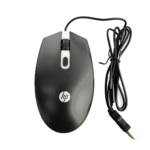

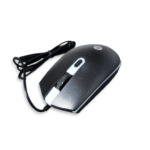

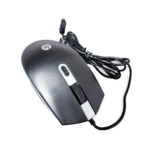


HP M180 Wired Gaming Mouse with Adjustable DPI and RGB LED Lighting for Responsive Gaming Control
₵80.00
Features 4-color rotating lighting effects that change with DPI adjustments for a dynamic gaming look. Comfortable shape designed for long hours of gaming or work without hand fatigue. Scratch-resistant surface that helps reduce fingerprints and maintains a clean appearance.
50 in stock
🔹Key Product Features
- Adjustable DPI Settings: Offers 4 DPI levels (1200-1800-2400-3600) for precise and customizable cursor control.
- High-Precision Optical Sensor: Ensures accurate tracking and smooth performance on almost any surface.
- RGB LED Lighting: Features 4-color rotating LED effects that change according to DPI settings for a dynamic look.
- Ergonomic Design: Comfortable shape designed for long hours of gaming or work without strain.
- Durable Matte Finish: Scratch-resistant surface that reduces fingerprints and maintains a clean look.
- 6-Button Control System: Allows easy access to multiple functions for improved gaming and productivity.
- Gaming Performance Ready: Ideal for gamers with responsive controls and stable accuracy.
- Wide Compatibility: Works seamlessly with most operating systems.
- Plug And Play: Easy setup with wired connection for instant use.
- HP M180 Gaming Mouse Design: Built for both gaming and everyday computer use.
HP M180 Wired Gaming Mouse: Adjustable DPI, RGB LED Lighting and Ergonomic Design for Gaming and Everyday Use in Ghana
The HP M180 Wired Gaming Mouse is a black optical computer mouse designed for gaming, office work and everyday computer use. It features adjustable DPI settings, rotating LED lighting effects, an ergonomic shape and a wired connection for straightforward plug-and-play operation.
With four stated DPI adjustment levels, optical tracking and a durable matte finish, the HP M180 is designed for users who want responsive cursor control and a gaming-inspired appearance. Its compatibility with PCs and laptops makes it suitable for students, home users, office workers and gamers looking for a practical computer mouse.
For customers in Ghana searching for an affordable gaming mouse, an optical mouse or a wired computer mouse for everyday use, the HP M180 offers several features worth considering. COSMIC ELECTRONICS provides an option for customers to enquire about this mouse and other computer accessories for personal, educational and business requirements.
What Is the HP M180 Wired Gaming Mouse?
The HP M180 is a wired optical gaming mouse designed to control the pointer on a computer screen. It connects directly to a compatible PC or laptop and uses an optical sensor to detect movement across a surface.
Unlike a wireless mouse, the HP M180 does not depend on a separate wireless connection or wireless receiver. Its wired connection provides a direct link to the computer, while its plug-and-play design supports straightforward setup.
The mouse features adjustable DPI settings, allowing users to select from four stated sensitivity levels: 1200, 1800, 2400 and 3600 DPI. DPI, or dots per inch, describes mouse sensitivity and determines how much the pointer moves in response to physical mouse movement.
The HP M180 also features rotating LED lighting effects that change according to the selected DPI setting. Its ergonomic shape is designed to provide a comfortable hand feel during gaming and general computer use.
A scratch-resistant matte surface helps reduce fingerprints and maintain a clean appearance. Together, these features make the HP M180 an option for users who want a wired mouse with adjustable tracking sensitivity and gaming-inspired lighting.
Key Features of the HP M180 Wired Gaming Mouse
1. Adjustable DPI Settings
The HP M180 offers four stated DPI levels:
- 1200 DPI
- 1800 DPI
- 2400 DPI
- 3600 DPI
DPI refers to the sensitivity of a mouse. A higher DPI setting generally makes the pointer travel farther across the screen for the same physical mouse movement, while a lower setting provides less pointer movement.
The ability to switch between four sensitivity levels gives users options for different activities. For example, a user may prefer a lower setting for more controlled pointer movement during detailed work and a higher setting for faster navigation.
This adjustability can be useful for people who switch between gaming, browsing, document editing and other computer activities.
Important specification note: The supplied product title also mentions a 1600 DPI optical sensor, while the detailed feature list specifies four adjustable levels of 1200, 1800, 2400 and 3600 DPI. These details are inconsistent and should be confirmed against the actual product or packaging before the final product listing is published.
2. High-Precision Optical Sensor
The HP M180 uses an optical sensor to detect movement and translate it into pointer movement on the computer screen.
Optical tracking supports everyday activities such as selecting files, navigating websites, opening applications and controlling games. The supplied product information describes the sensor as providing accurate tracking and smooth performance on almost any surface.
For consistent use, a clean and suitable mouse surface is recommended. The actual tracking experience can depend on the surface, sensor characteristics and operating environment.
3. RGB LED Lighting Effects
The HP M180 features rotating LED lighting effects that give the mouse a gaming-inspired appearance. The lighting changes according to the selected DPI settings, connecting the visual effects with the mouse’s sensitivity adjustments.
This feature can complement gaming desktops and computer setups where illuminated accessories are preferred. It also gives the mouse a more distinctive appearance than a conventional office mouse without lighting.
Important lighting specification note: The supplied product title refers to 7-color LED lighting, while the detailed feature description specifies four-color rotating LED effects. The exact number of lighting colours should be verified before publication.
4. Ergonomic Design
The HP M180 has a comfortable shape designed for extended gaming and everyday computer use. Its ergonomic design aims to provide a smooth hand feel and support regular mouse operation without unnecessary strain.
A mouse’s shape is important because users interact with it repeatedly throughout the day. A suitable design can make it easier to maintain a natural grip while moving the pointer and operating the buttons.
The HP M180 is intended for both gaming and general computer activities, making its design relevant to users who want one mouse for different tasks.
Comfort remains personal, however. Hand size, grip style and the length of each computer session can affect how comfortable a particular mouse feels.
5. Durable Matte Finish
The mouse features a matte finish with a scratch-resistant surface designed to help reduce fingerprints and maintain a clean appearance.
A matte surface can be practical for frequently handled computer accessories because visible fingerprints and smudges may be less noticeable than on some glossy finishes.
The supplied product details describe the finish as scratch-resistant. Users should still handle the mouse carefully and avoid dragging it against rough objects or storing it alongside items that could damage its surface.
6. Multi-Button Control System
The supplied feature list describes a six-button control system intended to provide access to multiple functions for gaming and productivity.
Additional mouse buttons can be useful because they may provide shortcuts or convenient access to functions, depending on how the mouse and supported software are configured.
However, the original product title describes the HP M180 as having four-button control. These two button-count descriptions conflict and should be checked against the physical mouse before the final listing is published.
Customers who specifically require a four-button or six-button mouse should confirm the actual button layout before purchasing.
7. Wired Connectivity
The HP M180 uses a wired connection to communicate with a compatible computer. This means users do not need to establish a Bluetooth connection or connect a separate wireless receiver.
A wired mouse can be convenient for desktop computers and fixed workstations where a direct connection is preferred. It also removes the need to manage a wireless receiver.
The cable does mean that users must consider its reach and position when arranging their workstation.
8. Plug-and-Play Setup
The HP M180 is designed for easy plug-and-play operation. Users can connect it to a compatible PC or laptop and begin using it without a complicated setup process.
This is useful for people replacing an existing mouse, setting up a gaming computer or adding a mouse to a work or study workstation.
The supplied product information does not identify a specific operating-system version list. Buyers should confirm compatibility with their computer if they use a specialised or older operating system.
9. Gaming and Everyday Computer Use
The HP M180 is described as suitable for gaming and general computer activities. Its adjustable DPI settings allow users to choose between different pointer sensitivity levels, while its optical sensor supports everyday navigation.
The lighting effects also give it a gaming-oriented appearance. For users who want a mouse that can be used for both entertainment and routine computer tasks, this combination may be useful.
It is important to distinguish general gaming suitability from specialist gaming features. The supplied information does not specify advanced programmable software, dedicated gaming profiles, polling rate or other specialist performance measurements.
HP M180 Wired Gaming Mouse Specifications
The following table summarizes the product information supplied.
Specification Details
Brand HP
Model HP M180
Product type Gaming mouse
Mouse type Optical mouse
Connectivity Wired
Compatible devices PC and laptop
Color Black
DPI stated in product title 1600 DPI
Adjustable DPI levels in feature list 1200, 1800, 2400 and 3600 DPI
Tracking technology Optical sensor
Lighting Rotating LED lighting effects
Lighting colors in product title 7 colors
Lighting colors in feature description 4 colors
Button count in product title 4-button control
Button count in feature description 6-button control
Surface finish Matte
Surface characteristics Scratch-resistant, helps reduce fingerprints
Design Ergonomic
Setup Plug and play
Intended applications Gaming and everyday computer use
Specification verification: The supplied details contain three inconsistencies: 1600 DPI in the product title versus four adjustable DPI levels; seven lighting colours in the title versus four-colour rotating effects in the feature list; and four buttons in the title versus six-button control in the feature list. Confirm these details from the actual product before publishing a final specification sheet.
Who Should Consider Buying the HP M180 Gaming Mouse?
The HP M180 is intended for users who need a wired optical mouse for gaming and general computer activities. Its adjustable sensitivity and illuminated design make it relevant to several customer groups.
Gamers
Gamers may appreciate the adjustable DPI settings because different games and playing styles can benefit from different pointer sensitivity levels.
A lower setting may help users who prefer more controlled pointer movement, while a higher setting can support faster movement across the screen.
The LED lighting effects also give the mouse a gaming-inspired appearance that can complement a desktop gaming setup.
Students
Students use computer mice for assignments, research, presentations, online learning and general navigation.
The HP M180 can provide an alternative to using a laptop touchpad, particularly when working at a desk for extended periods.
Its wired connection also makes it suitable for compatible computers in school or home study environments.
Office Workers
Office employees use mice to manage documents, spreadsheets, emails, web applications and business software.
The HP M180 provides optical pointer control and adjustable sensitivity for users who prefer a wired mouse with additional visual styling.
Its matte finish is also designed to help reduce visible fingerprints during regular handling.
Home Computer Users
Home users may need a mouse for browsing, communication, entertainment, document preparation and gaming.
The HP M180 combines features intended for gaming with the basic functions required for everyday computer navigation.
Computer Shops and IT Support Providers
Computer retailers and technicians may consider wired optical mice for customers who need replacement computer accessories or additional workstation equipment.
The HP M180 can be considered where customers want adjustable DPI settings and LED lighting in a wired design.
Businesses and Institutions
Businesses, schools and training centres that operate several computer workstations may require mice for administrative and educational activities.
Before purchasing multiple units, organisations should confirm the button layout, DPI specifications, lighting details and compatibility requirements.
Practical Uses of the HP M180 Mouse
A computer mouse is an essential input device for controlling the pointer and interacting with applications. The HP M180 supports gaming and general computer use.
Gaming
The adjustable DPI settings allow users to choose different sensitivity levels depending on their preferences and the type of game being played.
The optical sensor provides movement tracking, while the wired connection links the mouse directly to the computer.
The rotating LED effects add a gaming-oriented visual element to the setup.
Internet Browsing
Users can move between websites, select links, open browser menus and navigate online content.
Adjustable sensitivity gives users options for controlling pointer movement according to their preferences.
Document Editing
When preparing reports, letters, assignments and other documents, a mouse helps users select text, position the pointer and access application menus.
The HP M180 can support these routine tasks through its optical tracking and button controls.
Spreadsheet Navigation
Business owners, students and office workers frequently use spreadsheets for budgets, sales records, inventory and data management.
A computer mouse makes it easier to select cells, navigate worksheets and interact with spreadsheet tools.
Online Learning and Research
Students and professionals can use the HP M180 to navigate learning platforms, access research materials and interact with online resources.
General Productivity
The mouse can also be used for everyday tasks such as opening applications, managing files, browsing folders and communicating through desktop software.
Wired Gaming Mouse vs Wireless Mouse: Which Should You Choose?
When choosing a computer mouse, buyers often compare wired and wireless models. Both provide pointer control, but their connection methods and practical requirements differ.
Wired Mouse
A wired mouse connects directly to the computer through a physical cable.
Its potential advantages include:
✔ Direct connection to a compatible computer.
✔ No wireless receiver required.
✔ No Bluetooth pairing process.
✔ No wireless connection to configure.
✔ Suitable for fixed desktop workstations.
The main consideration is cable management. Users need to ensure that the cable reaches the computer without restricting mouse movement.
Wireless Mouse
A wireless mouse communicates with a computer without a permanent cable connection. Depending on the model, it may use Bluetooth or a dedicated USB receiver.
Wireless mice can reduce desk clutter and provide greater flexibility when positioning the mouse. However, buyers should check the connection method, receiver requirements and power requirements before purchasing.
Why Choose the HP M180 Wired Gaming Mouse?
The HP M180 may suit customers who prefer a direct wired connection and want adjustable DPI settings with LED lighting.
It is also worth considering for users who want one mouse for gaming and general computer work without needing a separate wireless receiver.
The right choice depends on the computer setup, working environment and features the user requires.
How to Choose the Right Gaming Mouse in Ghana
Customers searching for the best mouse, an affordable gaming mouse or a computer mouse in Ghana should compare the features that directly affect their intended use.
Check the DPI Settings
DPI is an important specification when comparing gaming mice because it affects pointer sensitivity.
The HP M180 feature list specifies four settings: 1200, 1800, 2400 and 3600 DPI. Buyers should confirm these settings on the actual model because the product title also mentions 1600 DPI.
Examine the Button Layout
Some mice have only the standard left and right buttons with a scroll wheel, while others provide additional controls.
The supplied HP M180 details conflict between four-button and six-button descriptions. Confirm the physical layout if the number of buttons is important to your purchase.
Consider the Connection Type
The HP M180 is a wired mouse. Check that your computer has a compatible port and that the cable can reach the intended workstation position.
Look at the Design
The ergonomic shape is intended to provide a comfortable grip. Consider your hand size and preferred grip when selecting a mouse for extended use.
Consider the Lighting
The rotating LED effects provide a gaming-inspired appearance. The supplied details differ on whether the lighting has four or seven colours, so verify the actual lighting configuration before purchase.
Think About Your Main Application
A mouse intended for everyday office work may not have the same features as a gaming-oriented model.
Consider whether you need adjustable sensitivity, extra buttons, lighting, a wired connection or a simpler design.
Common Mistakes to Avoid When Buying a Gaming Mouse
Before buying a gaming mouse, check the specifications carefully.
✔ Ignoring DPI differences: Confirm the actual adjustable DPI levels rather than relying on a single number in the product title.
✔ Assuming all gaming mice have the same button layout: Check the number and position of buttons.
✔ Confusing wired and wireless models: The HP M180 is a wired mouse, not a wireless mouse.
✔ Choosing based only on LED lighting: Lighting affects appearance, but tracking, sensitivity and comfort are also important.
✔ Ignoring computer compatibility: Confirm that the mouse works with your PC or laptop.
✔ Overlooking cable placement: Ensure that the cable can reach the computer without interfering with movement.
✔ Assuming advanced gaming features: Do not assume that a mouse has programmable software, custom profiles or specific polling-rate performance unless these are confirmed in its specifications.
Caring for Your HP M180 Wired Gaming Mouse
Proper handling and maintenance can help keep a computer mouse in good working condition.
✔ Clean the matte surface: Use a soft cloth to remove dust and fingerprints.
✔ Protect the optical sensor: Keep the underside of the mouse clean to support consistent tracking.
✔ Use a suitable mouse surface: A clean, stable surface can help the optical sensor detect movement.
✔ Avoid pulling the cable: Disconnect the mouse by holding its connector rather than pulling the cable.
✔ Prevent sharp cable bends: Avoid twisting, folding or trapping the cable under heavy objects.
✔ Protect the LED areas: Avoid scratching or applying unnecessary pressure to the lighting components.
✔ Keep liquids away: Spilled drinks and moisture can damage electronic accessories.
✔ Store it carefully: Keep the mouse in a clean location when it is not being used.
Buying the HP M180 Gaming Mouse in Ghana
Customers in Ghana searching for a gaming mouse may compare wired optical mice, wireless mice, ergonomic mice and models with adjustable DPI settings.
Searches such as mouse price in Ghana, buy mouse online, affordable mouse, computer mouse, wired mouse and HP mouse reflect common purchasing interests.
When comparing options, consider the mouse’s connection type, sensitivity settings, button arrangement, tracking technology and design.
The HP M180 is a wired optical gaming mouse with adjustable DPI settings, rotating LED lighting effects, an ergonomic shape and a matte finish. It is designed for users who want a mouse suitable for gaming and everyday computer activities.
Before buying, verify the conflicting button-count, DPI and lighting specifications in the supplied product details. This is particularly important for customers who require a specific number of buttons or a particular sensitivity range.
Customers in Accra and other parts of Ghana can enquire about the HP M180 through COSMIC ELECTRONICS. The store offers online and physical purchasing options for electronics and computer accessories, with delivery arrangements available for selected locations across Ghana.
Why Buy the HP M180 from COSMIC ELECTRONICS?
COSMIC ELECTRONICS supplies electronics, computer accessories, networking equipment and other technology products to individual and business customers in Ghana.
The HP M180 is an option for customers looking for a wired optical gaming mouse with adjustable DPI settings and LED lighting effects.
Customers purchasing through COSMIC ELECTRONICS can:
✔ Enquire about product specifications and compatibility.
✔ Explore computer accessories for gaming, office and home use.
✔ Request product advice when comparing different mouse types.
✔ Enquire about individual purchases and bulk supply requirements.
✔ Access online and physical store purchasing options in Ghana.
✔ Request information about delivery arrangements to selected locations across the country.
Businesses, schools, training centres and institutions that require computer accessories for multiple workstations can also enquire about supply arrangements.
COSMIC ELECTRONICS aims to serve as a trusted electronics supplier and sourcing partner for customers who need practical technology products and purchasing support.
Frequently Asked Questions About the HP M180 Wired Gaming Mouse
1. What is the HP M180 gaming mouse?
The HP M180 is a wired optical gaming mouse designed for gaming and everyday computer use. Its supplied features include adjustable DPI settings, rotating LED lighting effects and an ergonomic design.
2. Is the HP M180 wired or wireless?
The HP M180 is a wired mouse. It connects directly to a compatible PC or laptop and does not use a wireless receiver.
3. What DPI settings does the HP M180 support?
The detailed feature list specifies four adjustable settings: 1200, 1800, 2400 and 3600 DPI. The product title also mentions 1600 DPI, so the exact specifications should be confirmed against the actual product.
4. Does the HP M180 have RGB lighting?
The supplied details describe rotating LED lighting effects that change according to DPI settings. The product title mentions seven colours, while the detailed feature list specifies four-colour rotating effects. Confirm the actual lighting configuration before purchase.
5. How many buttons does the HP M180 have?
The supplied information is inconsistent. The product title identifies four-button control, while the detailed feature list describes a six-button control system. Check the physical mouse to confirm the actual button count.
6. Is the HP M180 suitable for gaming?
Yes. It is described as a gaming mouse with adjustable DPI settings, optical tracking and rotating LED lighting effects. Its actual suitability for particular games depends on the user’s preferences and the mouse’s confirmed specifications.
7. Can I use the HP M180 for office work?
Yes. The supplied product details state that it is designed for both gaming and everyday computer use, including general navigation and productivity tasks.
8. Is the HP M180 compatible with laptops?
The supplied specifications list compatibility with PCs and laptops. Check that your computer has a suitable port for the mouse’s wired connection.
9. Does the HP M180 require complicated installation?
No. It is described as a plug-and-play mouse designed for easy setup through its wired connection.
10. What colour is the HP M180?
The supplied product details identify the mouse colour as black.
11. What is the surface finish of the HP M180?
It has a durable matte finish described as scratch-resistant and designed to help reduce fingerprints.
12. Where can I buy the HP M180 gaming mouse in Ghana?
You can enquire about the HP M180 Wired Gaming Mouse from COSMIC ELECTRONICS. Contact the store for current purchasing information and delivery arrangements to selected locations across Ghana.
Final Buying Considerations
The HP M180 Wired Gaming Mouse is designed for customers who want an optical mouse with adjustable sensitivity, LED lighting and an ergonomic shape for gaming and everyday computer use.
Its four stated DPI adjustment levels, wired connectivity, matte finish and plug-and-play setup make it an option for compatible desktop and laptop computers. The rotating LED effects provide additional visual styling for gaming-inspired workstations.
Before purchasing, confirm the exact DPI specifications, button count and number of lighting colours because the supplied product details contain conflicting descriptions. Checking these details will help ensure that the mouse meets your requirements.
For customers in Ghana, COSMIC ELECTRONICS provides an option for enquiring about the HP M180 and other computer accessories for personal, educational and business use.
Quick Summary
The HP M180 Wired Gaming Mouse is a black optical computer mouse designed for gaming and everyday computer activities. It features adjustable DPI settings, rotating LED lighting effects, an ergonomic shape, a matte finish and a wired plug-and-play connection.
✔ What the product is: HP M180 wired optical gaming mouse designed for PC and laptop use.
✔ Who it is for: Gamers, students, home computer users, office workers and businesses using compatible computers.
✔ Main benefits: Adjustable cursor sensitivity, optical tracking, gaming-inspired LED lighting, ergonomic design and a scratch-resistant matte surface.
✔ Key specifications: Wired connectivity, black color, optical sensor, four stated DPI levels of 1200, 1800, 2400 and 3600, with conflicting supplied details about button count, lighting colours and 1600 DPI.
✔ Primary applications: Gaming, internet browsing, document editing, online learning, office work and general computer navigation.
✔ Availability in Ghana: Enquire with COSMIC ELECTRONICS about purchasing options and delivery to selected locations across Ghana.
✔ Bulk supply availability: Businesses, schools and institutions can enquire about supply arrangements for multiple units.
✔ Why buy from COSMIC ELECTRONICS: Access product information, computer accessories, purchasing assistance and supply support through a Ghanaian electronics retailer.
| Product Type | Mouse |
|---|---|
| Brand | HP |
| Model | HP M180 |
| Mouse Type | Optical Mouse |
| Compatibility | PC and Laptop |
| Connectivity: | Wired |
| Color | Black |



IT'S ALL ABOUT YOU
At COSMIC ELECTRONICS, we strive to process and dispatch orders as quickly as possible. While some orders may be shipped on the same day they are placed, processing times can vary depending on product availability, order volume, and delivery location. Please allow 2–3 business days for order processing before shipment.
IMPORTANT DELIVERY INFORMATION
- Fast Order Processing: Orders are processed and dispatched as quickly as possible, typically within 2–3 business days. A confirmation email will be sent shortly after your order is placed.
- Nationwide Delivery Across Ghana: We deliver to selected regions and cities across Ghana. Please check our delivery options to confirm availability in your location.
- Delivery & Collection Requirements: All deliveries require a signature upon receipt. Orders are not processed or shipped on Sundays, although you may place orders online at any time. If you do not receive your confirmation email, please check your Spam or Junk Mail folder.
For enquiries regarding delivery times, order status, or the lead time of a specific item, please contact COSMIC ELECTRONICS on +233 54 724 0128. Our team will be happy to assist you with any questions before or after your purchase.
Related products


Dell MS111 Wired USB Optical Mouse 1000 DPI Precision Tracking for Smooth Everyday Computer Use
Enjoy smooth and precise control with the Dell MS111 wired mouse, designed for reliable everyday performance. Its optical tracking and 1000 DPI resolution ensure accurate cursor movement for work, browsing, and office tasks. With USB plug-and-play connectivity and an ambidextrous design, it offers easy setup and comfortable use for all users.


Generic Wired Optical USB Mouse with 3-Button Design and Scroll Wheel for Smooth Computer Navigation
Enjoy smooth and reliable navigation with this Wired Optical USB Mouse. Featuring a comfortable 3-button design, responsive scroll wheel, and precise optical tracking, it is ideal for everyday computing tasks at home, in the office, or at school. Simply plug it into a USB port and start using it instantly on Windows or macOS devices.


HDMI Splitter 1×4 – 1 Input to 4 Outputs, Supports Full HD 1080p, 4K & 3D, Compatible with Xbox, PS3/PS4, Roku, Blu-ray Player and HDTV (Includes High-Speed HDMI Cable) – Black
The HDMI Splitter 1x4 allows you to distribute one HDMI signal to four displays simultaneously with stable and clear output. It supports 4K x 2K@30Hz, 1080P, and 3D resolution for sharp, high-definition video performance. Designed for easy plug-and-play use, it is compatible with gaming consoles, Blu-ray players, PCs, and HDTVs.


HP Invent Slim Wireless Optical Mouse Adjustable DPI, Rechargeable Battery for Work and Everyday Use
The HP Invent Slim Optical Wireless Mouse features a sleek, durable ABS design with 4 responsive buttons and adjustable DPI settings (800/1200/1600) for precise control. Its 2.4GHz wireless connection provides a stable range of up to 10 meters, while the built-in 500mAh rechargeable battery ensures long-lasting performance.


Logitech M185 Wireless Optical Mouse with 2.4GHz Nano USB Receiver for Smooth Everyday Computer Use
Enjoy Reliable 2.4GHz Wireless Connectivity With Silent Clicks And Precise Optical Tracking For Smooth Everyday Use. Ergonomic Curved Design With Nano USB Receiver Ensures Comfort And Easy Plug-And-Play Setup Anywhere. Broad Compatibility With Windows, Mac, Chrome OS, And Linux Makes It Perfect For Work And Home Use.

Logitech M220 Silent Wireless Mouse with 1000 DPI Optical Tracking for Quiet Office Work
Enjoy a quiet and smooth experience with the Logitech M220 Silent Wireless Mouse, designed to reduce click noise by over 90%. It offers a stable 2.4GHz wireless connection with precise optical tracking for everyday use on PC, Mac, and laptops. With long-lasting battery life and an ambidextrous design, it delivers comfort and convenience for all users.


Reviews
There are no reviews yet.