




Generic Wired Optical USB Mouse with 3-Button Design and Scroll Wheel for Smooth Computer Navigation
₵40.00
Enjoy smooth and reliable navigation with this Wired Optical USB Mouse. Featuring a comfortable 3-button design, responsive scroll wheel, and precise optical tracking, it is ideal for everyday computing tasks at home, in the office, or at school. Simply plug it into a USB port and start using it instantly on Windows or macOS devices.
50 in stock
🔹Key Product Features
- Precision Optical Tracking: Delivers accurate cursor movement for smooth navigation and enhanced productivity.
- 3-Button Design: Includes left-click, right-click, and scroll wheel functions for easy operation.
- Built-In Scroll Wheel: Enables fast and convenient scrolling through documents, web pages, and spreadsheets.
- USB Wired Connection: Provides a stable, uninterrupted connection without the need for batteries.
- Plug-and-Play Setup: Ready to use instantly with no drivers or software installation required.
- Ergonomic Shape: Designed for a comfortable grip during extended use.
- Responsive Click Performance: Offers reliable and consistent button feedback.
- Durable Construction: Built to withstand everyday use at home, school, or the office.
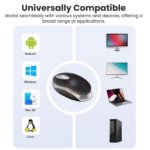
- Universal Compatibility: Works with Windows, macOS, and most USB-enabled computers.
- Lightweight Design: Easy to carry and suitable for portable workstations and travel.
Generic Wired Optical USB Mouse 3-Button Design with Scroll Wheel for Smooth Everyday Computer Use
The Generic Wired Optical USB Mouse is a computer accessory designed to provide smooth cursor movement, convenient navigation and reliable everyday computer control. Featuring precision optical tracking, a three-button design, a built-in scroll wheel and plug-and-play USB connectivity, it is suitable for home users, students, office workers and businesses in Ghana looking for a practical computer mouse.
Its wired USB connection provides a direct connection to compatible computers without requiring batteries, wireless pairing or a separate receiver. With support for Windows and macOS, an ergonomic shape and a lightweight design, this optical mouse offers a straightforward solution for everyday desktop and laptop navigation.
Whether you need a mouse for office administration, online learning, internet browsing, document editing or general computer operation, this model provides the essential controls required for regular use.
What Is a Wired Optical USB Mouse?
A wired optical USB mouse is a computer input device that allows users to control the cursor, select items, open applications and interact with software through physical movement and button controls.
The Generic Wired Optical USB Mouse uses an optical sensor to detect movement and translate it into cursor movement on the computer screen. It connects through a USB cable, allowing users to operate it without a wireless connection.
This model features three primary controls: left-click, right-click and a scroll wheel. These controls support common computer activities, from selecting files and opening folders to navigating websites and scrolling through long documents.
Unlike a wireless mouse, this model does not require batteries or a wireless receiver. Users simply connect it to a compatible USB port and begin using it.
Key Features and Benefits
1. Precision Optical Tracking
The mouse uses optical tracking technology to detect movement across a suitable surface and translate it into cursor movement.
Optical tracking is commonly used in computer mice because it provides a practical method of controlling a computer without the mechanical tracking ball found in older mouse designs.
Why it matters: Accurate cursor movement helps users navigate applications, select files, highlight text and interact with different parts of the computer screen.
Customer benefit: Users can perform everyday computing tasks with convenient cursor control, making the mouse suitable for home, school and office environments.
2. Three-Button Design
The mouse features a simple three-button arrangement consisting of:
- Left-click button
- Right-click button
- Scroll wheel
The left button is commonly used to select items, open files and interact with applications. The right button provides access to contextual menus and additional commands.
The third control is the scroll wheel, which supports navigation through documents, websites and other content.
Why it matters: A three-button design provides the essential controls needed for most everyday computer activities without introducing unnecessary complexity.
Customer benefit: Beginners and experienced computer users can operate the mouse easily for routine navigation and productivity tasks.
3. Built-In Scroll Wheel
The built-in scroll wheel allows users to move through long documents, web pages, spreadsheets and other on-screen content.
Instead of repeatedly clicking navigation controls or dragging a scroll bar, users can rotate the wheel to move through content more conveniently.
Why it matters: Scrolling is one of the most frequently performed computer activities, particularly when reading documents, researching online or working with spreadsheets.
Customer benefit: The scroll wheel makes everyday navigation more convenient and helps users move through information without unnecessary interruptions.
4. USB Wired Connectivity
The Generic Wired Optical USB Mouse uses a USB cable to connect directly to a compatible computer.
This connection provides a direct link between the mouse and the device, avoiding the need for wireless pairing or a separate receiver.
Why it matters: Wired connectivity is useful for users who prefer a straightforward connection at a fixed workstation.
Customer benefit: You can connect the mouse to a compatible USB port and use it without managing wireless pairing, receiver placement or a separate mouse battery.
5. Plug-and-Play Installation
The mouse features a plug-and-play setup designed to make installation straightforward.
According to the supplied product information, it does not require separate drivers or software installation for normal supported operation.
Why it matters: Not every user wants to spend time configuring a computer accessory before using it.
Customer benefit: Users can connect the mouse and begin navigating their computers, subject to operating system and device compatibility.
6. Ergonomic Shape
The mouse has an ergonomic shape designed to provide a comfortable grip during extended computer use.
Its form is intended to support everyday handling while users perform tasks such as browsing, document editing, online learning and office administration.
Why it matters: A mouse is frequently used throughout the working day, so its shape and handling can influence the overall computer experience.
Customer benefit: The ergonomic design provides a practical shape for regular computer operation.
Comfort will still depend on individual hand size, grip style and personal preference.
7. Responsive Click Performance
The mouse is described as offering responsive and consistent button feedback.
This supports common activities such as selecting files, opening folders, clicking links, navigating applications and interacting with computer software.
Why it matters: Reliable button operation is important because clicking is part of nearly every ordinary computer task.
Customer benefit: Users have convenient access to the basic controls required for everyday computer navigation.
8. Durable Construction
The product is described as having durable construction intended to withstand everyday use at home, school or the office.
A computer mouse used regularly should be handled and maintained properly to help preserve its condition.
Why it matters: A mouse is a frequently handled accessory that may be used repeatedly throughout the day.
Customer benefit: Its stated everyday-use construction makes it suitable for regular computer activities in different environments.
No specific material composition, drop-resistance rating or service-life duration has been provided, so these should not be assumed.
9. Universal Compatibility
The supplied specifications identify compatibility with Windows, macOS and most USB-enabled computers.
This makes the mouse a practical option for users working with different types of compatible desktop and laptop systems.
Why it matters: Buyers should consider operating system and connection compatibility before purchasing a computer accessory.
Customer benefit: Users with supported Windows and macOS devices can use the mouse for ordinary computer navigation without needing a wireless connection.
10. Lightweight and Portable Design
The mouse has a lightweight design that makes it convenient to carry between different workstations.
This is useful for students, mobile workers and individuals who use different computers at home, school or work.
Why it matters: Portable computer accessories are useful when users do not always work from one fixed desk.
Customer benefit: The mouse can be included in a laptop accessory bag or carried between compatible workstations.
Technical Specifications
Specification Details
Product name Generic Wired Optical USB Mouse
Brand Generic
Product type Wired Optical Mouse
Connectivity USB wired
Connection type USB
Sensor type Optical
Number of buttons 3
Scroll wheel Yes
Design Ergonomic
Installation Plug and Play
Compatibility Windows and macOS
Computer compatibility Most USB-enabled computers
Weight Lightweight design
Battery requirement No separate battery required
Software installation No additional drivers or software required for normal supported operation
How to Use the Wired Optical USB Mouse
The mouse is designed for straightforward operation. Follow these steps to connect it to a compatible computer.
- Locate a USB port: Identify an available compatible USB port on your desktop computer or laptop.
- Connect the mouse: Insert the mouse’s USB connector into the port.
- Allow the computer to recognize the device: Give the operating system a moment to detect the connected mouse.
- Move the mouse: Place it on a suitable surface and move it to check whether the cursor responds.
- Use the buttons: Use the left button to select items and the right button to access available contextual commands.
- Scroll through content: Rotate the scroll wheel to move through web pages, documents and spreadsheets.
The supplied product information describes the mouse as plug-and-play, so separate driver installation is not required for normal supported operation.
If the mouse does not respond, check that the USB connector is properly inserted and try another compatible USB port.
Applications of the Generic Wired Optical USB Mouse in Ghana
A computer mouse is a practical accessory for many activities across homes, schools, offices and businesses in Ghana.
Home Computing
Home users can use the mouse for browsing the internet, managing files, watching online content, preparing documents and performing other everyday computer activities.
Its wired connection makes it suitable for a desktop computer or laptop workstation with a compatible USB port.
Office Administration
Offices rely on computer systems for communication, record keeping, spreadsheets, presentations, accounting and document management.
The three-button design and scroll wheel support the everyday navigation required for these activities.
Schools and Educational Institutions
Students and teachers use computer mice when accessing educational software, preparing assignments, conducting research and operating desktop computers.
Schools and computer laboratories can consider wired optical mice when equipping compatible workstations.
Universities and Training Centers
Computer laboratories and training facilities often require practical accessories for multiple desktop systems.
The Generic Wired Optical USB Mouse can serve as a basic navigation device for supported computers used in learning and administrative activities.
Retail and Business Operations
Retail businesses may use desktop computers for stock records, sales administration, customer information and general office tasks.
A wired mouse provides a direct input device for compatible computer workstations.
Corporate and Institutional Workstations
Businesses, offices and institutions that maintain multiple computer stations may require standard accessories for routine operations.
Organizations can enquire about quantities and supply arrangements when sourcing computer accessories for several workstations.
Choosing the Right Computer Mouse
Different users have different requirements, so it is useful to understand the main factors that influence a mouse purchase.
Wired or Wireless Mouse?
A wired mouse connects directly to a computer through a cable. A wireless mouse communicates through a wireless receiver or Bluetooth, depending on its design.
The Generic Wired Optical USB Mouse is suitable for users who prefer a direct USB connection and do not need a cable-free desk arrangement.
A wireless mouse may be more appropriate for users who frequently move between workstations or prefer to avoid mouse cables.
Optical or Other Sensor Types?
An optical mouse uses an optical sensor to detect movement across a surface.
When choosing an optical mouse, consider the intended application, surface compatibility and the level of cursor control required.
The Generic Wired Optical USB Mouse is designed for everyday navigation rather than a specialized high-performance application with documented advanced sensor specifications.
Three Buttons or Additional Controls?
A three-button mouse provides the essential left-click, right-click and scroll wheel functions.
Some other computer mice include additional side buttons, programmable controls or specialized gaming features.
If your work requires dedicated shortcuts or programmable controls, compare the button configuration before purchasing.
Ergonomic Design
Consider the shape of the mouse and how it fits your hand.
An ergonomic shape may be useful for regular computer use, but comfort varies between individuals.
Where possible, consider your hand size and preferred grip style when selecting a mouse.
Benefits for Businesses and Bulk Buyers in Ghana
Businesses and institutions may need computer accessories for new workstations, replacement purchases, training facilities or office expansion.
When sourcing multiple mice, buyers should consider compatibility, connection type, button configuration and the intended computer environment.
The Generic Wired Optical USB Mouse may be considered for:
- Office workstation setup
- School computer laboratories
- University computer rooms
- Business administration departments
- Retail computer stations
- Training centres
- Home-office equipment
- Replacement of faulty or missing computer mice
For bulk procurement, organisations should confirm quantities, current availability, pricing and delivery arrangements before placing an order.
COSMIC ELECTRONICS can be contacted for enquiries about computer accessories and supply requirements in Ghana.
Maintenance and Care Recommendations
Proper handling can help keep a computer mouse clean and functional.
Consider the following practices:
- Keep the mouse on a suitable, stable surface.
- Avoid pulling or sharply bending the USB cable.
- Disconnect the mouse before cleaning its exterior.
- Use a soft cloth to remove dust and surface dirt.
- Keep liquids away from the mouse and its USB connector.
- Avoid dropping or placing heavy objects on the mouse.
- Store it carefully when transporting it between workstations.
- Check the USB connector and cable if the mouse becomes unresponsive.
A mouse pad can also provide a consistent surface for movement and help protect the desk from repeated contact.
Where to Buy a Wired Optical USB Mouse in Ghana
Customers looking for a mouse in Ghana can enquire with COSMIC ELECTRONICS about computer accessories for home, office, educational and business use.
COSMIC ELECTRONICS operates online and physical retail stores in Ghana, serving customers in Accra and other selected delivery locations nationwide.
Whether you need a single computer mouse for personal use or several units for an office, school or business, you can make an enquiry to confirm product availability, pricing and suitable supply arrangements.
Customers purchasing online can request information about ordering and delivery options for their location.
Businesses and institutions can also enquire about bulk supply and sourcing support for computer accessories.
Why Buy from COSMIC ELECTRONICS?
COSMIC ELECTRONICS is a Ghanaian electronics supplier serving individuals, businesses, institutions and other customers looking for electronics and technology accessories.
When purchasing a wired optical mouse, customers may need assistance confirming product details, checking compatibility and arranging supply.
COSMIC ELECTRONICS supports customers through:
- Product enquiries: Assistance with available product information and purchasing questions.
- Online ordering: Convenient access to the online store.
- Retail shopping: Physical retail presence in Ghana.
- Delivery arrangements: Delivery options to selected locations across Ghana.
- Bulk supply enquiries: Support for organisations purchasing multiple computer accessories.
- Product sourcing: Enquiries about suitable electronics and accessories for different requrements.
- Customer assistance: Support with product-related questions before and after purchase.
For individual buyers, offices, schools and businesses, COSMIC ELECTRONICS provides a point of contact for computer accessory enquiries and electronics sourcing in Ghana.
Frequently Asked Questions About the Wired Optical USB Mouse
1. What is a wired optical USB mouse?
A wired optical USB mouse is a computer input device that uses an optical sensor to detect movement and a USB cable to connect to a computer. It allows users to control the cursor, select items and navigate applications.
2. Does this mouse have a scroll wheel?
Yes. The supplied specifications confirm that the mouse has a built-in scroll wheel for navigating documents, web pages and spreadsheets.
3. How many buttons does the mouse have?
The mouse has a three-button design consisting of left-click, right-click and a scroll wheel.
4. Is this a wired or wireless mouse?
It is a wired USB mouse. It connects directly to a compatible USB port and does not require a separate wireless receiver or Bluetooth pairing.
5. Does the mouse require batteries?
No separate mouse battery is required because the device uses a wired USB connection.
6. Is the mouse compatible with Windows?
Yes. Windows compatibility is included in the supplied specifications.
7. Can I use the mouse with a Mac?
Yes. The supplied product information lists macOS compatibility. The computer must also have a compatible USB connection.
8. Does the mouse require driver installation?
The mouse is described as plug-and-play and does not require separate drivers or software installation for normal supported operation.
9. Is this mouse suitable for office work?
Yes. Its optical tracking, three-button design and scroll wheel support everyday office activities such as browsing, document editing, spreadsheet navigation and general computer use.
10. Can students use this mouse?
Yes. It can be used with compatible computers for online learning, research, assignments and general educational activities.
11. Is a mouse pad necessary?
A mouse pad is not identified as a required accessory in the supplied specifications. However, using a suitable mouse pad can provide a consistent surface for movement and help protect the desk.
12. Where can I buy a wired optical mouse in Ghana?
You can enquire with COSMIC ELECTRONICS about wired optical mice and other computer accessories. Customers can request information about current availability, pricing and delivery arrangements.
Final Buying Considerations
The Generic Wired Optical USB Mouse is a practical computer accessory featuring optical tracking, a three-button arrangement, a built-in scroll wheel and USB wired connectivity.
Its plug-and-play setup, ergonomic shape, responsive click performance and lightweight design make it suitable for everyday computer navigation at home, in offices and in educational environments.
Before purchasing, confirm that your computer has a compatible USB port and supports the listed Windows or macOS compatibility requirements.
For customers looking to buy a computer mouse in Ghana, COSMIC ELECTRONICS provides an option for product enquiries, online ordering, retail shopping and supply discussions for individual and organisational requirements.
Quick Summary
The Generic Wired Optical USB Mouse is a three-button computer mouse with a built-in scroll wheel, optical tracking and a direct USB wired connection. It is designed for smooth everyday navigation and convenient use with compatible Windows and macOS computers.
✔ What the product is: Generic wired optical USB computer mouse with a three-button design and scroll wheel.
✔ Who it is for: Home users, students, office workers, businesses, schools and other users of compatible computers.
✔ Main benefits: Optical tracking, convenient scrolling, responsive button operation, plug-and-play setup and a comfortable ergonomic shape.
✔ Key specifications: Generic brand, USB wired connectivity, optical sensor, three buttons, built-in scroll wheel, Windows and macOS compatibility.
✔ Primary applications: Office work, online learning, browsing, document editing, spreadsheets and everyday computer navigation.
✔ Availability in Ghana: Enquire with COSMIC ELECTRONICS for current product availability, pricing and ordering information.
✔ Bulk supply availability: Businesses, schools and institutions can enquire about multiple-unit computer accessory supply.
✔ Why buy from COSMIC ELECTRONICS: Access to electronics and computer accessories, online ordering, physical retail shopping, product enquiries and delivery arrangements to selected locations across Ghana.
| Brand | Generic |
|---|---|
| Product Type | Wired Optical Mouse |
| Connectivity | USB Wired |
| Sensor Type | Optical |
| Number of Buttons | 3 |
| Scroll Wheel | Yes |
| Connection Type: | USB |
| Compatibility | Windows, macOS |
| Design | Ergonomic |
| Installation | Plug & Play |


IT'S ALL ABOUT YOU
At COSMIC ELECTRONICS, we strive to process and dispatch orders as quickly as possible. While some orders may be shipped on the same day they are placed, processing times can vary depending on product availability, order volume, and delivery location. Please allow 2–3 business days for order processing before shipment.
IMPORTANT DELIVERY INFORMATION
- Fast Order Processing: Orders are processed and dispatched as quickly as possible, typically within 2–3 business days. A confirmation email will be sent shortly after your order is placed.
- Nationwide Delivery Across Ghana: We deliver to selected regions and cities across Ghana. Please check our delivery options to confirm availability in your location.
- Delivery & Collection Requirements: All deliveries require a signature upon receipt. Orders are not processed or shipped on Sundays, although you may place orders online at any time. If you do not receive your confirmation email, please check your Spam or Junk Mail folder.
For enquiries regarding delivery times, order status, or the lead time of a specific item, please contact COSMIC ELECTRONICS on +233 54 724 0128. Our team will be happy to assist you with any questions before or after your purchase.
Related products


Car Phone Holder Bracket with Suction Cup – 360° Rotating Windshield Mount for Secure Mobile Navigation and Hands-Free Use
The Car Suction Cup Phone Holder is a practical and reliable mounting solution designed for universal smartphone compatibility. Made from durable ABS combined with soft silicone, it offers strong support while protecting your device from scratches and slips. Finished in a sleek black color, it blends neatly with any car interior and provides stable hands-free phone use for navigation and calls.


CH-01 Universal Phone Holder for Bikes and Motorcycles – Adjustable Mount for Smartphones of All Sizes
This universal bike and motorcycle phone holder allows you to control your phone conveniently while riding without blocking your view or taking up much space on your bike. It features 360° rotation to adjust to different viewing angles and four-claw locking to hold your phone securely. The holder is adjustable, easy to install and remove, and is compatible with most smartphones ranging from 3.5 to 6.5 inches, making it a versatile and practical accessory for riders.


Dell WM126 Wireless Optical Mouse Ergonomic 3-Button Design for Smooth PC Navigation
The Dell WM126 Wireless Mouse features a sleek black design made from durable plastic, combining style and longevity. Its lightweight build ensures comfortable use for work, gaming, or everyday tasks. Perfect for PCs and laptops, this mouse delivers reliable performance with smooth navigation and effortless control.


HP Invent Slim Wireless Optical Mouse Adjustable DPI, Rechargeable Battery for Work and Everyday Use
The HP Invent Slim Optical Wireless Mouse features a sleek, durable ABS design with 4 responsive buttons and adjustable DPI settings (800/1200/1600) for precise control. Its 2.4GHz wireless connection provides a stable range of up to 10 meters, while the built-in 500mAh rechargeable battery ensures long-lasting performance.


HP M160 RGB Backlit Optical Gaming Mouse, 2400 DPI Wired USB Mouse for Gaming and Everyday Use
HP M160 RGB Optical Mouse delivers precise 2400 DPI tracking for smooth and accurate control during gaming and everyday use. It features 7-color RGB lighting that enhances your setup with a stylish and immersive gaming atmosphere. Designed with an ergonomic shape and comfortable grip to reduce fatigue during long hours of use.


HP W10 Dual-Mode Wireless Mouse Bluetooth, 1600 DPI for Smooth Laptop Control
The HP W10 Bluetooth Wireless Dual Mode Mouse features an ergonomic design comfortable for both left- and right-handed users. With dual connectivity options—Bluetooth and 2.4GHz wireless—and a high-precision 1600 DPI sensor, it delivers smooth, reliable performance up to 10 meters away. Powered by long-lasting batteries that can last up to six months, it’s ideal for work, study, and everyday entertainment.


Universal Car Air Vent Phone Mount Cradle – Adjustable Holder for Smartphones, Black
Universal car phone mount designed for air vent installation, featuring a secure clip grip with a non-slip holder for stable phone support. It offers an adjustable viewing angle, a glossy black finish, and a compact single-port design. Compatible with most smartphone brands including Apple, Samsung, Acer, ASUS, Alcatel, and other universal models.


X3 Bluetooth Wireless Gamepad Controller – Joystick for Android Phones, Smart TV, Smart Box, and Smartphones
The X3 Bluetooth wireless gamepad offers precise control and smooth gameplay for smartphones, tablets, Smart TVs, and TV boxes. It features a rechargeable battery for long-lasting play without interruptions. Compatible with Android 3.2 and above, it delivers a seamless and responsive gaming experience across multiple devices.


Reviews
There are no reviews yet.