


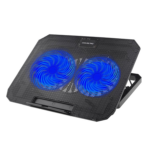
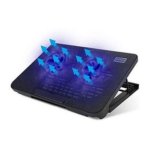


N99 Adjustable Laptop Cooling Stand with Dual Fans for 10 15.6-Inch Laptops
₵280.00
The N99 Adjustable Laptop Cooling Pad features dual fans and a special airflow design to keep laptops cool during extended use’s-powered with adjustable height and built-in USB ports, it offers ergonomic comfort and expanded connectivity. Slim, lightweight, and durable, it’s ideal for home, office, or travel, ensuring reliable heat dissipation for 10–15.6-inch laptops.
50 in stock
N99 Laptop Cooler Dual-Fan Laptop Cooler for 10 15.6-Inch Laptops
The N99 Adjustable Laptop Cooler is a USB-powered laptop cooler designed to improve airflow around your laptop, support heat dissipation, and provide a more comfortable working position. With two cooling fans, adjustable height, built-in USB ports, and LED illumination, it is suitable for students, office workers, home users, and professionals who spend extended periods working on their laptops.
Available from COSMIC ELECTRONICS in Ghana, this black, lightweight laptop cooling pad combines active air cooling with an adjustable stand design. It is a practical accessory for everyday computing, studying, office productivity, and compatible gaming laptops.
Product Overview
What Is the N99 Adjustable Laptop Cooling Stand?
A laptop cooler, also called a laptop cooling pad or laptop cooling stand, is an accessory that helps manage heat around a laptop by directing additional airflow toward its underside. The N99 uses two fans to circulate air and a raised platform to position the laptop above the desk surface.
Laptops generate heat when their processors, graphics components, storage devices, and other internal parts are operating. Activities such as multitasking, video playback, gaming, design work, and running demanding applications can increase the amount of heat produced.
The N99 Adjustable Laptop Cooling Stand provides additional airflow to support your laptop’s existing cooling system. Its adjustable height also helps create a more comfortable viewing and typing angle.
Who Should Use This Laptop Cooler?
- The N99 laptop cooling pad is suitable for: Students attending online classes, researching, studying, and completing assignments.
- Office workers handling documents, spreadsheets, presentations, and video meetings.
- Business owners using laptops for administration, sales, inventory, and customer communication.
- Remote workers who spend several hours working from home.
- Gamers who want additional airflow around a compatible gaming laptop.
- Content creators working with photography, video, graphics, and other demanding applications.
- IT professionals and technicians who regularly use laptops for troubleshooting and technical tasks.
- Home users who need a convenient cooling stand for everyday computer use.
If your laptop becomes noticeably warm during extended use, the N99 can provide additional airflow while helping you position your device more comfortably.
Key Features of the N99 Laptop Cooling Pad
1. Dual Fan Cooling System
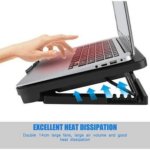
The N99 features two cooling fans designed to circulate air around the underside of your laptop. This active cooling arrangement helps dissipate heat and supports the laptop’s built-in thermal management system.
Why it matters: A laptop that operates under sustained workloads may benefit from additional airflow, particularly when its underside has adequate ventilation.
Customer benefit: You can use your laptop for work, studying, browsing, and other activities with an additional source of cooling airflow.
The cooling pad is designed to complement your laptop’s internal fans and vents. It does not replace the laptop’s built-in cooling system or guarantee a particular temperature reduction.
2. Special Airflow Outlet Design
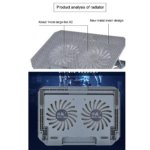
The N99 features a special airflow outlet design intended to support effective heat dissipation. Combined with its dual fans, this design helps circulate air around the laptop’s underside.
Why it matters: Air needs room to move around a laptop’s ventilation areas. A suitable cooling stand can help prevent the device from sitting flat against a surface that restricts airflow.
Customer benefit: The laptop has a raised platform and an additional airflow source to support cooling during prolonged computer use.
For the best results, ensure that the laptop’s ventilation openings are not blocked by cables, fabric, or other objects.
3. Adjustable Height for Ergonomic Comfort
The N99 features adjustable height, allowing you to change the position of your laptop according to your working environment and preferred viewing angle.
Why it matters: Working with a laptop positioned too low can encourage an uncomfortable head or neck posture. Raising and angling the screen may help create a more comfortable setup.
Customer benefit: You can adjust the stand for studying, office work, browsing, or other everyday tasks.
For extended typing sessions, consider using an external keyboard and mouse if the raised laptop position makes typing uncomfortable. The appropriate arrangement depends on your desk, chair, and individual ergonomic needs.
4. USB-Powered Operation
The laptop cooler connects to a laptop’s USB port for power. This allows you to operate the cooling pad without requiring a separate dedicated power supply.
Why it matters: USB power keeps the setup straightforward and reduces the need for an additional power adapter.
Customer benefit: You can connect the cooler directly to a compatible laptop and position it on your desk for convenient everyday use.
Because the cooler draws power through USB, it uses an available USB connection. Consider your laptop’s available ports when planning your workspace.
5. Two Built-In USB Ports
The N99 includes two additional USB ports to expand connectivity options around your workstation.
Why it matters: Laptop users often connect peripherals such as a mouse, keyboard, flash drive, or other USB accessories.
Customer benefit: The additional ports can make it more convenient to connect compatible peripherals while using the cooling stand.
The actual functionality of the additional ports depends on the stand’s design and connected devices. Check device power requirements and compatibility before connecting accessories that draw substantial power.
6. LED Illumination
The N99 includes LED lighting that gives the cooling stand a modern appearance.
Why it matters: A visually distinctive accessory can complement a computer desk, gaming station, or home office.
Customer benefit: The LED feature adds an illuminated design element while the cooling pad performs its primary cooling and support functions.
The supplied specifications identify LED illumination as a product feature but do not specify the exact lighting color or whether multiple lighting modes are available.
7. Durable Plastic Construction
The N99 is made from plastic and is designed for regular use in home, office, and travel environments.
Why it matters: A laptop accessory needs to support convenient placement and everyday handling.
Customer benefit: The plastic construction contributes to the product’s lightweight design, making it easier to move between suitable workspaces.
As with any laptop stand, place the cooler on a stable, level surface and avoid excessive pressure or impacts.
8. Slim and Lightweight Design
Weighing approximately 0.5 kg, the N99 is designed to be portable and convenient to store.
Why it matters: Some users work from different locations throughout the day or need to pack their computer accessories when travelling.
Customer benefit: You can move the cooling stand between a home desk, office workstation, study area, or other suitable workspace without carrying a particularly heavy accessory.
Its compact design makes it useful for customers who want additional cooling support without setting up a large desktop cooling system.
Benefits of Using a Laptop Cooler in Ghana
Supporting Laptop Cooling in Warm Environments
Laptops produce heat regardless of where they are used. Ambient temperature, ventilation, workload, dust accumulation, and the laptop’s internal cooling design can all affect operating temperatures.
In Ghana, where users may work in warm rooms, offices, shops, classrooms, and other environments, managing computer airflow is an important part of good laptop care.
The N99 provides additional air circulation around the laptop’s underside. However, its effectiveness depends on the laptop model, its ventilation arrangement, the surrounding temperature, and the workload.
Supporting Consistent Computer Use
When a laptop becomes too hot, its internal thermal management system may reduce performance to control temperatures. Additional cooling airflow can sometimes help, depending on the cause of the heating.
The N99 supports your laptop’s existing cooling system by circulating air around the base.
It is not a guaranteed solution for overheating caused by blocked internal vents, a faulty fan, dried thermal paste, or other hardware problems. Those issues may require professional inspection or servicing.
Improving Your Working Position
The adjustable stand allows you to change the laptop’s height and angle, helping you create a more suitable working position.
This can be useful for people who spend long periods reading, typing, preparing documents, or attending online meetings.
For a complete ergonomic workstation, position the screen comfortably and use a separate keyboard and mouse where appropriate.
Making a Desk More Functional
The N99 combines cooling, laptop support, adjustable positioning, USB connectivity, and LED illumination in one accessory.
This can help organize a workstation for business administration, studying, online work, and personal computing without requiring separate products for every function.
Applications of the N99 Laptop Cooling Stand
Home and Personal Computing
Home users can use the N99 for browsing, streaming, online communication, document preparation, and everyday laptop tasks.
The adjustable design is useful when a laptop is used on a desk for several hours at a time.
Office and Business Operations
Businesses rely on laptops for emails, spreadsheets, accounting, inventory management, presentations, customer service, and administrative work.
The N99 provides additional airflow and adjustable laptop positioning for employees who use their computers throughout the working day.
It can be considered for individual workstations or as part of a broader computer-accessory purchase.
Education and Online Learning
Students and teachers use laptops for virtual lessons, research, assignments, presentations, and educational software.
The N99 can support a more organized study area by raising the laptop and providing additional airflow.
Its lightweight construction also makes it convenient for users who need to move their accessories between suitable study spaces.
Gaming and Entertainment
Gaming can place sustained demands on a laptop’s processor and graphics hardware. Depending on the model and game, this can produce substantial heat.
The N99’s dual fans provide additional airflow around a compatible gaming laptop, while the adjustable stand helps position the screen.
Buyers should remember that a cooling pad’s effectiveness varies by laptop design. The N99 should not be assumed to deliver a specific temperature reduction or guaranteed gaming performance improvement.
IT Support and Technical Work
IT technicians, computer support teams, and technology businesses may use laptops for software installation, diagnostics, configuration, documentation, and troubleshooting.
The N99 is a practical accessory for these workstations when additional airflow and adjustable laptop positioning are desirable.
Technical Specifications
Specification Details
Product name N99 Adjustable Laptop Cooling Stand
Product type Laptop cooling pad / laptop cooler
Model N99
Color Black
Material Plastic
Cooling method Air cooling
Laptop size compatibility 10 15.6 inches
Cooling fans Dual fans
Fan speed 1000 RPM
Airflow design Special airflow outlet design
Power source USB powered
Additional connectivity Two built-in USB ports
Lighting LED illumination
Height adjustment Yes
Weight 0.5 kg
Intended environments Home, office, and travel
Primary purpose Additional airflow, heat dissipation, and adjustable laptop positioning
How to Choose the Right Laptop Cooler
Choosing the right laptop cooling pad involves more than comparing prices. Buyers should consider laptop size, cooling requirements, desk space, connectivity, and how frequently the accessory will be used.
How to Choose the Right Laptop Cooler
The N99 is specified for laptops measuring 10 to 15.6 inches.
Before purchasing, confirm your laptop’s screen size and compare it with the cooler’s supported range. This helps ensure that the device can sit appropriately on the stand.
If you use a laptop larger than 15.6 inches, ask for a compatible alternative rather than assuming the N99 will provide suitable support.
2. Consider the Cooling Arrangement
Laptop coolers may use one large fan, multiple smaller fans, or other airflow arrangements.
The N99 uses two fans operating at 1000 RPM. This is a useful specification when comparing cooling pads, although fan speed alone does not determine total airflow or cooling effectiveness.
Laptop ventilation placement and the alignment between the cooling pad and the laptop’s underside also matter.
3. Look for Adjustable Positioning
If you spend long periods working at a desk, an adjustable stand can help you choose a more comfortable screen angle.
The N99 offers adjustable height, making it suitable for users who prefer changing their laptop’s position according to their task.
4. Consider USB Connectivity
The N99 is USB powered and provides two additional USB ports.
Check whether your laptop has an available USB port and whether the additional connectivity meets your needs. If you regularly use multiple high-power peripherals, a separately powered USB hub may be more suitable.
5. Match the Product to Your Budget
When comparing laptop coolers in Ghana, consider the cooling arrangement, supported laptop size, build material, adjustability, connectivity, and portability.
The lowest-priced option is not necessarily the most suitable. Choose a model that meets your laptop’s requirements and intended use.
N99 Laptop Cooler Compared With Other Laptop Accessories
Laptop Cooling Pad vs Standard Laptop Stand
A standard laptop stand primarily raises or positions a laptop. It may improve passive airflow by creating space beneath the device, but it does not necessarily include fans.
The N99 combines an adjustable stand with dual-fan active cooling.
Choose a standard stand if positioning is your main concern. Consider the N99 if you also want additional fan-assisted airflow.
Laptop Cooling Pad vs USB Fan
A regular USB fan circulates air in the surrounding area, but it may not direct airflow as effectively toward the laptop’s underside.
The N99 is designed specifically for laptop support and cooling, with its fans integrated into the stand.
Laptop Cooling Pad vs Internal Laptop Servicing
A cooling pad is an external accessory. Internal laptop servicing addresses problems within the computer itself.
If your laptop overheats because of dust-filled vents, a damaged internal fan, or another hardware fault, an external cooler may not resolve the underlying issue.
In such cases, have the laptop inspected by a qualified technician.
How to Use the N99 Adjustable Laptop Cooling Stand
Follow these practical steps to set up the cooling pad.
- Choose a stable surface: Place the N99 on a level desk or suitable workstation.
- Position your laptop: Centre the laptop on the stand and ensure it is securely supported.
- Adjust the height: Select a comfortable viewing and typing angle.
- Connect the USB power: Plug the cooling pad into a compatible USB port on your laptop.
- Check the airflow: Ensure that the laptop’s vents are not obstructed and that air can circulate freely.
- Connect compatible peripherals: Use the additional USB ports as appropriate for your devices.
- Begin using your laptop: Operate the computer normally while allowing the cooling pad to provide additional airflow.
Always follow your laptop manufacturer’s guidance on ventilation and safe operating conditions.
Maintenance and Care
Regular care can help keep the N99 in suitable working condition.
- Keep the fans clean: Remove accumulated dust using an appropriate, gentle cleaning method while the cooler is disconnected.
- Avoid liquids: Do not pour water or cleaning solutions onto the stand or its electrical components.
- Inspect the USB cable: Stop using the cooler if its cable or connector becomes damaged.
- Maintain clear ventilation: Avoid placing the cooling pad on blankets or other surfaces that may obstruct airflow.
- Store it carefully: Protect the stand from excessive pressure, moisture, and impact during transport.
- Check fan operation: If the fans stop working or make unusual noises, disconnect the unit and investigate the issue before continued use.
The N99’s expected service life depends on usage, storage, cleanliness, and handling. A specific lifespan is not provided in the supplied product specifications.
Common Laptop Cooling Mistakes to Avoid
Expecting a Cooling Pad to Fix Every Overheating Problem
An external cooling pad supports airflow but cannot repair a malfunctioning internal fan or other hardware defect.
If your laptop becomes unusually hot, shuts down unexpectedly, or repeatedly reduces performance, investigate the underlying cause.
Buying Without Checking Compatibility
A cooling stand must be suitable for the laptop’s dimensions and weight.
The N99 supports laptops in the 10 15.6-inch range. Confirm your device’s size before ordering.
Blocking the Laptop’s Ventilation Openings
Placing a laptop on a soft surface or positioning objects against its vents can restrict airflow.
Keep ventilation openings clear, even when using a cooling pad.
Ignoring Dust and Maintenance
Dust accumulation can interfere with cooling performance over time.
Clean the laptop’s vents and the cooling stand appropriately, following the manufacturer’s maintenance recommendations.
Assuming Fan Speed Determines Everything
The N99’s specified fan speed is 1000 RPM, but fan speed alone does not establish the amount of air moved or the temperature reduction achieved.
The laptop’s design, vent locations, workload, and surrounding conditions all influence the results.
Frequently Asked Questions
1. What is the N99 Adjustable Laptop Cooling Stand?
The N99 is a USB-powered laptop cooling pad with dual fans, adjustable height, two additional USB ports, and LED illumination. It is designed to provide additional airflow and support a more comfortable laptop working position.
2. What laptop sizes does the N99 support?
The supplied specifications identify compatibility with laptops measuring 10 to 15.6 inches. Check your laptop’s screen size before purchasing.
3. Does the N99 laptop cooler use two fans?
Yes. The N99 features two cooling fans with a specified fan speed of 1000 RPM.
4. How does the N99 laptop cooling pad receive power?
The cooling pad is USB powered and connects to a compatible USB port. A separate dedicated power supply is not specified as necessary.
5. Does the N99 have additional USB ports?
Yes. The stand includes two additional USB ports for expanded connectivity. Confirm compatibility and power requirements for the peripherals you intend to connect.
6. Can I adjust the height of the N99 cooling stand?
Yes. The N99 has adjustable height, allowing you to change the laptop’s viewing and typing angle.
7. Is the N99 suitable for gaming laptops?
It can be suitable for compatible gaming laptops within the specified 10 15.6-inch size range. However, cooling effectiveness varies by laptop design, ventilation placement, and workload.
8. Will the N99 stop my laptop from overheating?
The N99 provides additional airflow that may help manage heat, but it cannot guarantee that overheating will stop. Hardware faults, blocked vents, or internal dust accumulation may require servicing.
9. Is the N99 laptop cooler portable?
Yes. It weighs approximately 0.5 kg and has a slim, lightweight design intended for convenient movement and storage.
10. What material is the N99 cooling stand made from?
The supplied specifications identify plastic as the construction material.
11. Does the N99 include LED lighting?
Yes. LED illumination is listed as one of its features. The exact lighting color and available lighting modes are not specified in the supplied product details.
12. Where can I buy the N99 laptop cooler in Ghana?
You can enquire about the N99 Adjustable Laptop Cooling Stand from COSMIC ELECTRONICS through its online store. Customers can also enquire about availability, product advice, and delivery arrangements within Ghana.
Why Buy the N99 Laptop Cooling Stand from COSMIC ELECTRONICS?
COSMIC ELECTRONICS supplies electronics, computer accessories, networking equipment, and technology products to individual customers and organizations across Ghana.
When choosing a laptop cooler, having access to product information and compatibility guidance can help you make a more informed purchase.
What COSMIC ELECTRONICS Offers
- Product information: Assistance understanding product features and specifications before ordering.
- Competitive pricing: Options for customers looking for practical computer accessories.
- Online ordering: Convenient access to products through the COSMIC ELECTRONICS website.
- Nationwide delivery support: Delivery arrangements for customers in Accra and other locations across Ghana, subject to service availability.
- Bulk supply support: Enquiries for businesses, schools, offices, and other organizations purchasing computer accessories in quantities.
- Product sourcing assistance: Support with identifying suitable accessories for specific computing requirements.
- After-sales assistance: Help with product-related enquiries, subject to the applicable support arrangements.
For organizations equipping multiple workstations, COSMIC ELECTRONICS can assist with enquiries about quantities, availability, and suitable computer accessories.
Availability and Procurement in Ghana
The N99 Adjustable Laptop Cooling Stand is relevant to both individual buyers and organizations that use laptops regularly.
Individual customers can enquire about purchasing a single cooling pad for home, study, office, or personal computing use. Businesses and institutions can enquire about multiple units for employee workstations, training rooms, and other suitable applications.
For bulk or project-based purchases, provide the required quantity and laptop size range when contacting COSMIC ELECTRONICS. This helps establish whether the N99 is suitable for the intended application.
Customers should confirm current stock, pricing, delivery arrangements, and any applicable after-sales terms before completing an order.
Quick Summary
- Product: N99 Adjustable Laptop Cooling Stand, also known as a laptop cooler or laptop cooling pad.
- Cooling system: Dual fans operating at 1000 RPM.
- Main benefit: Additional airflow to support heat dissipation around compatible laptops.
- Ergonomics: Adjustable height for a more comfortable viewing and typing position.
- Connectivity: USB-powered operation with two additional USB ports.
- Lighting: LED illumination.
- Material: Plastic.
- Color: Black.
- Compatibility: Laptops measuring 10 15.6 inches.
- Weight: 0.5 kg.
- Applications: Home computing, studying, office work, compatible gaming laptops, and professional laptop use.
Availability in Ghana: Enquire through COSMIC ELECTRONICS for current stock, pricing, delivery, and bulk supply arrangements.
The N99 Adjustable Laptop Cooling Stand is a practical option for laptop users seeking dual-fan cooling, adjustable positioning, USB connectivity, and a lightweight design in one accessory. Contact COSMIC ELECTRONICS to confirm availability and determine whether it suits your laptop and workspace requirements.
| Color | Black |
|---|---|
| Material | Plastic |
| Cooling Method | Air |
| Size | 10–15.6 Inch |
| Fan Speed | 1000 RPM |
| Heat Dissipation | Optimal Cooling Performance |
| Power Source | USB Powered |
| Weight | 0.5 kg |
| Adjustable Height | Yes |


IT'S ALL ABOUT YOU
At COSMIC ELECTRONICS, we strive to process and dispatch orders as quickly as possible. While some orders may be shipped on the same day they are placed, processing times can vary depending on product availability, order volume, and delivery location. Please allow 2–3 business days for order processing before shipment.
IMPORTANT DELIVERY INFORMATION
- Fast Order Processing: Orders are processed and dispatched as quickly as possible, typically within 2–3 business days. A confirmation email will be sent shortly after your order is placed.
- Nationwide Delivery Across Ghana: We deliver to selected regions and cities across Ghana. Please check our delivery options to confirm availability in your location.
- Delivery & Collection Requirements: All deliveries require a signature upon receipt. Orders are not processed or shipped on Sundays, although you may place orders online at any time. If you do not receive your confirmation email, please check your Spam or Junk Mail folder.
For enquiries regarding delivery times, order status, or the lead time of a specific item, please contact COSMIC ELECTRONICS on +233 54 724 0128. Our team will be happy to assist you with any questions before or after your purchase.
Related products


HDMI Splitter 1×4 – 1 Input to 4 Outputs, Supports Full HD 1080p, 4K & 3D, Compatible with Xbox, PS3/PS4, Roku, Blu-ray Player and HDTV (Includes High-Speed HDMI Cable) – Black
The HDMI Splitter 1x4 allows you to distribute one HDMI signal to four displays simultaneously with stable and clear output. It supports 4K x 2K@30Hz, 1080P, and 3D resolution for sharp, high-definition video performance. Designed for easy plug-and-play use, it is compatible with gaming consoles, Blu-ray players, PCs, and HDTVs.


HP W10 Dual-Mode Bluetooth & Wireless Mouse – High-Quality Performance for PC and Laptop
The HP W10 Bluetooth Wireless Dual Mode Mouse features an ergonomic design comfortable for both left- and right-handed users. With dual connectivity options—Bluetooth and 2.4GHz wireless—and a high-precision 1600 DPI sensor, it delivers smooth, reliable performance up to 10 meters away. Powered by long-lasting batteries that can last up to six months, it’s ideal for work, study, and everyday entertainment.


HP X500 USB Wired Optical Mouse – High-Precision, Ergonomic Design for PC, Mac, and Laptop (Black)
The HP X500 USB Wired Optical Mouse features a simple and reliable design with 3 buttons and a scroll wheel for smooth navigation. Compatible with all laptops and desktops, it offers plug-and-play functionality via a USB 2.0 interface. Perfect for everyday work, browsing, and casual use, this wired mouse combines comfort and precision in a compact design.


LEERFEI YST-1017 Wooden Multimedia USB Speaker 6W Stereo Sound for Computers and Laptops
The LEERFEI YST-1017 Wooden Multimedia USB Speaker combines elegant wooden design with clear, balanced stereo sound for an enhanced listening experience. Powered via USB and supporting AUX connectivity, it offers convenient plug-and-play use with laptops and other devices. With dual 52mm speakers and 6W output, it delivers rich audio performance perfect for music, movies, and everyday entertainment.


T-WOLF G510 Professional Gaming Mouse – 6 Programmable Buttons, RGB LED Lighting, 3200 DPI, and 20 Million Click Lifespan
The T-WOLF G510 Gaming Mouse in sleek black features 6 responsive buttons and adjustable DPI settings from 800 to 3200 for precise control. With a 1.35-meter USB cable, it ensures a stable and lag-free connection for gaming or everyday use. Designed for comfort and performance, this wired mouse is perfect for both casual and professional gamers.


Reviews
There are no reviews yet.