


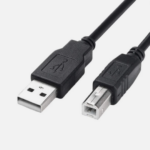
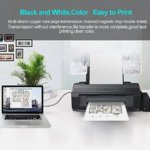
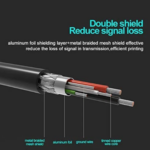
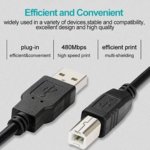


TP-Link 10-Meter USB Printer Cable for Extended Computer and Printer Connectivity
₵100.00
The TP-Link 10-Meter USB Printer Cable provides an extended connection between compatible printers and computers. Its extra-long length offers greater flexibility for device placement in offices, workspaces, and other setups. Ideal for convenient printing and scanning with compatible devices.
50 in stock
🔹Key Product Features
- 10-Meter Cable Length: Provides extended reach for flexible printer and computer placement.
- USB Connectivity: Connects compatible computers to printers and other supported USB devices.
- High-Speed Data Transfer: Supports efficient data transmission if compatible with the cable's USB specification.
- Wide Device Compatibility: Suitable for compatible printers, scanners, and computers.
- Stable Data Transmission: Supports reliable communication between connected devices.
- Flexible Installation: Ideal for setups where the printer is located farther from the computer.
- Durable Cable Design: Designed for everyday connectivity in home and office environments.
- Plug-and-Play Convenience: Works with compatible devices that support automatic USB detection.
- Black Finish: Offers a clean, professional appearance for office and workspace setups.
- Versatile Application: Suitable for compatible printing and scanning tasks.
TP-Link 10-Meter USB Printer Cable: Extended Connectivity for Printers and Computers in Ghana
The TP-Link 10-Meter USB Printer Cable is a long USB connection cable designed to connect compatible computers to printers and other supported USB devices. With its extended 10-meter length, USB connectivity, and flexible installation design, it provides greater freedom when positioning printing equipment in homes, offices, businesses, and professional workspaces.
For individuals, businesses, schools, institutions, and technicians looking for a long printer cable in Ghana, this TP-Link USB Printer Cable offers a practical solution for compatible printing, scanning, and data transfer applications.
Available through COSMIC ELECTRONICS, this 10-meter printer cable is suitable for customers who need additional connection reach when setting up compatible computer and printing equipment.
What Is a TP-Link 10-Meter USB Printer Cable?
A printer cable is a computer accessory used to establish a physical connection between a computer and compatible printing equipment.
The TP-Link 10-Meter USB Printer Cable provides an extended USB connection between compatible printers and computers. Its primary purpose is to support convenient connectivity for printing and scanning applications.
Unlike shorter printer cables, this 10-meter version offers additional reach, making it useful when the computer and printer are positioned farther apart.
It is designed for use in different environments, including:
- Homes and personal workstations.
- Corporate offices.
- Business centers.
- Educational institutions.
- Administrative departments.
- Professional workspaces.
Customers searching for a printer cable, USB printer cable, long USB cable, or TP-Link printer cable may find this product relevant when their equipment supports the required USB connection.
Understanding the Term Printer Cable
The term printer cable generally describes a cable used to connect a computer to a printer.
Different printers support different connection interfaces, including USB, Ethernet, and wireless connectivity.
A USB printer cable is specifically designed for compatible equipment that supports wired USB connections.
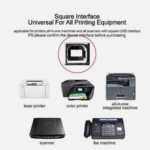
One common configuration is the USB-A to USB-B printer cable, which connects a computer’s USB-A port to a printer’s USB-B port.
However, the specific connector configuration of this TP-Link 10-meter cable has not been provided. Customers should therefore confirm the connector types before purchasing.
Why Choose a 10-Meter Printer Cable?
Cable length is an important consideration when installing computer and printing equipment.
A standard short cable may work perfectly when a printer is positioned beside a computer. However, longer workspaces and separate equipment locations may require additional reach.
The TP-Link 10-Meter USB Printer Cable provides an extended connection that helps accommodate these arrangements.
Extended 10-Meter Reach
The cable measures 10 meters, providing additional flexibility when connecting compatible printers and computers.
This is particularly useful when equipment is positioned on separate desks, shelves, or workstations.
Why it matters: Short cables can restrict equipment placement and make some workstation arrangements inconvenient.
Customer benefit: The extended length provides more freedom when organizing your computer and printer setup.
Flexible Installation
The longer cable length makes it suitable for installations where the printer is located farther from the computer.
This can be useful in offices, business centers, and home workspaces where equipment placement depends on available space.
Why it matters: Not every workspace allows computers and printers to be positioned directly beside each other.
Customer benefit: Enjoy greater flexibility when planning the arrangement of your connected equipment.
USB Connectivity
The cable provides USB connectivity between compatible computers and printers.
USB connections are commonly used for wired communication between computers and office equipment.
Why it matters: A compatible USB connection allows supported devices to communicate through a direct wired connection.
Customer benefit: Establish a convenient connection for supported printing and data transfer activities.
High-Speed Data Transfer
The TP-Link printer cable is designed to support efficient data transmission when used with devices compatible with its USB specification.
This is important when sending supported information from a computer to a connected printer or other USB device.
Why it matters: Reliable data communication is important for everyday computer and printing operations.
Customer benefit: Support efficient communication between compatible connected devices.
Actual transfer speeds depend on the USB specification supported by the cable and connected equipment.
Stable Data Transmission
The cable is designed to support reliable communication between connected devices.
A stable physical connection is important for maintaining communication between computers and compatible printers.
Why it matters: Printing equipment requires an appropriate connection to receive supported printing instructions.
Customer benefit: Enjoy a convenient wired connection for compatible printing and scanning activities.
Wide Device Compatibility
The product is suitable for compatible printers, scanners, and computers.
This makes it relevant to users who need a longer connection cable for different computer and office equipment arrangements.
Why it matters: Different devices have different connectivity requirements.
Customer benefit: Use the cable with supported equipment that meets its USB connection requirements.
Durable Cable Design
The TP-Link cable is designed for everyday connectivity in home and office environments.
Its durable cable design is intended to support regular handling and normal usage.
Why it matters: Computer accessories used frequently need appropriate handling and construction for everyday environments.
Customer benefit: A practical connectivity accessory for regular home and office use.
Plug-and-Play Convenience
The cable is designed to work with compatible devices that support automatic USB detection.
This makes physical installation straightforward without requiring complicated cable-specific setup procedures.
However, the connected printer or scanner may still require manufacturer-provided drivers or software.
Why it matters: Straightforward installation helps reduce unnecessary setup complications.
Customer benefit: Connect compatible equipment conveniently.
Black Finish
The TP-Link 10-Meter USB Printer Cable features a black finish.
Its appearance is suitable for different office and workspace arrangements.
Why it matters: A neutral cable color can complement common computer and office equipment.
Customer benefit: Maintain a clean and professional-looking workspace.
3. Who Needs the TP-Link 10-Meter Printer Cable?
The product is suitable for customers who need additional reach when connecting compatible computers and printing equipment.
Home Users
Home users who operate desktop computers, laptops, and compatible printers can benefit from the extended cable length.
It is useful when the printer is positioned on a different table, shelf, or workstation.
Typical applications include:
- Printing personal documents.
- Printing school assignments.
- Printing application forms.
- Printing invoices and receipts.
- Connecting compatible scanners.
- Supporting everyday data transfer.
For households with dedicated computer workspaces, the 10-meter length provides additional flexibility when arranging equipment.
Corporate Offices
Businesses frequently use printers and scanners for administrative and operational activities.
The TP-Link 10-meter printer cable can support compatible wired installations where computers and printing equipment are positioned at a distance.
Potential applications include:
- Accounting departments.
- Reception areas.
- Human resource offices.
- Administrative workstations.
- Customer service departments.
- Corporate offices.
Businesses in Accra, Tema, Kumasi, Takoradi, and other commercial centers can consider the cable when planning suitable printer installations.
Printing Shops and Business Centers
Printing businesses require dependable computer-to-printer connections for their daily activities.
The extended cable length can be useful where printers and computers are arranged separately within the working area.
It can support compatible printing installations used for:
- Document printing.
- Business paperwork.
- Customer assignments.
- Administrative materials.
- General office printing.
Schools and Educational Institutions
Schools, colleges, universities, and training institutions use computers and printers for academic and administrative work.
The cable may be suitable for compatible installations in:
- Computer laboratories.
- Staff offices.
- Examination departments.
- Administrative offices.
- Training centers.
Its extended reach can provide more flexibility when arranging computer and printing equipment.
IT Technicians and Computer Installers
IT professionals and computer technicians frequently work with different computer accessories and peripheral devices.
A 10-meter USB printer cable can be useful when establishing compatible connections during installations, equipment testing, and troubleshooting.
Practical Applications of a 10-Meter USB Printer Cable in Ghana
The extended cable length makes this product relevant to different environments where compatible wired computer connectivity is required.
Home and Personal Workspaces
In residential environments, computers and printers are not always positioned together.
A 10-meter printer cable can help connect compatible equipment across a larger room or workspace.
It can support everyday printing and scanning requirements without forcing users to rearrange their entire workspace around a short cable.
Commercial Offices
Businesses depend on printing equipment for invoices, quotations, reports, contracts, receipts, and other documents.
The cable can support suitable wired connections in offices where printers are positioned away from individual computer workstations.
Educational Facilities
Educational institutions may use printers in different departments and administrative areas.
The extended length can provide flexibility when setting up compatible computer-to-printer connections.
Business Centers
Internet cafés, printing shops, and document service centers can use suitable printer cables to connect computers to compatible printing equipment.
The cable’s longer reach may be useful when organizing customer service areas and equipment stations.
Institutional Offices
Government departments, corporate organizations, and other institutions often maintain computer and printing infrastructure.
The TP-Link cable can be considered for compatible equipment installations where additional connection length is required.
Understanding USB Printer Cable Compatibility
Before purchasing a printer cable, it is important to understand the connection requirements of your computer and printer.
Not all USB cables have the same connectors, and not every printer supports the same interface.
USB-A Connection
USB-A is the familiar rectangular USB connector commonly found on desktop computers, laptops, and USB hubs.
Many traditional printer installations use USB-A ports on the computer side.
USB-B Connection
USB-B is a squarer connector commonly found on traditional printers and scanners.
USB-A to USB-B cables are widely used for connecting compatible computers to this type of printing equipment.
Other USB Connector Types
Some equipment uses different USB connections, including:
- USB-C.
- Micro-USB.
- Mini-USB.
These connectors have different physical designs and cannot automatically replace one another.
Important Compatibility Consideration
The supplied product information identifies this product as a TP-Link 10-meter USB printer cable but does not specify its exact connector configuration or USB generation.
Before ordering, confirm that the cable connectors match the available ports on your computer and printer.
This is particularly important when purchasing a printer cable adapter or replacing an existing cable.
TP-Link 10-Meter Printer Cable vs Standard Printer Cables
One of the main considerations when selecting a printer cable is the distance between connected devices.
A shorter printer cable may be appropriate for compact workstations, while a longer version can provide additional installation flexibility.
Comparison Standard Short Printer Cable TP-Link 10-Meter Printer Cable
Cable Length Shorter connection reach 10 meters
Equipment Placement Suitable for nearby devices Suitable for farther-positioned devices
Installation Compact workstations Larger workspaces and extended setups
Application Home and office printing Home, office, and business connectivity
Main Advantage Convenient for short distances Greater connection reach
The primary advantage of the TP-Link 10-meter version is its extended length.
Customers should also consider the cable’s supported USB specification and device compatibility when evaluating its suitability.
How to Choose the Right Long Printer Cable
Selecting the correct printer cable requires more than checking its length.
Consider the following factors before purchasing.
Check the Required Cable Length
Measure the distance between your computer and printer.
Remember to account for the route the cable will follow rather than measuring only the straight-line distance.
The TP-Link 10-meter cable provides extended reach for suitable installations.
Check the Connector Types
Confirm the connection ports on both devices.
For example, a computer with a USB-A port and a printer with a USB-B port generally requires a compatible USB-A to USB-B cable.
Do not assume that all USB printer cables use identical connectors.
Confirm USB Specification Compatibility
Different USB cables and devices may support different USB specifications.
If high-speed data transfer is important, check the supported USB specifications of the cable and connected equipment.
Consider the Installation Environment
Think about where the cable will be positioned.
Avoid routing it through areas where it may be crushed, pulled, sharply bent, or repeatedly stepped on.
Consider the Intended Application
Determine whether you need the cable for printing, scanning, or another supported USB application.
The selected cable must meet the connection requirements of the intended equipment.
How to Install and Use the TP-Link 10-Meter USB Printer Cable
The cable is designed for convenient connection between compatible computers and printers.
Follow these general installation steps:
- Identify the connector types at both ends of the cable.
- Check the corresponding ports on your computer and printer.
- Ensure that the equipment supports the cable’s USB connection requirements.
- Connect the appropriate end to the computer.
- Connect the other end to the printer.
- Switch on the connected equipment.
- Allow the computer to detect the printer if automatic USB detection is supported.
- Install the manufacturer’s printer driver or software if required.
- Test the connection by printing a document.
For scanners and other supported USB devices, follow the manufacturer’s connection and installation instructions.
Common Printer Cable Problems and Troubleshooting
Even when using a suitable printer cable, connectivity problems may occasionally occur.
Understanding common issues can help users identify possible solutions.
Computer Does Not Recognize the Printer
Possible causes include:
- Loose cable connections.
- Incorrect printer drivers.
- Faulty USB ports.
- Printer power problems.
- Device compatibility issues.
Recommended checks:
- Confirm that the cable is properly connected.
- Check that the printer is switched on.
- Try another available USB port.
- Verify that the correct printer driver is installed.
- Restart the computer and printer.
Printer Disconnects Unexpectedly
Unexpected disconnections may be associated with loose connectors, cable damage, physical strain, or device connectivity problems.
Inspect the cable and connectors for visible damage.
Ensure that the cable is not excessively stretched or bent.
Printer Does Not Respond to Print Commands
The computer may recognize the printer but fail to process printing instructions correctly.
Check the selected printer, print queue, installed drivers, and printer status.
If the issue continues, consult the manufacturer’s troubleshooting instructions.
Data Transfer Problems
Data communication may be affected by the supported USB specifications, cable condition, connected devices, and installation environment.
Ensure that the cable is suitable for the intended application.
Maintenance and Care for Long-Term Everyday Use
A long USB printer cable requires proper handling to maintain its condition.
The following practices can help reduce unnecessary physical wear:
- Avoid pulling the cable directly by its wire.
- Hold the connector when disconnecting it.
- Avoid sharp bends and excessive twisting.
- Keep the cable away from liquids.
- Avoid exposure to excessive heat.
- Do not place heavy objects on the cable.
- Avoid stretching the cable tightly between devices.
- Store it properly when not in use.
- Inspect the cable covering and connectors periodically.
- Keep it away from areas with frequent foot traffic.
These recommendations are particularly useful in offices and commercial environments where cables may be handled frequently.
Why the TP-Link Brand Matters When Choosing Computer Accessories
TP-Link is a recognized networking and connectivity brand associated with products used in computer and network environments.
When purchasing a TP-Link product, customers may search specifically for the brand because they want to identify a particular product rather than purchase an unspecified generic alternative.
The TP-Link 10-Meter USB Printer Cable is identified by its brand, product category, length, and intended connectivity application.
Customers should Still, evaluate the actual product specifications and device compatibility rather than relying on the brand name alone.
For buyers sourcing TP-Link computer accessories in Ghana, COSMIC ELECTRONICS provides a point of enquiry for product availability and related connectivity requirements.
Bulk Printer Cable Supply for Businesses and Institutions in Ghana
Organizations operating multiple computers and printers may require several printer cables for their installations.
A longer cable can be useful when equipment is positioned across larger office spaces or separate workstations.
COSMIC ELECTRONICS supports product enquiries from different customer groups, including:
- Corporate organizations.
- Schools and universities.
- Government institutions.
- Printing and business centers.
- Computer retailers.
- IT support companies.
- Office equipment suppliers.
- Computer installation technicians.
- Commercial procurement departments.
Businesses can enquire about individual purchases, bulk orders, and supply requirements for larger installations.
For institutional and corporate buyers, it is advisable to confirm the exact cable connector configuration and USB specification before placing larger orders.
Where to Buy a TP-Link 10-Meter USB Printer Cable in Ghana
Customers searching for a TP-Link 10-meter printer cable for sale in Ghana can enquire at COSMIC ELECTRONICS.
The product is intended for compatible computer and printer connections, particularly where an extended 10-meter cable length is required.
COSMIC ELECTRONICS operates online and offline retail channels, serving individual customers, businesses, institutions, technicians, and commercial buyers.
Customers can enquire about:
- TP-Link printer cable availability.
- Cable length and compatibility.
- Suitable computer accessories.
- Related USB connectivity products.
- Bulk purchasing requirements.
COSMIC ELECTRONICS also supports nationwide delivery enquiries across Ghana, making it convenient for customers outside Accra to source computer accessories.
Whether you are purchasing for your home, office, business centers, school, or institution, you can contact COSMIC ELECTRONICS for product enquiries and supply support.
Why Buy from COSMIC ELECTRONICS?
COSMIC ELECTRONICS is a trusted electronics supplier in Ghana, serving individuals, businesses, contractors, technicians, institutions, and commercial buyers.
The business supplies electronics, networking equipment, computer accessories, smart devices, professional audio products, and specialized technology products.
When sourcing a TP-Link 10-Meter USB Printer Cable, customers can benefit from:
Genuine Products: Access to electronics and computer accessories sourced for different customer requirements.
Nationwide Delivery: Delivery support for customers across Ghana.
Expert Product Advice: Assistance with identifying suitable computer accessories and checking connectivity requirements.
Bulk Supply Support: Enquiries for businesses, schools, institutions, and organizations requiring multiple units.
After-Sales Assistance: Support with product-related enquiries following purchase.
Competitive Pricing: Purchasing options to accommodate different customer requirements.
Convenient Ordering: Online and offline purchasing and enquiry options.
COSMIC ELECTRONICS aims to help customers find suitable technology products while providing dependable sourcing and supply support.
Frequently Asked Questions About the TP-Link 10-Meter USB Printer Cable
1. What is the TP-Link 10-Meter USB Printer Cable used for?
It is designed to provide an extended USB connection between compatible printers and computers. It is suitable for supported printing, scanning, and data transfer applications.
2. How long is the TP-Link printer cable?
The cable measures 10 meters, providing additional reach for connecting compatible equipment positioned farther apart.
3. Can I use this cable with any printer?
Not necessarily. The printer must support the cable’s connector configuration and USB connectivity requirements. Always confirm compatibility before purchasing.
4. Is this a USB printer cable?
Yes. The product is identified as a TP-Link USB Printer Cable designed for compatible computer and printer connections.
5. Does the cable support high-speed data transfer?
It supports efficient data transmission when compatible with the USB specification of the connected equipment. Actual transfer performance depends on the specifications supported by the cable and devices.
6. Can I use this cable with a scanner?
It is suitable for compatible scanners and supported USB applications. Check the scanner’s connection requirements before use.
7. Is the TP-Link 10-meter printer cable suitable for office use?
Yes. Its extended length makes it suitable for compatible printer installations in offices, businesses, and professional workspaces.
8. Does the cable support plug-and-play installation?
It is designed for compatible devices that support automatic USB detection. However, the connected printer or scanner may still require manufacturer-provided drivers or software.
9. What color is the TP-Link 10-meter printer cable?
The product features a black finish suitable for home, office, and professional workspace arrangements.
10. Can I use this cable for data transfer?
Yes. The cable is intended to support data transmission between compatible connected devices.
11. What should I check before buying a 10-meter printer cable?
Check the cable length, connector configuration, supported USB specification, and compatibility with your computer and printer.
12. Where can I buy the TP-Link 10-Meter USB Printer Cable in Ghana?
You can enquire at COSMIC ELECTRONICS for product availability, purchasing options, and nationwide delivery support across Ghana.
Technical Specifications
Specification Details
Brand TP-Link
Product Type USB Printer Cable
Cable Length 10 Meters
Connectivity USB
Compatible Devices Compatible Printers and Computers
Usage Printing and Data Transfer
Application Home, Office, and Business
Design Durable Cable Design
Color Black
Installation Plug-and-Play Convenience
Quick Summary
- Product: TP-Link 10-Meter USB Printer Cable.
- Brand: TP-Link.
- Product Category: Printer Cable and Computer Accessory.
- Cable Length: 10 Meters.
- Connectivity: USB.
- Compatible Devices: Compatible Printers and Computers.
- Main Functions: Printing, scanning, and supported data transfer.
- Key Benefits: Extended reach, flexible installation, stable data transmission, and convenient connectivity.
- Design: Durable cable design with a black finish.
- Installation: Plug-and-play convenience with compatible devices.
- Applications: Home, office, and business environments.
- Availability in Ghana: Enquire at COSMIC ELECTRONICS.
- Delivery: Nationwide delivery support across Ghana.
- Bulk Supply: Enquiries supported for businesses and institutions.
- Why Buy from COSMIC ELECTRONICS: Genuine products, competitive pricing, expert product advice, bulk supply support, and after-sales assistance.
The TP-Link 10-Meter USB Printer Cable is a practical connectivity accessory for customers who need additional reach when connecting compatible computers and printers.
For TP-Link computer accessories and printer connectivity solutions in Ghana, enquire at COSMIC ELECTRONICS It’s All About You.
| Brand | TP-Link |
|---|---|
| Product Type | USB Printer Cable |
| Cable Length | 10 Meters |
| Connectivity | USB |
| Compatible Devices | Compatible Printers and Computers |
| Usage | Printing and Data Transfer |
| Application | Home, Office, and Business |


IT'S ALL ABOUT YOU
At COSMIC ELECTRONICS, we strive to process and dispatch orders as quickly as possible. While some orders may be shipped on the same day they are placed, processing times can vary depending on product availability, order volume, and delivery location. Please allow 2–3 business days for order processing before shipment.
IMPORTANT DELIVERY INFORMATION
- Fast Order Processing: Orders are processed and dispatched as quickly as possible, typically within 2–3 business days. A confirmation email will be sent shortly after your order is placed.
- Nationwide Delivery Across Ghana: We deliver to selected regions and cities across Ghana. Please check our delivery options to confirm availability in your location.
- Delivery & Collection Requirements: All deliveries require a signature upon receipt. Orders are not processed or shipped on Sundays, although you may place orders online at any time. If you do not receive your confirmation email, please check your Spam or Junk Mail folder.
For enquiries regarding delivery times, order status, or the lead time of a specific item, please contact COSMIC ELECTRONICS on +233 54 724 0128. Our team will be happy to assist you with any questions before or after your purchase.
Related products


10m HDMI Cable with Gold-Plated Connectors for 4K, Full HD and 3D Video
10m High-Speed HDMI v1.4 Cable with gold-plated connectors delivers reliable 4K, 3D, and Full HD video with multi-channel audio. Compatible with HDTVs, Sony PS3, Xbox, Blu-ray players, projectors, set-top boxes, and other devices with 18- or 19-pin HDMI ports. Durable black design ensures maximum signal transfer, corrosion resistance, and versatile use for home, office, or professional AV setups.


9T CH-23 25W USB-A + 20W USB-C PD Super Fast Charging Travel Charger with Dual Fast Charging Ports
Power your devices faster with the 9T CH-23 Super Fast Travel Charger. Featuring both 20W USB-C Power Delivery and 25W USB-A Quick Charge 3.0, it delivers efficient dual-port charging while advanced safety protections keep your devices secure. Its compact design makes it ideal for everyday use and travel.


9T CH-29 20W PD & QC 3.0 Super Fast Charging Wall Charger with Smart Chip and Multi-Protection
The 9T CH-29 20W Fast Charging Wall Charger combines Power Delivery and Qualcomm Quick Charge 3.0 technology to deliver fast, reliable charging for your devices. Equipped with an intelligent smart chip and advanced safety features, it provides stable performance while protecting against overheating and overcharging. Its compact design makes it ideal for home, office, and travel.


Generic 2-in-1 Type-C and Micro USB to OTG Data Transfer Converter Cable (Model GP91) – Black, USB
2-in-1 Type-C and Micro USB to OTG Converter Cable allows fast data transfer and device connectivity. Supports USB 2.0 speeds with plug-and-play functionality, no drivers required, OTG enabled devices only. Compact, portable, and durable design works with smartphones, tablets, and other Type-C or Micro USB gadgets.


INF E-Power High-Speed Fast Charging Power Adapter Universal USB Wall Charger
Stay powered wherever you go with the INF E-Power Fast Charging Wall Adapter. Designed for convenience, it allows you to charge two devices at the same time while maintaining stable and efficient power output. Lightweight, portable, and universally compatible, it is the perfect charging companion for your daily needs.


Universal SATA to USB 3.0 & Type-C Adapter Cable 6Gbps SATA Cable for 2.5-Inch and 3.5-Inch HDD/SSD
The USB 3.0 to SATA III Adapter Cable allows high-speed data transfer of up to 5Gbps for 2.5" SSDs and HDDs. Plug-and-play design provides quick, hassle-free access to files without additional drivers, perfect for laptops and desktops. Compact and portable with UASP support, it’s ideal for backups, data recovery, and external drive use on Windows, Mac, or Linux systems.


USB 3.0 to SATA III Adapter Cable (7+15 Pin) 22-Pin SATA Cable for 2.5-Inch SSD and HDD Data Transfer
The USB 3.0 to SATA Adapter Cable provides fast and reliable file transfer for 2.5" and 3.5" SATA SSDs and HDDs, supporting drives over 2TB.Plug-and-play design with optional DC power makes backups, disk imaging, and data recovery quick and hassle-free. Compatible with Windows, Mac, and Linux, this cable is ideal for professional use, high-definition media, and everyday storage expansion


Reviews
There are no reviews yet.