


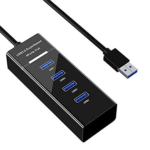


4-Port USB 3.0 Hub with Individual Power Switches & LED Indicators for PC and Laptop
₵50.00
Transfer data at lightning speed with this 4-Port USB 3.0 hub, supporting up to 5Gbps for USB 3.0 and backward compatible with USB 2.0 and 1.0. Compact and portable, its ultra-slim design and lightweight 60g body make it perfect for work, travel, and on-the-go use.
50 in stock
🔹Key Product Features
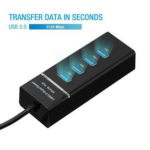
- High Data Transfer USB 3.0 Hub: Supports transfer speeds up to 5Gbps for USB 3.0 and up to 480Mbps for USB 2.0, allowing HD movies to transfer in seconds.
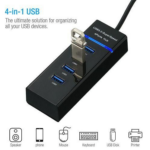
- Extension 4 Ports USB 3.0 Hub: Expands one USB port into four and is fully backward compatible with USB 2.0 and USB 1.0 devices.
- Mini Super Small USB 3.0 Hub: Compact design ideal for work and travel, measuring 10.5 x 3.6 x 2.5 cm and weighing 60g.Portable 4 Ports USB 3.0 Hub: Plug and play, hot-swappable, requires no installation. Includes 1 mini USB 3.0 hub and 1 user manual.
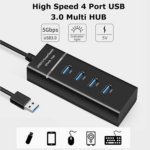
- Great Compatibility: Works with laptops, PCs, Xbox, PS4, flash drives, keyboards, mice, card readers, HDDs, mobile OTG adapters, printers, cameras, USB fans, and USB cables.
- Reinforced and Durable Design: Sturdy exterior, heat-resistant connectors, and reinforced cable ensure long-lasting durability.
- Individual Power Control: Each port has an on/off switch with a blue LED indicator for easy monitoring of power status.
- Ultra Slim and Lightweight: Mini USB 3.0 hub is only 1 inch thin, weighs around 60g, and is easy to carry for work or travel.
- Superior Industrial Quality: Enables fast and seamless data transfers with maximum compatibility and performance.
- Usage Notes: 2.4GHz wireless devices may not work near USB 3.0 hubs; connecting to USB 2.0 is recommended. Avoid connecting more than two hard drives simultaneously.
4-Port USB 3.0 Hub with Individual Power Switches and LED Indicators for PC and Laptop
Make your computer setup more convenient with the 4-Port USB 3.0 Hub with Individual Power Switches and LED Indicators, a compact USB expansion solution designed to help you connect and manage multiple USB devices through a single USB connection. Whether you work with a desktop computer, laptop, or another compatible USB host, this practical USB hub gives you four additional USB ports for connecting essential peripherals and accessories.
Modern computers often have limited USB ports, especially slim laptops and compact desktop systems. When you need to connect a mouse, keyboard, flash drive, printer, external storage device, or other USB accessories at the same time, available ports can quickly become insufficient. Instead of repeatedly unplugging one device to connect another, this 4-port USB hub provides a convenient way to expand your available USB connectivity.
One of its most useful features is the individual power switch provided for each port. Every port can be switched on or off independently, allowing you to manage connected devices without constantly removing their cables. Dedicated LED indicators also help you identify the operating status of each port, making it easier to see which connections are switched on.
With USB 3.0 data transfer speeds of up to 5Gbps, backward compatibility with USB 2.0 and USB 1.0 devices, a convenient 30cm cable, and a compact black design, this USB hub is suitable for everyday computing, office productivity, home entertainment, and portable workstation setups.
Key Features
Expand One USB Port into Four Convenient Connections
The 4-port USB hub allows you to connect up to four compatible USB devices through one available USB connection on your computer. This makes it particularly useful when your laptop or desktop does not have enough USB ports for all the accessories you regularly use.
For example, you can use the hub to connect a keyboard, mouse, USB flash drive, and another compatible peripheral without having to disconnect one device whenever you need another connection.
This additional connectivity can make everyday computer use more organised. Rather than continually moving cables between your computer’s available ports, you can keep frequently used accessories connected to the hub and manage them from one convenient location.
The four-port arrangement is suitable for users who need a straightforward expansion solution without the size and complexity of a larger docking station.
USB 3.0 High-Speed Data Transfer up to 5Gbps
Data transfer speed is an important consideration when choosing a USB hub, especially when working with files, removable storage, and other data-connected accessories.
This USB 3.0 hub supports transfer speeds of up to 5Gbps under compatible USB 3.0 conditions. This provides a high-speed connection for compatible devices and makes transferring files more convenient compared with older USB 2.0 connections.
You can use the hub with compatible USB flash drives, external storage devices, and other USB peripherals. Actual transfer performance will depend on the connected device, computer, USB connection, file type, and operating conditions.
The hub also supports USB 2.0 data transfer speeds of up to 480Mbps. This means you can continue using many older USB accessories without needing to replace them simply because your computer setup has been expanded with a USB 3.0 hub.
For the best possible performance, connect the hub to a compatible USB 3.0 port on your computer and use USB 3.0-compatible peripherals.
Four Individual On/Off Switches for Better Device Management
A major convenience of this USB hub is its four independent on/off switches. Each port has its own switch, giving you greater control over connected devices.
Instead of unplugging a device every time you want to disconnect it from the hub, you can use the corresponding switch to turn that port on or off. This is useful when several accessories remain connected to your computer but you only need some of them at a particular time.
For instance, you might keep your keyboard and mouse available throughout the working day while switching off another connected accessory when it is not required. You can also manage individual connections when changing between different tasks.
The independent switches help reduce the need to repeatedly handle USB connectors. This can make a computer workspace more convenient, particularly when devices are connected in a location that is not easy to reach.
It is important to understand that the switches provide convenient port control. They do not turn the hub into a data backup device or guarantee that every connected storage device can be disconnected safely during an active file transfer. Before switching off a port connected to a flash drive or external storage device, finish any file transfers and use your computer’s safe removal procedure where applicable.
LED Indicators for Clear Port Status
Each of the four ports has an LED indicator that provides a visual indication of its operating status.
These indicators make it easier to identify which ports are switched on without having to guess or repeatedly check the switches. When several devices are connected, the LED indicators can help you manage the hub more conveniently.
This is particularly useful in shared workspaces, home offices, computer desks, and other setups where several USB accessories may be connected at the same time.
The combination of individual switches and LED indicators gives you a more organised way to manage your USB connections. You can identify a port’s status and control it without repeatedly unplugging connected accessories.
Wide Compatibility with USB 3.0, USB 2.0 and USB 1.0 Devices
You do not have to replace all your older USB accessories to use this USB 3.0 hub. It supports backward compatibility with USB 2.0 and USB 1.0 devices, making it suitable for a variety of existing peripherals.
You can connect compatible devices such as:
- USB keyboards and computer mice
- USB flash drives
- Compatible external storage devices
- USB printers
- USB card readers
- Compatible cameras and other USB accessories
- Other supported USB peripherals
This backward compatibility is useful for homes, offices, schools, businesses, and institutions that use a mixture of older and newer computer accessories.
Remember that backward compatibility does not upgrade an older device to USB 3.0 performance. A USB 2.0 device will operate according to its supported USB standard, even when connected through this USB 3.0 hub.
Plug-and-Play Convenience Without Additional Drivers
Setting up this USB hub is straightforward. It supports plug-and-play operation, so you do not need to install additional drivers for normal use with compatible systems.
Connect the hub to an available USB port on your computer, allow the system to recognise it, and connect your compatible USB accessories. The hub also supports hot swapping, allowing compatible devices to be connected or disconnected while the computer is operating, subject to the requirements of the connected device.
This makes it a practical choice for users who want additional USB ports without complicated installation procedures.
It is suitable for everyday computer users, students, office workers, technicians, and businesses that need a simple way to expand USB connectivity.
No External Power Supply Required
This USB hub is designed to operate without a separate external power supply. It draws its operating power through the connected USB host, helping to keep your desk setup simple and reducing the need for another power adapter and wall socket.
This bus-powered arrangement is convenient for ordinary USB accessories and portable computer setups. You can connect the hub to a compatible laptop or desktop and use its four ports without setting up a separate power connection.
However, the available power is limited by the USB host connection and the hub’s specified operating conditions. Devices that require substantial power may not operate reliably when several are connected simultaneously.
If your setup includes multiple power-hungry external drives or other high-consumption accessories, consider whether a separately powered USB hub would be more appropriate. This model is intended as a convenient expansion solution for compatible USB devices, not a replacement for a dedicated high-power charging station.
-
Compact Design with a Convenient 30cm Cable
A good USB hub should provide additional connectivity without taking up unnecessary desk space. This model features a compact mini design that is easy to position beside a laptop, desktop computer, or other compatible USB host.
Its 30cm cable provides a short connection between the hub and your computer, helping you arrange connected accessories without dealing with an unnecessarily long cable.
The compact design is suitable for:
- Home computer desks
- Office workstations
- Student study areas
- Small business workspaces
- Portable laptop setups
Travel and temporary workstations
Its black finish gives it a simple appearance that can fit naturally into many computer and office environments.
Whether you use it at home, at work, or while travelling with your laptop, the hub offers a practical balance between additional connectivity and compact size.
Built-In Protection for Connected Devices
Electrical protection is an important consideration when connecting several accessories through one USB hub.
This model includes built-in protection against overvoltage, overcurrent, leakage, and short circuits. These protective features are designed to help safeguard the hub and connected equipment against the specified electrical fault conditions.
Overvoltage protection helps address excessive voltage conditions, while overcurrent protection is designed to respond to excessive current. Leakage and short-circuit protection provide additional safeguards for the hub’s operation.
These protections add reassurance during everyday use, although they do not eliminate every possible electrical risk or replace the need to use compatible devices and properly functioning computer equipment.
For reliable operation, connect the hub to a suitable USB port and avoid using damaged cables or accessories.
Practical Uses at Home, in Offices and in Ghanaian Workplaces
The 4-Port USB 3.0 Hub is a useful accessory for people who regularly connect several USB devices to a computer.
For home computer users: Connect compatible accessories such as a keyboard, mouse, flash drive, and other peripherals through one convenient hub. This can help reduce the inconvenience of having too few available USB ports.
For students: Use the hub with a laptop or desktop computer when working with compatible USB storage devices, keyboards, mice, and other study accessories. Its compact design is convenient for study desks and portable setups.
For office workers: Expand the available USB connections on a workstation used for documents, presentations, administrative tasks, and everyday computer operations. The individual switches can make it easier to manage accessories that are not always needed.
For businesses: Equip compatible computer workstations with additional USB connectivity for everyday peripherals. The four-port arrangement can be useful in reception areas, administrative offices, retail environments, and small business workspaces.
For technicians: Connect compatible USB accessories and storage devices when carrying out routine computer-related tasks. The individual switches provide convenient control over each port.
For home entertainment setups: Connect compatible USB accessories to a computer used for media management and entertainment. Always check the USB requirements of the device you intend to connect.
For customers in Accra, Tema, Kumasi, Takoradi, Cape Coast, and other parts of Ghana, this compact USB hub offers a straightforward way to expand compatible computer connectivity.
Understanding USB 3.0, USB 2.0 and USB 1.0 Compatibility
USB standards determine the supported connection and data transfer capabilities of a device.
USB 3.0 is the standard supported by this hub, with a stated maximum transfer speed of up to 5Gbps. It is suitable for compatible accessories that can benefit from faster data transfer.
USB 2.0 supports transfer speeds of up to 480Mbps. Many everyday accessories, including keyboards, mice, and older flash drives, use this standard.
USB 1.0 compatibility allows supported older devices to remain useful with the hub.
When connecting different generations of USB devices, the actual operating speed will depend on the device and connection. Using a USB 3.0 hub does not automatically make a USB 2.0 or USB 1.0 accessory operate at USB 3.0 speed.
What to Consider When Choosing a USB Hub
Before buying a USB hub, consider how many devices you need to connect and the type of accessories you intend to use.
Number of ports: This model provides four USB ports. It is suitable when you need to connect up to four compatible accessories through one host connection.
Data transfer speed: The hub supports USB 3.0 speeds of up to 5Gbps and is backward compatible with USB 2.0 and USB 1.0 devices.
Individual port control: Each port has its own on/off switch, allowing you to manage connected devices without repeatedly unplugging them.
LED indicators: Individual LED indicators make it easier to identify the status of each port.
Power requirements: This is a bus-powered hub that does not require an external power supply. Consider a separately powered model if your intended devices require more power than the host connection can provide.
Cable length: Its 30cm cable is suitable for relatively close computer setups. Check your desk arrangement to ensure that the cable length meets your needs.
Connector compatibility: Confirm that your computer has a compatible USB connection. This product’s supplied details do not specify a USB-C host connector.
Is This the Same as a Type-C USB Hub or HDMI USB Hub?
Not every USB hub offers the same connections or functions. Some models are designed with USB-C connectors, while others include HDMI outputs, card readers, Ethernet ports, or additional display connections.
This product is a four-port USB 3.0 hub. Its stated function is to expand one USB connection into four USB ports for compatible peripherals.
A Type-C USB hub is designed with a USB-C connection or USB-C-related interface, depending on the particular model. This product’s specifications do not identify a USB-C connector, so customers should confirm their computer’s USB connection before purchasing.
An HDMI USB hub is a different type of product that includes an HDMI output for connecting a compatible display. No HDMI output is specified for this four-port USB hub. It should therefore not be purchased as an HDMI adapter or laptop display expansion device.
Choosing the correct type of USB hub helps prevent compatibility problems and ensures that the product meets your actual requirements.
Simple Installation and Everyday Operation
You can set up the hub in a few straightforward steps:
- Locate an available compatible USB port on your laptop or desktop computer.
- Connect the USB hub to that port using its attached 30cm cable
- Allow your computer to recognise the hub.
- Connect your compatible USB accessories to the four available ports.
- Use the individual switches to turn each port on or off as rquired.
- Check the LED indicators to identify the status of the ports.
No additional driver installation is required for normal plug-and-play operation with compatible systems.
When using flash drives or external storage devices, complete active file transfers and follow the computer’s safe removal procedure before switching off or disconnecting the relevant connection.
Product Specifications
Specification Details
Product Type USB Hub
Number of Ports 4 USB Ports
USB Standard USB 3.0
Maximum USB 3.0 Transfer Speed Up to 5Gbps
USB 2.0 Transfer Speed Up to 480Mbps
Backward Compatibility USB 2.0 and USB 1.0
Individual Port Switches Yes, one per port
LED Indicators Yes, individual port indicators
Installation Plug and Play
Driver Installation Not required for normal compatible operation
Hot Swapping Supported
External Power Supply Not required
Working Voltage 5V
Working Current 500mA
Working Temperature -20 degreesC to 75 degreesC
Cable Length 30cm
Protection Overvoltage, overcurrent, leakage and short-circuit protection
Color Black
Design Compact Mini Design
Why Buy Your USB Hub from COSMIC ELECTRONICS?
At COSMIC ELECTRONICS, we understand that reliable connectivity accessories are important for everyday computing, business operations, education, and home technology setups.
Our product range is selected to help customers find practical electronics and computer accessories for different needs. Whether you are upgrading your workstation, organising your laptop accessories, or looking for a convenient USB expansion solution, we aim to make product selection easier.
The 4-Port USB 3.0 Hub with Individual Power Switches and LED Indicators is a practical option for customers who need four additional USB connections, convenient individual port control, and a compact design.
COSMIC ELECTRONICS serves customers in Accra and across Ghana. Whether you are purchasing for personal use, an office, a school, or a business, you can contact our team for product enquiries and assistance with your order.
When choosing your USB hub, ensure that its four-port arrangement, USB 3.0 connection, power requirements, and 30cm cable meet your intended setup.
Frequently Asked Questions
1. What is a 4-port USB 3.0 hub used for?
A 4-port USB 3.0 hub allows you to expand one compatible USB connection into four USB ports. It is useful for connecting several peripherals, such as keyboards, mice, flash drives, and other compatible USB accessories.
2. What is the maximum data transfer speed?
The hub supports USB 3.0 data transfer speeds of up to 5Gbps. USB 2.0 connections support speeds of up to 480Mbps. Actual performance depends on the connected device, computer, and USB standard being used.
3. Can I connect USB 2.0 devices to this hub?
Yes. The hub is backward compatible with USB 2.0 and USB 1.0 devices. Older accessories can therefore be connected, although their operating speeds will remain limited by their supported USB standards.
4. Does each USB port have an individual switch?
Yes. Each of the four ports has its own on/off switch. This allows you to control individual connections without repeatedly unplugging connected accessories.
5. What are the LED indicators for?
Each port has an LED indicator that helps you identify its operating status. This makes it easier to see which ports are switched on when several devices are connected.
6. Does this USB hub require an external power adapter?
No external power supply is required for normal operation. The hub is designed to draw power through its connection to the computer. However, devices with high power requirements may need a separately powered hub.
7. Does it require driver installation?
No additional drivers are required for normal plug-and-play operation with compatible systems. Connect the hub to your computer and allow the system to recognise it.
8. Can I connect and disconnect devices while my computer is running?
Yes. Hot swapping is supported for compatible devices. However, storage devices should be safely removed after completing file transfers before switching off or disconnecting them.
9. Is this a Type-C USB hub?
The supplied specifications identify this product as a USB 3.0 hub but do not specify a USB-C connector. Check the connection available on your computer before purchasing.
10. Does this USB hub support HDMI output?
No HDMI output is listed in the product specifications. This is a four-port USB 3.0 expansion hub for compatible USB peripherals, not an HDMI display adapter.
11. What is the cable length?
The hub comes with a 30cm cable. This provides a short connection suitable for many laptop and desktop computer arrangements.
12. Where can I buy a 4-port USB hub in Ghana?
You can enquire about the 4-Port USB 3.0 Hub with Individual Power Switches and LED Indicators from COSMIC ELECTRONICS. We serve customers in Accra and across Ghana.
Quick Summary
The 4-Port USB 3.0 Hub with Individual Power Switches and LED Indicators is a compact connectivity accessory designed to expand one compatible USB connection into four convenient ports. With USB 3.0 data transfer speeds of up to 5Gbps, backward compatibility with USB 2.0 and USB 1.0, individual on/off switches, and LED indicators for each port, it makes managing multiple USB accessories easier.
Its 30cm cable, plug-and-play operation, hot-swapping support, and bus-powered design make it suitable for compatible laptops, desktop computers, home offices, workplaces, and portable setups. Built-in protection against overvoltage, overcurrent, leakage, and short circuits provides additional safeguards during use.
If you need a practical USB HUB for connecting and managing up to four compatible USB devices, this compact black model is a convenient option to consider.
Available from COSMIC ELECTRONICS, serving Accra and customers across Ghana.
| Number Of Ports | 4 |
|---|---|
| Usb Version | 3.0 |
| Usb 2.0 Max Speed | 480Mbps |
| Usb 1.1 Max Speed | 240Mbps |
| Cable Length | 1.2m |
| Hot Swappable | Yes |
| Plug And Play | Yes |
| Compatibility | Windows, Mac, Linux, Xbox, PS4, Laptops, PCs, Mobile Devices, Tablets |
| Durability | Reinforced Cable, Heat-Resistant Connectors, Sturdy Exterior |
| Portable Design | Ultra Slim, Lightweight, Travel-Friendly |


IT'S ALL ABOUT YOU
At COSMIC ELECTRONICS, we strive to process and dispatch orders as quickly as possible. While some orders may be shipped on the same day they are placed, processing times can vary depending on product availability, order volume, and delivery location. Please allow 2–3 business days for order processing before shipment.
IMPORTANT DELIVERY INFORMATION
- Fast Order Processing: Orders are processed and dispatched as quickly as possible, typically within 2–3 business days. A confirmation email will be sent shortly after your order is placed.
- Nationwide Delivery Across Ghana: We deliver to selected regions and cities across Ghana. Please check our delivery options to confirm availability in your location.
- Delivery & Collection Requirements: All deliveries require a signature upon receipt. Orders are not processed or shipped on Sundays, although you may place orders online at any time. If you do not receive your confirmation email, please check your Spam or Junk Mail folder.
For enquiries regarding delivery times, order status, or the lead time of a specific item, please contact COSMIC ELECTRONICS on +233 54 724 0128. Our team will be happy to assist you with any questions before or after your purchase.
Related products


4K HDMI Splitter 1×2 – Distribute One HDMI Source to Two Displays, Supports Dual Monitor Duplication and Mirroring, HDMI 2.0b, 60Hz, Full HD 1080P, 3D, 18.5Gbps, Compatible with Xbox, PS4, Blu-Ray Player, and HDTV – Black
The 4K HDMI Splitter 1 in 2 out mirrors a single HDMI source to two screens simultaneously, supporting Full HD 1080P, 3D, and 4K × 2K resolutions. It amplifies and splits HDMI signals without any loss of audio or image quality, providing stable and clear output on both displays. Compact and USB-powered, it is plug-and-play, compatible with TVs, monitors, projectors, gaming consoles, and Blu-Ray players.


Apple 35W Dual USB-C Power Socket with 4-Port USB HUB and LCD Display for iPhone Charging
Enjoy Fast And Efficient Multi-Device Charging With 35W Power Output And Dual USB + Dual Type-C PD Ports. Wide Voltage Support And Stable Performance Ensure Safe Charging For iPhones And Other USB Devices Anywhere. Compact 4-Port Design With 1M Cable Offers Convenient And Organized Power Access For Home Or Office Use.


Flexible USB Waterproof Silicone Keyboard – Foldable 85-Key with Soft Rubber Cover for PC and Laptop (Black)
This flexible USB silicone keyboard is lightweight, foldable, and portable, making it easy to carry and use anywhere. Its waterproof, washable, and dust-resistant design ensures durability in messy or industrial environments, as well as hygienic use in medical settings. Featuring 109 English and Arabic keys, USB connectivity, and compatibility with Windows 98 through 10, it combines practicality, comfort, and convenience in a compact design.


Lanjue L600 USB Wired Gamepad Controller with Ergonomic Grip for Smooth PC Gaming
Charges your gaming setup with ergonomic design and reliable wired USB connectivity for seamless plug-and-play gaming on compatible PCs and laptops. Features responsive multi-button layout and directional controls for precise gameplay across genres, with lightweight, comfortable grip for extended sessions.


N99 Adjustable Laptop Cooling Stand with Dual Fans for 10 15.6-Inch Laptops
The N99 Adjustable Laptop Cooling Pad features dual fans and a special airflow design to keep laptops cool during extended use's-powered with adjustable height and built-in USB ports, it offers ergonomic comfort and expanded connectivity. Slim, lightweight, and durable, it’s ideal for home, office, or travel, ensuring reliable heat dissipation for 10–15.6-inch laptops.


Soulion Tracer 30 USB Gaming Headset with Virtual 7.1 Surround Sound and RGB Lighting for PC
The Soulion Tracer 30 is a professional USB gaming headset featuring powerful 50mm speakers with virtual 7.1 surround sound for immersive gameplay on Windows PCs.Its noise-cancelling microphone delivers clear voice communication, while vibrant RGB rainbow lighting adds a bold gaming atmosphere.With a wide 20Hz–20KHz frequency range, it produces rich bass, clear highs, and precise audio detail for competitive gaming.


Reviews
There are no reviews yet.